Categories
Reviews

ExpressVPN Review 2026 – Value for your Money

ExpressVPN has climbed to the forefront of the VPN game since its inception in 2009. It’s still one of the most well-known VPN providers today, with a stellar reputation.

Its user-friendly interface makes it an excellent pick for newbies discovering VPNs, and its multiplatform support broadens its appeal to a wider audience. It also comes with fast speeds and a solid reputation for stability and security.

However, ExpressVPN comes with slightly higher-than-average costs, which start at $8.32 per month. This is way more than most of the top VPNs in the industry.

That being said, do this VPN’s features really justify its price?

To find out the answer, the team of Best VPN Comparisons ran it on Linux, Mac, Android, Windows, iOS, and routers. We then put its gaming, streaming, and torrenting capabilities to test.

Furthermore, we looked into its security features, unblocking capabilities, device compatibility, and the Lightway protocol itself. We also did a thorough study of their privacy policy, company history, and independent audits to see if it’s trustworthy.

We jotted down each and every aspect tested in this review. So, without further ado, let’s get into it!

ExpressVPN pros and cons

With great speeds, extensive server network, obfuscation technology, and security, ExpressVPN is simply one of the best options in the industry. But, you need to understand that there are inconveniences and tradeoffs everywhere.

Here is a quick list of pros and cons we listed down in our ExpressVPN review 2026:

Pros Cons
Blazing-fast speeds High pricing
Thousands of servers Customer support team is unable to handle extremely technical issues
AES 256-bit encryption No extra features
Unblocks all popular streaming services
TrustedServer technology
30-day money-back guarantee
25/7 live chat support
Obfuscated servers

Speed and performance: Is ExpressVPN fast?

Connection speeds are essential for trouble-free VPN use, and even the most privacy-conscious user will need quick loading alongside rock-solid security.

With the emergence of advanced protocols like WireGuard and Lightway, many VPN providers are seeing their connection speeds skyrocket.

To confirm this statement, we conducted extensive tests to determine how well ExpressVPN performs.

We tested multiple servers of this VPN in our ExpressVPN speed review on the following baseline: 1ms/100 Mbps download speed/100 Mbps upload speed after connecting to various servers, and here are the results that we got:

Server Location IKEv2 Lightway OpenVPN (TCP) OpenVPN (UDP)
United Kingdom 51/8242 35/83/71 51/65/43 61/78/67
USA (Miami) 65/87/63 59/85/65 27/70/33 100/82/73
India 120/82/46 191/76/32 111/63/45 111/80/46
Australia 72/79/68 109/81/27 163/70/42 165/83/41
Canada (Toronto) 104/81/75 111/78/65 158/73/36 194/76/55
Netherlands 147/78/65 165/80/55 104/78/65 200/73/62

As per our ExpressVPN Lightway review, if you wish to maximise speed, we strongly advise you to use the Lightway protocol. It’s compatible with all ExpressVPN-enabled devices, including routers.

All the connections of ExpressVPN support OpenVPN, with the choice to connect through UDP or TCP (the former is faster but the latter is more stable). L2TP/IPSec and IKEv2 are also present, although their features, locations, and compatibility are limited.

Streaming: Does ExpressVPN work with Netflix?

Our ExpressVPN review of Netflix concluded that this VPN excels in unblocking streaming services. We had no problems watching numerous series on Netflix, Amazon Prime Video, Disney+, and BBC iPlayer. We couldn’t locate a single streaming service that it couldn’t unblock.

On Netflix, each nation has its own collection of series and films. ExpressVPN can enable you to safely access Netflix in the United Kingdom, Japan, Canada, and France, among other countries.

We tested Netflix with the American Netflix library, and it worked perfectly. On the plus side, we didn’t have to choose a particular streaming server or check any boxes.
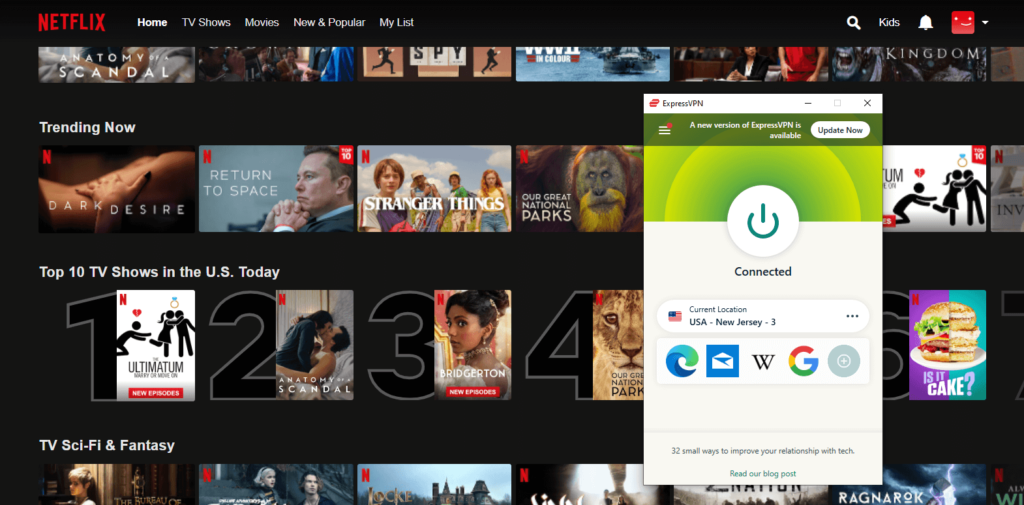
expressvpn-works-with-netflix

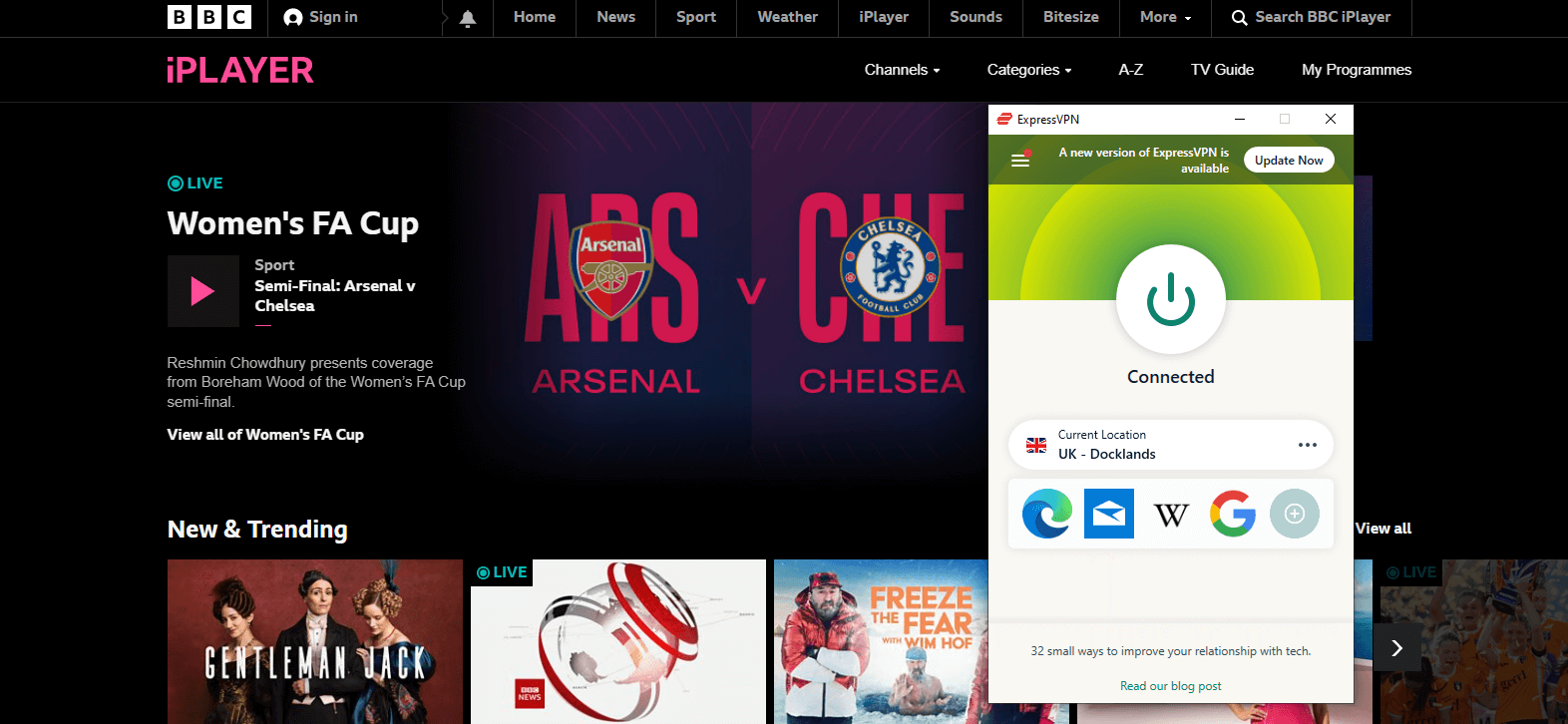
ExpressVPN had no trouble connecting to BBC iPlayer, Hulu, or YouTube TV as well.
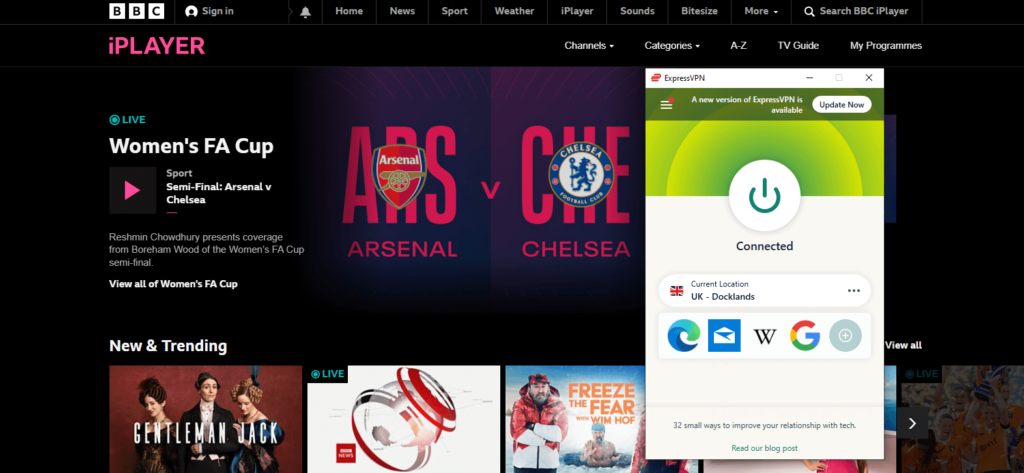
expressvpn-works-with-bbc-iplayer

Is ExpressVPN good and safe for torrenting?

Every VPN server that ExpressVPN provides is geared for peer-to-peer (P2P) sharing. That implies you won’t have to waste time looking for a torrenting server because whichever one you pick will be adequate.

qBitTorrent, Transmission, Vuze, Deluge, uTorrent, and any other major P2P application are compatible with this VPN, as per our ExpressVPN torrenting review.

There are no restrictions on bandwidth or transmission. Your connection will never be throttled, according to the business.

We downloaded a 600 MB file through uTorrent to test ExpressVPN’s torrenting capabilities. We were able to download it completely in around 8 minutes using its Chicago server.

Moreover, please note that the router app of ExpressVPN allows port forwarding; while the other apps do not. Also, it does not have a SOCKS5 proxy.

ExpressVPN features

Even though the price of ExpressVPN is a bit high, we found it worth the cost after testing its features. Want to get into the deets? Let’s go!

Split tunneling

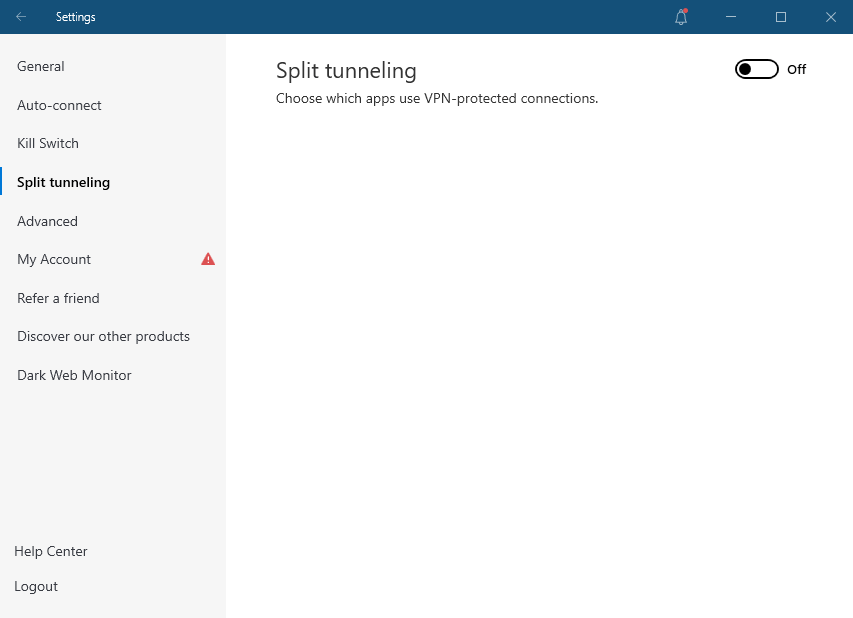
Split tunneling is a VPN feature that exempts some traffic from the VPN tunnel. If you need a local connection for banking while streaming a geo-restricted service, this comes in useful.
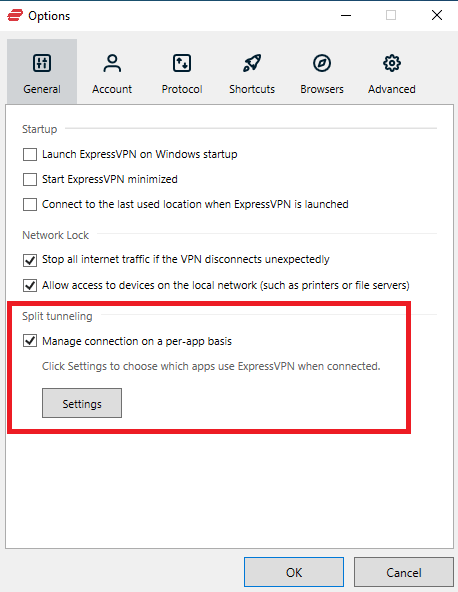
expressvpn-split-tunneling

By merely encrypting your torrenting connection, you can also use it for saving bandwidth when downloading files.

MediaStreamer

You get a SmartDNS feature with your ExpressVPN subscription called MediaStreamer. When you’re used to streaming videos on a device that doesn’t support VPNs, this is extremely beneficial.

You can use MediaStreamer to alter the DNS address, and the device will connect to geo-restricted sites as if it were using a VPN. It only works with libraries in the United States since they are the most restricted ones.

One of your five simultaneous device connections will be used up when you configure a device using MediaStreamer. It doesn’t encrypt your data or mask your IP address, and it doesn’t provide the same level of security as a full VPN client.

When tested, setting up MediaStreamer on our PS4 took less than four minutes. It also worked on our PC, but not on Xbox.

Router app

As per our ExpressVPN router review, this VPN released a custom router app that eliminates several steps from the setup process that would otherwise be required.

You can find instructions on how to do that on their help page. You’ll need to get ExpressVPN firmware and install it on your router. You’ll be able to log in after it restarts.

You can decide which devices will use a VPN, alter your connection settings, and manage your Port Forwarding settings because ExpressVPN built it from the bottom up.

It’s a router-compatible app that’s fully working. Furthermore, because it only reduces your maximum authorized connections by one, any device connected to this router does not add up to the maximum quota of five.

Another thing is that the router application now allows you to group devices into device groups, allowing you to select various servers for each group. This allows you to connect to several servers on multiple devices at the same time.

Shortcuts

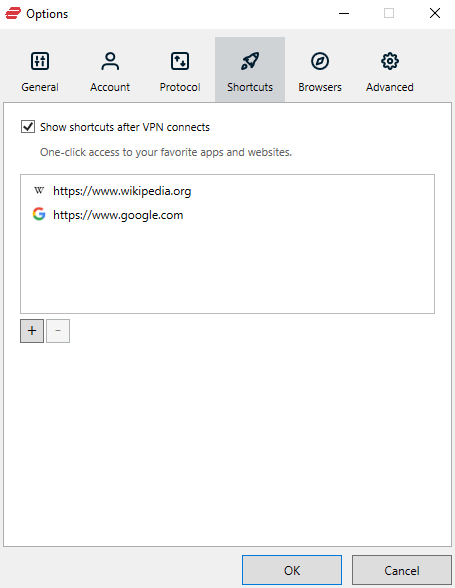
ExpressVPN includes a tool for people who use VPNs in conjunction with specific services or apps. There are shortcuts if you frequently open a specific app after connecting to a VPN server.

You may edit shortcuts by right-clicking the bar under the connect button once you’ve connected to a VPN server. You may then add an app or a website link to the bar in this manner. By clicking the shortcut symbol, you can launch the associated website or URL link without having to search for it manually.
expressvpn-shortcuts

It’s completely customizable, and you may build up to five shortcuts in total. Our detailed ExpressVPN review of Mac, Windows, and Android concluded that only these three devices can use the feature for now.

Stealth servers

ExpressVPN promotes itself as a “stealth VPN,” implying that at least some of its servers use “obfuscation” technology. 

This function disguises your VPN traffic as normal browsing. It can be used for a variety of things, including unblocking Netflix and battling online censorship. Even deep packet inspection won’t be able to see that you’re using a VPN if you use stealth servers.

It was, however, difficult to confirm or refute the existence of thisfeature. ExpressVPN consumers do not have the option to choose between different stealth VPN servers. We have found no blogs, setup manuals, or other evidence that ExpressVPN offers this feature.

Is ExpressVPN safe and secure?

ExpressVPN is a secure VPN service that complies with the majority of security criteria and guidelines. It is, however, owned by Kape Technologies, a company with a history of malware spreading and owning a number of VPN services.

However, keeping all that aside, ExpressVPN offers robust security features that are known to keep you safe. Even while testing, its security features lived up to our criteria and seemed too good to be true.

Encryption

ExpressVPN is a well-known VPN service. As per the testing in our ExpressVPN privacy review, It offers a variety of features, including strong encryption, which makes it a popular choice for users looking for privacy and security.

ExpressVPN uses the AES-256-GCM for encryption. This is one of the most secure ciphers available, and it is used by many government and military organizations.

There are 2256 or 1.1 × 1077 potential combinations with 256-bit keys. A brute-force attack on a 256-bit keyspace is just impossible, even if all of the world’s most powerful supercomputers operated for the entire history of the universe, billions upon billions of times.

In addition to its strong encryption, ExpressVPN also offers a number of other security features. These include a kill switch, DNS leak protection, and a strict no-logs policy. This means that your data is never stored or monitored by the company, ensuring your privacy.

Tunneling protocols

One thing that sets ExpressVPN apart from other VPNs is its use of Tunneling protocols.

When you use a VPN, a method known as tunneling is used to send your online activities and data through the internet.

Data flowing over a VPN tunnel is divided into “packets,” which are then sandwiched between other data packets. All of this information is subsequently encrypted, making it impossible for intruders to view what’s inside.

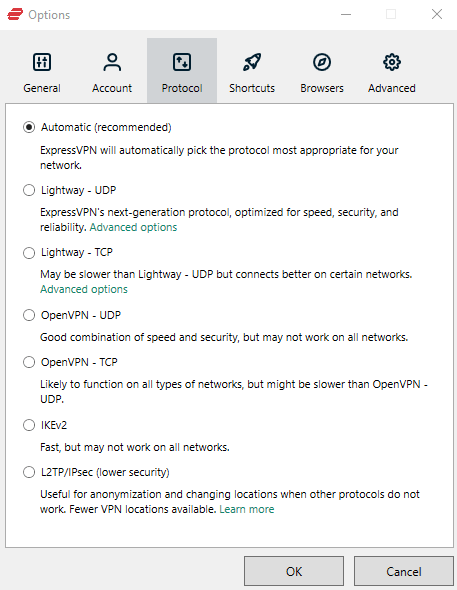
ExpressVPN offers several tunneling protocols:
expressvpn-tunneling-protocols

OpenVPN (UDP/TCP) is one of ExpressVPN’s most popular tunneling protocols, although it isn’t the most efficient.

Other than OpenVPN, ExpressVPN also supports both IKEv2 and L2TP/IPsec protocols. L2TP/IPsec is one of the worst possibilities because it is ExpressVPN’s oldest protocol. IKEv2 is still better in terms of speeds.

But perhaps the best protocol that ExpressVPN supports currently is called Lightway. It’s the service’s newest open-source feature, and it uses lightweight cryptographic libraries to speed up your connection. We tested this protocol out extensively and found it to offer amazing speeds.

Network Lock (Kill Switch)

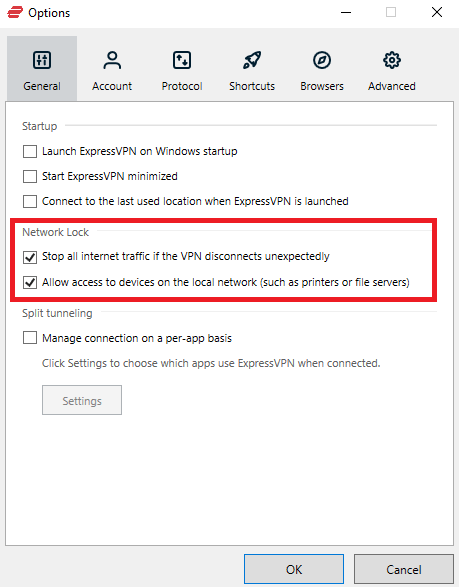
One of the most important features of ExpressVPN is its Network Lock. The Network Lock is ExpressVPN’s kill switch. It is designed to protect your privacy and security by ensuring that all of your traffic is routed through the VPN.
expressvpn-kill-switch

This means that if your connection to the VPN is ever interrupted, your traffic will not be routed through your ISP or any other third party.

We tested this feature out where we intentionally disrupted our network and it worked great every time.

Logging

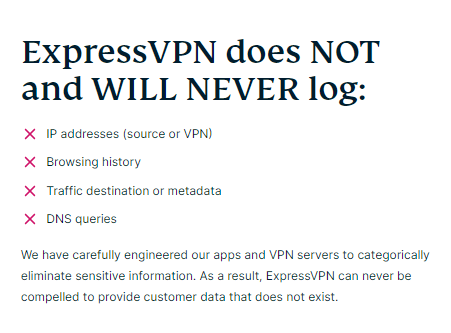
If you’re looking for a VPN provider that doesn’t keep logs of your activity, then ExpressVPN is a great choice. This provider is based in the British Virgin Islands, which has no data retention laws.
expressvpn-no-logs

ExpressVPN states in their privacy policy that they do not keep any logs of your activities. This applies to browsing history, DNS requests, and data content, among other things. As a result, basically, everything you do online will not be stored or used in any way.

They do gather some usage data, such as successful VPN connections and the total amount of data sent, but it’s only used to improve the service. If you don’t want anything recorded, you may also opt out.

In general, their functioning doesn’t generate a lot of red flags. Their privacy policy is straightforward and easy to understand

Security and privacy audits

ExpressVPN is a popular VPN service with a strong focus on security and privacy. The company has undergone several independent security and privacy audits and has consistently passed with flying colors.

PricewaterhouseCoopers, one of the Big Four accounting firms, audited its no-logs policy. According to the research, ExpressVPN’s configuration is in line with its privacy policy.

The world has already seen ExpressVPN’s privacy policy in action when the Turkish police seized one of their servers, believing it to be linked with the assassination of a Russian ambassador. However, the investigators couldn’t find anything as ExpressVPN keeps no logs.

TrustedServer technology

ExpressVPN’s TrustedServer technology is the company’s proprietary server software that is designed to provide a more secure and reliable VPN experience. This technology is based on a number of security features, including military-grade encryption, that makes it virtually impossible for anyone to hack into your data.

TrustedServer technology used RAM-based servers, which store some data when in use, however, completely wiped when they restart.

ExpressVPN servers and locations

ExpressVPN offers 3000+ servers in 94 countries around the world, making it one of the most widely-available VPN providers. This means that you’re likely to find a server nearby no matter where you are, which is ideal for travelers.

Their servers are strategically placed all over the world in the Asia Pacific, Americas, Europe, The Middle East, and Africa. All of their servers offer unlimited bandwidth so you’d never have to deal with throttling issues.

In our review of ExpressVPN, we tested one server from each of the above-mentioned regions and found all of them to offer great speeds. We noticed a speed drop of around 30% when connected to ExpressVPN, which is not that bad. Our connection stayed stable and we didn’t notice any abrupt disconnections.

Does ExpressVPN work in China?

We conducted an extensive ExpressVPN China review and came to a conclusion that in China, you can use ExpressVPN, but it’s advisable to download it before going there.

The Chinese government controls internet access in the country. With a regular Chinese internet connection, sites like Facebook, Google, and YouTube are inaccessible.

The Great Firewall of China is the name given to China’s online censorship. When the Chinese government pushed down on VPN use several years ago, ExpressVPN was one of the few VPNs that remained operational.

ExpressVPN also includes servers in Hong Kong, allowing you to watch Chinese television and use Chinese websites while you’re not in China.

The Hong Kong 2 server enhanced my download speed by 15% despite the ping being too high for gaming (190 ms). We were able to watch Chinese programs in HD without any lag.

Plans and pricing

Plans Price
1-month plan $12.95
6-month plan $9.99/mo
12-month plan $8.32/mo

When it comes to ExpressVPN, the longer the subscription, the more money you save. Even though the stated rates are spread out over the duration of the subscription, they are still somewhat expensive.

Even with the 35 percent annual discount, you’re still spending twice as much as you would for many other high-quality VPN providers

Furthermore, there is no free option or trial available. However, accrording to our ExpressVPN refund review, their 30-day money-back guarantee is your sole option if you don’t like the service.

You can pay with PayPal, Bitcoin, credit card, or other payment methods such as UnionPay for the subscription of ExpressVPN.

Interface and ease of use

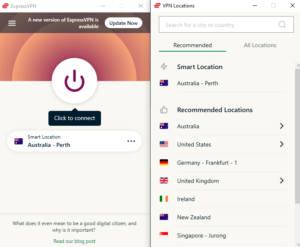
The desktop and mobile apps for ExpressVPN are stylish, stable, and easy to use. With a large power button in the center, it boasts a sleek, modern appearance.

You can choose the server location to utilize or use the Smart Location feature with a single click. For quick protection, this instantly connects you to the nearest high-speed server.

Desktop versions

ExpressVPN offers dedicated apps for both Windows and Mac. Let’s learn more about their interface and usability below:

Windows and macOS

Both Mac and Windows versions are nearly identical in appearance and feature set.

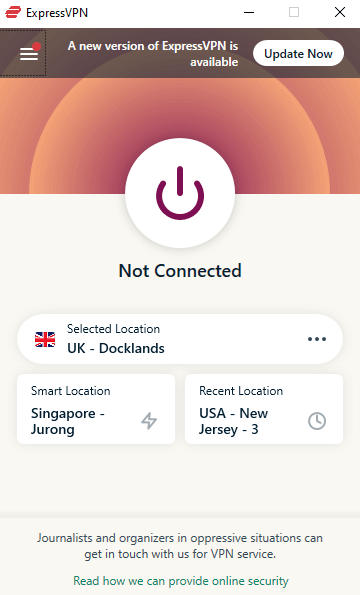
The main window is quite small, with only one large connect button. You can also create shortcuts or connect to the server that was most recently utilized. The window will open on the side if you want to access options.
expressvpn-windows-interface

There is a continent-based location filter from which you can choose the country you require. As a result, there are no unneeded complications.

Split tunneling is available in both Windows and macOS apps, which is definitely a plus.

Linux

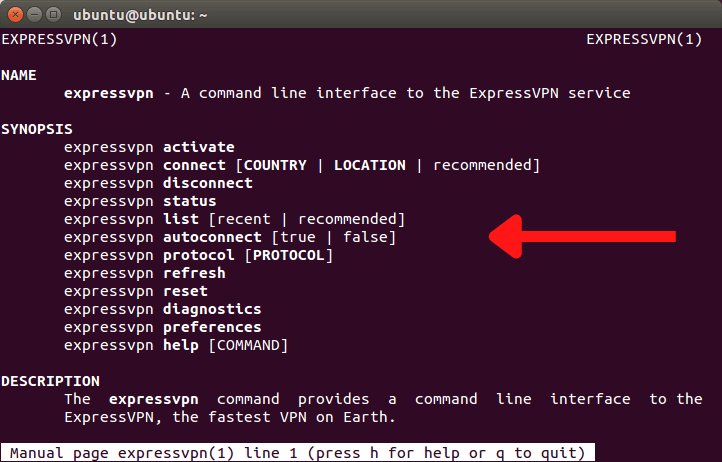
Apps for RedHat, Debian, and Arch-based Linux distributions are available on ExpressVPN. None of them require root access, which will please even the most careful users. The feature set isn’t lacking in any way.
expressvpn-ubuntu-interface

You may see a list of all available servers, use the Lightway tunneling protocol, and run rudimentary diagnostics. It isn’t clumsy or undeveloped in any way.

ExpressVPN mobile apps

The design reasoning for mobile versions is taken directly from their desktop counterparts. The location selection tab remains unchanged, however the options tab has been redesigned to accommodate bigger mobile screens.

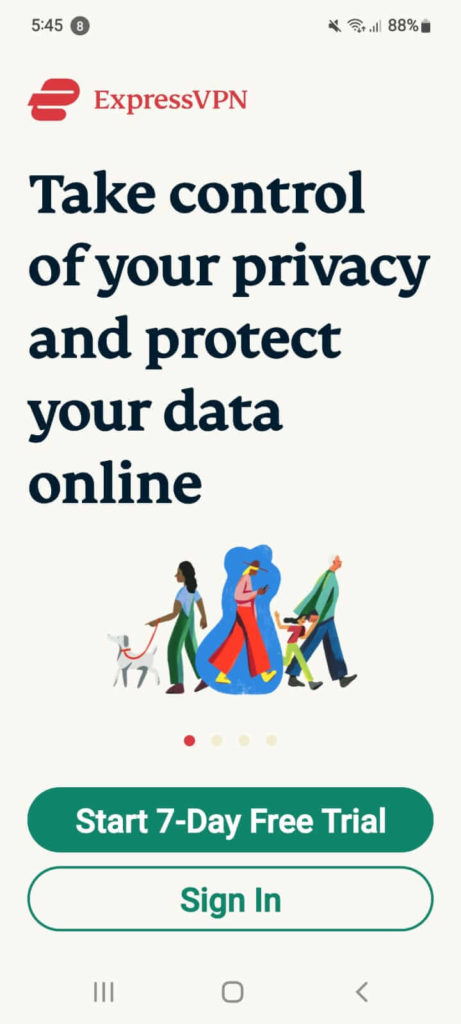
Please note that ExpressVPN offers a 7-day free trial on its Android and iOS version. Here is a screenshot of that:
expressvpn-android-interface

The findings of our ExpressVPN Android VPN review concluded that the Android app does have several characteristics that distinguish it from iOS. Both apps support auto-connection and can switch between various tunneling protocols.

Only the Android version has a kill switch, split tunneling, and shortcuts out of the two. These distinctions are significant enough to recommend the Android version of ExpressVPN.

Browser extensions

ExpressVPN’s browser extensions add a few extra security features, but they’re only available on the desktop. Chrome and Firefox each have dedicated browser extensions.

You can also install it in Microsoft Edge, but you’ll need to get it from the Chrome Web Store and enable extensions from other stores in Edge’s settings.

We found the UI to be far more pleasant to use than desktop apps because it had a dark mode. It provides a clearer picture of your connection status.

Customer support

We learnt in our ExpressVPN customer support review that this VPN has simplified customer support by providing a wealth of information on their support website. There are numerous tutorials and recommendations with screenshots and, in some cases, videos.

If the problem is too big for you to fix on your own, you can always contact the customer service team by live chat or email tickets. If the question is too difficult, it may be changed to an email ticket, and you will be contacted later.

Keep in mind that the first question you’ll be asked throughout the session is your email address, which will be used to verify your identity.

Does ExpressVPN provide value for money?

Well, yes. ExpressVPN may be quite expensive, but its extensive server network, robust security features, super-fast speeds, and round-the-clock customer service makes it up to the cost it comes at.

It allows you to access all your favorite geo-restricted streaming services from across the world, and even torrent without being in trouble (Please note that we do not encourage torrenting any copyrighted material).

If you’re not sure about opting for its annual plan immediately, then you can always go for its 30-day refund policy, test out its features, and then make a decision.

For more VPN Reviews & Comparisons, check out Best VPN Comparisons!

FAQs

Is ExpressVPN good for online gaming?

ExpressVPN offers user-friendly applications to enhance your gaming experience on all major platforms. This includes optimized speeds, protection against DDoS attacks, and security against ISP throttling.

Does ExpressVPN have a free version?

ExpressVPN offers a 7-day free trial for Android and iOS users, and so it can be listed among the free VPN providers. However, there are certain limitations on free trials just like free VPNs until you actually purchase an ExpressVPN plan.

Does ExpressVPN make your Internet speed slow?

VPNs add a layer of encryption that ends up slowing down your internet connection. However, ExpressVPN has an optimized server network with lightning-fast speeds, so you won’t be able to notice any difference.
Some more VPN reviews for you!

Categories
Reviews

Surfshark Review 2026 – Best Affordable VPN

Surfshark is a new, up-and-coming VPN provider that has been making a big splash in the industry.

The service has a lot of great features, and it is very easy to use. Surfshark is perfect for those who want to keep their data safe and secure online.

Here are three reasons why you should buy this VPN as per our Surfshark review 2026:

  1. Surfshark is affordable.
  2. Surfshark has a great selection of features.
  3. Surfshark is reliable and trustworthy.

Overall, Surfshark is a great choice for those who are looking for a reliable and affordable VPN service. If you’re considering buying Surfshark, don’t hesitate – it’s definitely worth it.

This was our verdict. But we at Best VPN Comparison got deep into the nitty-gritties to find out how every feature of this VPN actually works. So, if you want to read a more detailed Surfshark VPN review, make sure to stick around all the way to the end.

Surfshark pros and cons

Surfshark is a top-rated VPN service that has been praised for its user-friendly interface and strong security features. However, Surfshark is not without its faults. Here are the pros and cons of Surfshark:

Pros:

  • User-friendly interface
  • Strong security features
  • Excellent customer support

Cons:

  • Expensive compared to other VPNs
  • A limited number of servers

Overall, Surfshark is a great VPN service with some excellent features. However, it offers a limited number of servers compared to NordVPN and CyberGhost.

Can Surfshark unblock streaming services?

In our review of Surfshark, the first thing we tested were its unblocking capabilities.

Surfshark is one of the most popular VPNs on the market and has a strong reputation for being able to unblock streaming services. In this Surfshark review, we’ll take a look at how well it actually performs in this area.

First of all, Surfshark is great for streaming Netflix. It can unblock the U.S. version of Netflix as well as other regional versions, so you can watch your favorite shows and movies no matter where you are in the world.

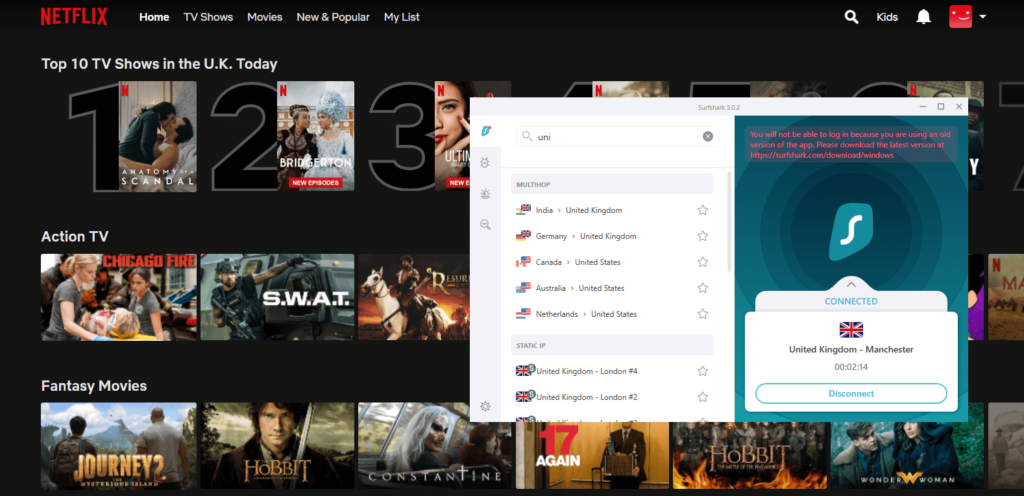
unblock-netflix-with-surfshark

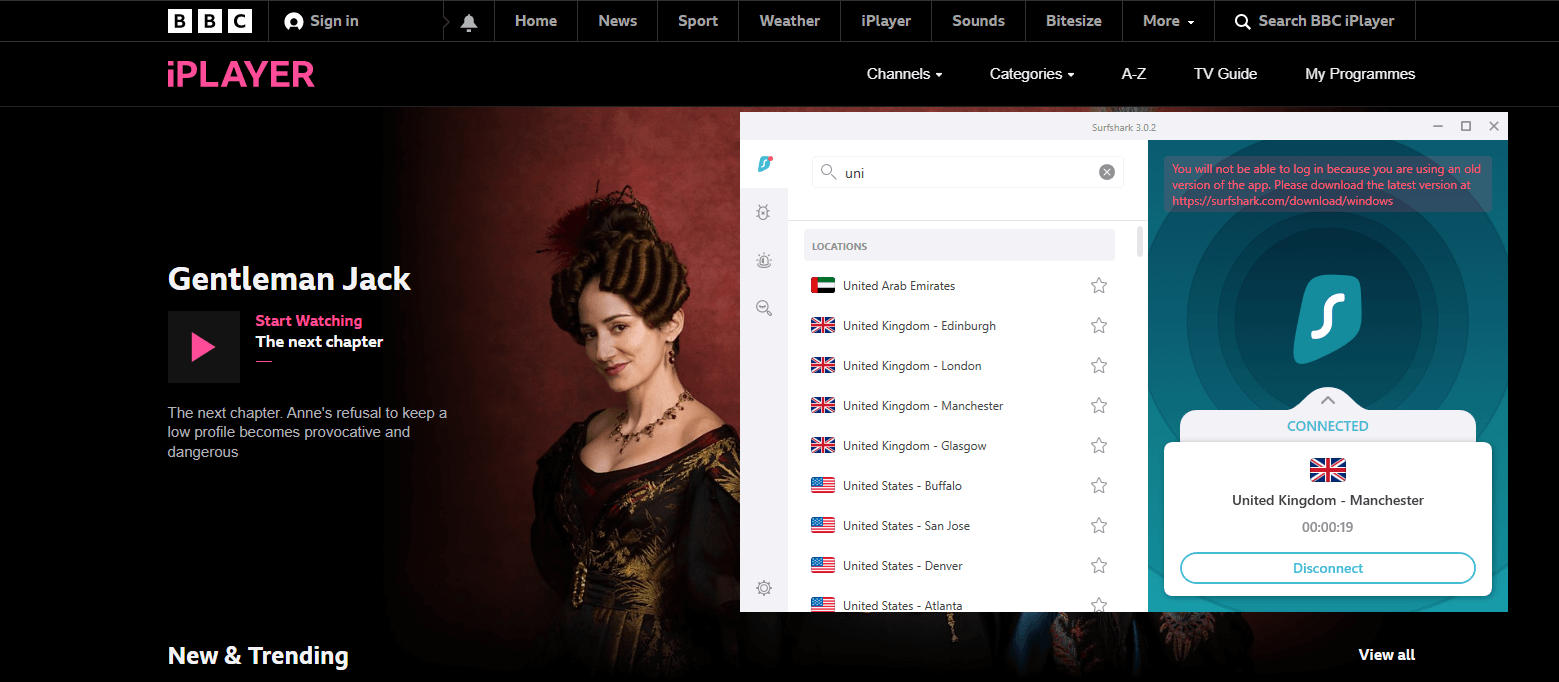
Surfshark is also good for streaming Hulu and BBC iPlayer. It can unblock both of these services even when they are blocked by other VPNs. Surfshark also has a large number of servers located in the U.S., which makes it a great option for streaming American content.

Overall, Surfshark is an excellent VPN for unblocking streaming services. It has a strong reputation for being able to unblock popular streaming services like Netflix, Hulu, and BBC iPlayer. If you’re looking for a VPN that can unblock streaming services, Surfshark is definitely worth considering.

Unblocking Netflix with Surfshark

We conducted a detailed Surfshark Netflix review to see how this VPN works with the streaming service. Netflix is one of the most popular streaming platforms in the world. However, not every country has access to all of its content. If you’re traveling or living abroad, you may find that you can’t watch your favorite shows and movies on Netflix.

This is where Surfshark comes in. Surfshark is a VPN service that allows you to unblock Netflix and other streaming platforms from anywhere in the world. Surfshark is one of the only VPNs that can still unblock Netflix, making it a great choice for anyone looking to stream content from overseas.

unblock-netflix-uk-with-surfshark

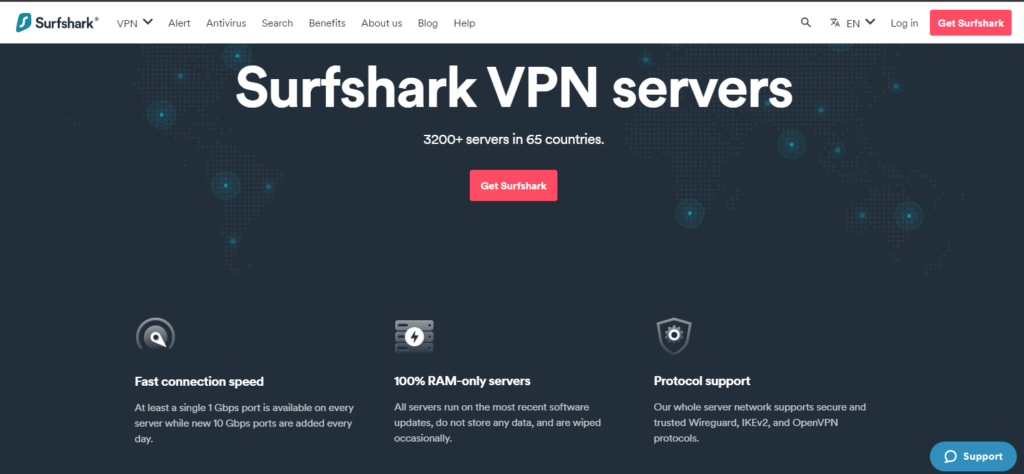
With 3200+ servers in 65 countries, Surfshark can help you unblock at least 14 Netflix libraries at super-fast speeds based on our testing.

We were able to stream without buffering because the speeds were fast enough. Even when the server was on the other side of the planet, we never had to wait more than a few seconds for a show or movie to load.

On Netflix France, the only time we saw severe buffering was when we tried to fast forward a long time. Even yet, there were no issues when we watched the show normally rather than skipping forward.

In most cases, the resolution was equally excellent. We only experience buffering issues with Netflix France. However, the quality decrease was not great enough to render it unwatchable.

Unblocking Amazon Prime Video with Surfshark

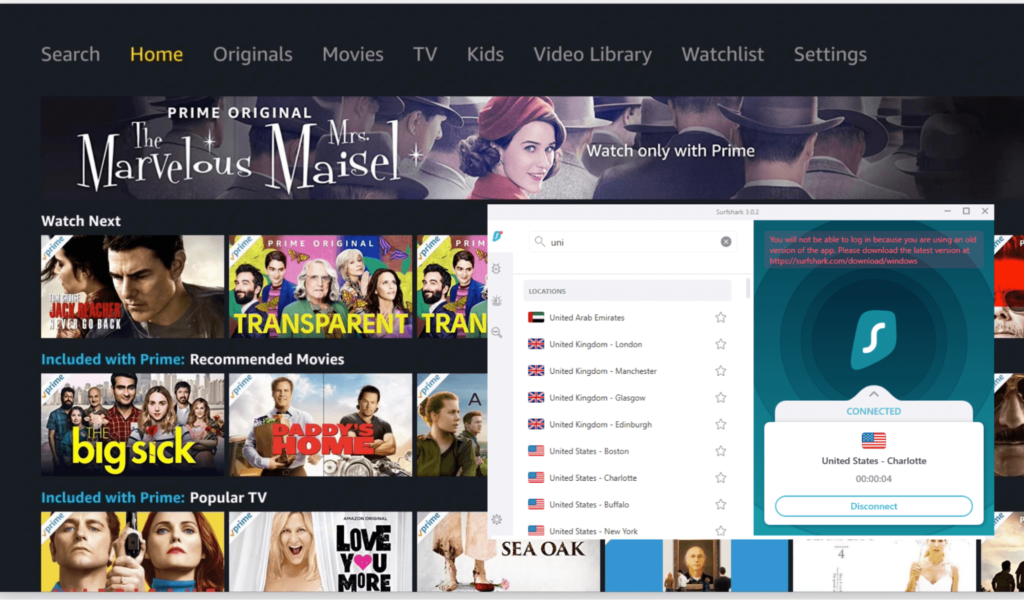
Surfshark is ideal for accessing popular streaming services like Amazon Prime since it uses robust encryption technology, as well as a GPS spoofing capability and DNS and IP leak protection.

It also works with a variety of platforms, including Windows, iOS, Android, macOS, Firestick, and Smart TVs. This means you can use Surfshark to access Amazon Prime content on these devices.

When we tested it out, we were able to stream a bunch of shows on Amazon Prime without any buffering issues. As for speeds, Surfshark by far offers the fastest speeds we have ever witnessed.

unblock-amazon-prime-with-surfshark

Surfshark also has a Trust DNS function that works in conjunction with the rest of its server network to make switching DNS services easier. Smart DNS, as we all know, is a technology that allows you to unblock geo-restricted websites and services by leveraging your DNS.

For testing purposes, we tried streaming a new show on Amazon Prime Video called “Reacher”. As soon as we clicked on the title, it started playing right away in HD quality.

Does Surfshark unblock other streaming platforms?

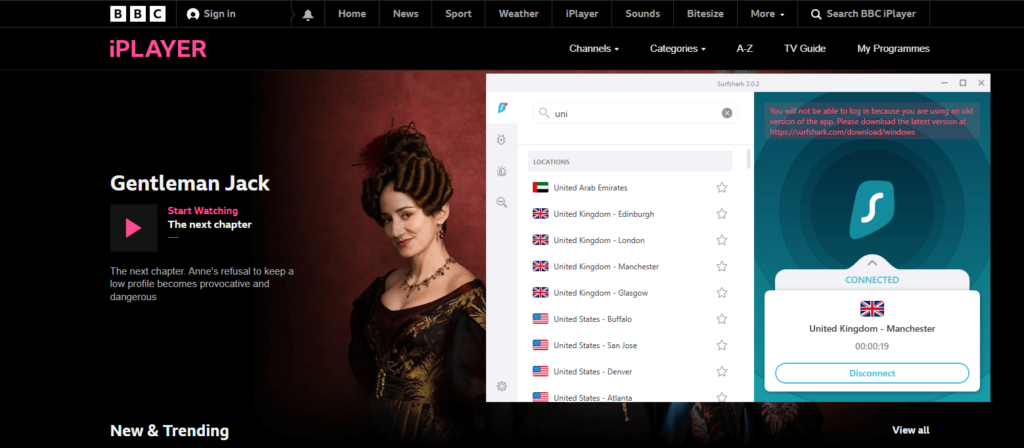
Yes, Surfshark unblocks other streaming platforms such as Netflix, Hulu, BBC iPlayer, and Amazon Prime.

unblock-bbc-iplayer-with-surfshark

However, please be advised that not all streaming platforms are available in all regions. For example, Hulu is only available in the United States. Additionally, some streaming platforms may block Surfshark VPN.

If you experience any issues while trying to unblock a particular streaming platform, please contact Surfshark’s customer support for assistance.

As per our testing, it unblocked every streaming service that we tested it with without any issues. Word of advice, if you can’t unblock any streaming service with Surfshark, just get in touch with Surfshark’s live chat support team and ask for a recommended server.

Is Surfshark good for torrenting & P2P?

Torrenting and P2P file-sharing can be a great way to get your hands on new content, but it can also be quite risky. Your IP address is exposed when downloading files, making you vulnerable to copyright trolls and other threats. A VPN can help protect your privacy by encrypting all of your traffic and hiding your true location.

So, does Surfshark offer good protection for torrenting and P2P?

In short, yes. Surfshark has a strict no-logs policy in place, meaning that your data is never stored or monitored. The company also has a range of features specifically designed to protect your privacy when torrenting, including an automatic kill switch and leak protection.

To test it out extensively, we used Surfshark with a bunch of BitTorrent clients like uTorrent and qBittorrent and found it to offer exceptionally fast speeds. We also didn’t notice any throttling issues when downloading large files for top torrent sites like The Pirate Bay and RARBG.

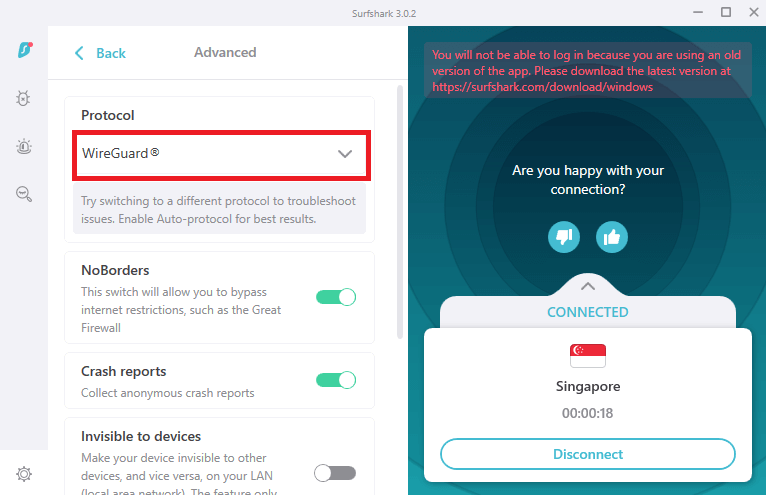
We did a few tests to check how quick torrenting using Surfshark is. We connected to a Singapore server using the WireGuard protocol. The torrent client we used was uTorrent since it’s the most popular.

surfshark-wireguard-protocol

Without Surfshark, our internet speed was 50 MB/s. We were able to get around 350-380 Mbps using uTorrent. It took us roughly 15-20 minutes on average to download two 20 GB files. Our uTorrent speeds plummeted to roughly 100-120 Mbps when we connected to Surfshark’s Singapore server. The estimated download time also bumped up to an hour or so.

While it may seem as if Surfshark is slow, it is not. Keep in mind that P2P downloading takes a toll on your connection speeds anyway. Pairing it with a VPN is bound to slow down your speeds even more.

Overall, Surfshark is an excellent provider for torrenting and P2P file sharing. The company’s strong security features, combined with its no-logs policy, make it a great choice for protecting your privacy online.

Plans and pricing

Surfshark offers three pricing plans: a monthly plan, an annual plan, and a bi-annual plan. The monthly plan costs $12.95 per month, the annual plan costs $3.99 per month (or 59.76 annually), and the bi-annual plan costs $2.30 per month (or 59.76 billed annually after 26 months). Surfshark also offers a 30-day money-back guarantee on all of its plans, so you can try it out risk-free.

Surfshark is one of the cheapest VPN providers on the market, and it offers some of the best features available. If you’re looking for a quality VPN at an affordable price, Surfshark is definitely worth considering.

Surfshark Server Coverage

VPNs are a great way to stay safe and secure when browsing the internet, and Surfshark is one of the best VPN providers out there. But what many people don’t know is that Surfshark also has excellent server coverage, which means you can access geo-blocked content no matter where you are in the world.

Surfshark has over 3200 servers in 65 countries, so you can always find a VPN server that’s close to you. All of its servers are RAM based, do store any data, and are wiped occasionally. Their server network supports Wireguard, IKEv2, and OpenVPN protocols.

surfshark-server-network

As for server location, their servers are strategically placed all over Europe, Americas, Asia Pacific, Middle East and Africa.

This is great for streaming content, as it means you’ll get less lag and better speeds. And if you’re traveling or living abroad, Surfshark will let you access your favorite websites and streaming services, no matter where in the world they are.

So if you’re looking for a VPN with great server coverage, Surfshark is definitely a provider worth considering.

Does Surfshark VPN work in & for China?

Surfshark is one of the few VPNs that still work in China. The Surfshark VPN server is specifically optimized for use in China, so you can be sure that your VPN connection will be fast and stable. What we figured in our Surfshark China review is that you can unblock websites and apps like Facebook, Google, YouTube, and more.

How fast is Surfshark VPN?

Surfshark VPN is one of the fastest VPNs on the market, and it offers servers in 65 countries. In our Surfshark speed testing using speedtest.net, we got some pretty amazing results.

We had no problems with daily use, and we were able to stream HD videos, browse the web, and download heavy files without any problems.

We conducted speed tests on a variety of Surfshark servers. Here are the speeds we received when tested on our 100 Mbps connection:

Server Location Download Speed Upload Speed
Australia 83.28 Mbps 79.24 Mbps
Canada 80.21 Mbps 76.45 Mbps
United Kingdom 85.72 Mbps 71 Mbps
India 79.23 Mbps 74.51 Mbps
United States 84.95 Mbps 70.23 Mbps

As you can see, the speeds are simply fantastic. Surfshark maintained over 80 percent of your actual download speed on average in these five regions.

Surfshark’s performance with other protocols

The total VPN performance is highly dependent on the protocol you pick — here are the average download and upload speeds of Surfshark for various protocols, based on 10 different locations around the world:

By far the best performance came from WireGuard. The smallest decrease was merely 6% in some European countries that provided the fastest servers. So, if you choose a nearby location, it’s almost pointless to switch off your VPN for performance reasons.

Also, the largest download was just 23%. It happened when connecting to Argentina as well, indicating that distance is an issue.

Surfshark’s second fastest option is IKEv2. During our tests, the fastest download speed was 18 percent in adjacent European countries, while the slowest download speed was 45 percent when connecting to an Australian server.

The speed of OpenVPN is mostly determined by whether you use UDP or TCP. The largest reduction on TCP was a whopping 98 percent, while the smallest was only 49 percent. The largest download speed loss using UDP was 64 percent, while the smallest was 54 percent.

Interface and ease of use

Devices Interface and experience
macOS There are two versions of the software, each with limited features
Mobile Efficient applications for Android and iOS
Linux There isn’t a visual interface, only through terminal
Browser Equips browser extensions for Chrome and Firefox, along with a cookie blocker
Windows Offers the complete Surfshark experience

These are just the basics. Let’s dive deeper into these apps and versions:

Windows

Surfshark features a modern Windows client that looks great and is easy to navigate. You can choose one of three categories from the main screen: Features, Locations, or Settings.

Each is quite self-explanatory, so even inexperienced users will have no trouble locating what they require. Even when it comes to advanced settings, it’s a no-brainer.

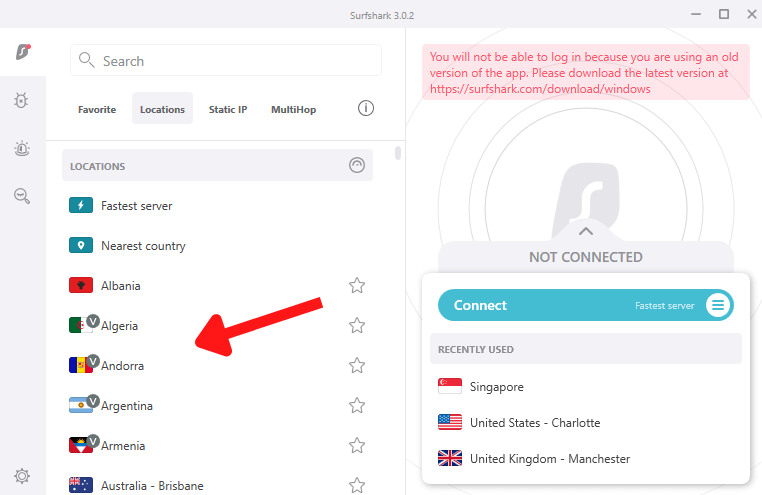
There is no map interface, but there are flags in the nation list and you can use the search bar, so it’s not a major flaw. Each server has a marking that shows how much load it can handle

surfshark-windows-pp-interface-showing-country-flags-as-servers

macOS

The Mac version of Surfshark is somewhat less comprehensive than the Windows version, and it lacks some functions. That, however, may vary depending on the version you downloaded.

Surfshark is available in two versions: one through Surfshark’s own website, and the other from Apple’s App Store.

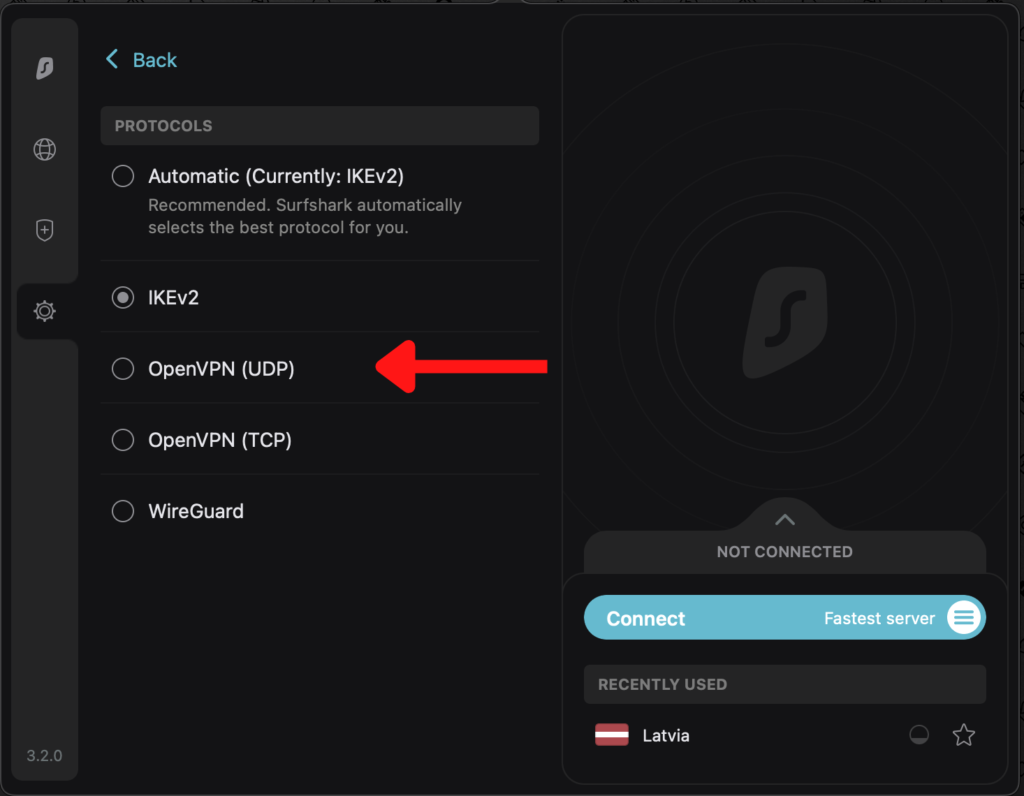
Surprisingly, the version on the Surfshark website is poorer. On it, only the IKEv2 and WireGuard protocols are supported. While the app store version offers OpenVPN as well.

surfshark-mac-app-version-offers-openvpn

There are other features as well that the Mac app lacks. These include split tunneling and NoBorders.

Linux

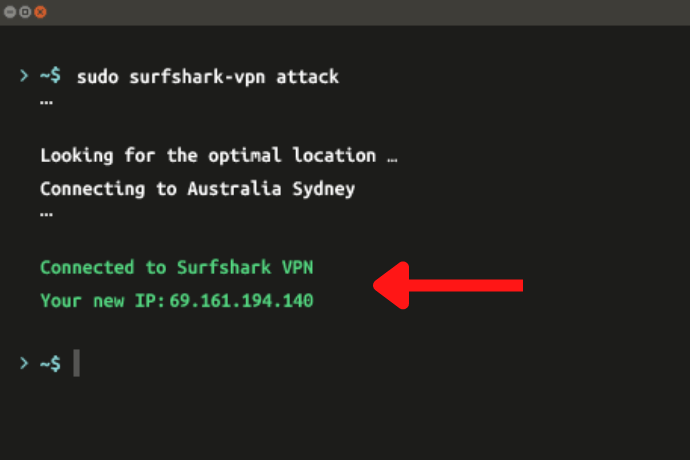
The Surfshark app does not provide a visual interface for Linux users. Their sole choice will be terminal, that will show you a number of countries and corresponding numbers to which you can connect.

The connections will be established by putting in the numbers, which isn’t the most efficient technique, but it works.

surfshark-connected-on-linux

On the plus side, the terminal specifies which servers you can choose from. However, if you need to switch servers rapidly, this makes the whole process take more time than it should. Overall, the connectivity was reliable, and the app did not crash or disconnect in any unusual ways.

Mobile Applications

Visually, the Android and iOS applications are nearly identical. They  will adapt and display the appropriate theme if you enable system-wide dark mode.

Our Surfshark VPN Android review confirmed that GPS spoofing is available in the Android version, which is a capability that no other significant VPN offers.

There’s also support for Whitelister (split tunneling), so you’re getting desktop-grade functionalities on your phone.

iOS, on the other hand, appears to be a little more modest. The GPS spoofing and Whitelister functionalities aren’t available. It does, however, have numerous features that are seldom seen on mobile VPNs, including a kill switch and compatibility for the WireGuard protocol for improved security and speed. So, while the iOS version isn’t as stunning as the Android version, it’s still a good app.

Browser extensions

Surfshark also has Google Chrome and Mozilla Firefox browser extensions.

Basic features include masking your actual IP address, encrypting your connection, and unblocking geo-restricted content. However, there is a new feature that sets this extension apart from the competition.

It’s the cookie blocker, which eliminates one of the most vexing aspects of modern browsing: continuous demands to allow cookies. You may choose which sites are blocked or allowed, resulting in a far less congested browsing experience.
Surfshark features – What USPs does it offer?

Surfshark, which was first launched in 2018, has made great strides since then, and is now a full-fledged VPN that can compete with all the best VPNs. It has a variety of robust features that make this VPN stand out in the lot.

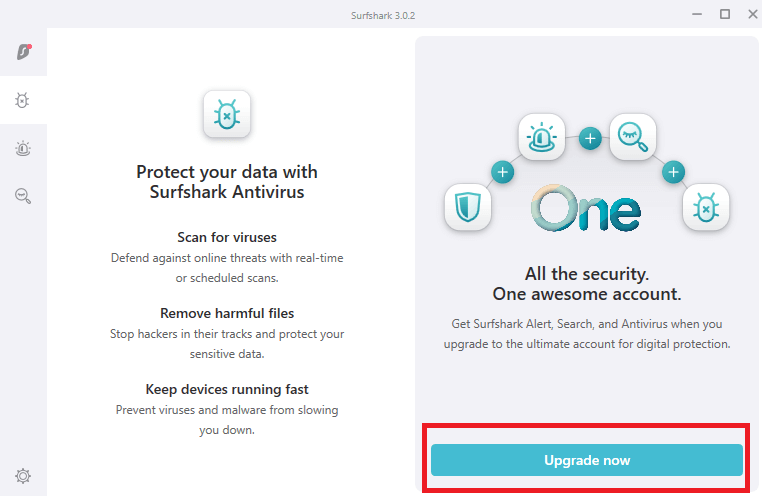
Surfshark Antivirus

The integrated antivirus feature in Surfshark is little more than a basic website blocker tool that many VPN companies offer. The feature can safeguard your device against all varieties of malware, including trojans, worms, backdoors, and other viruses. 

Surfshark AV detects and eradicates the viruses if you scan your device as you would with any other antivirus product.

However, according to our Surfshark antivirus review, this feature is currently only available on Android smartphones and Windows. It will soon be available for Mac users as well.

The tool is part of the Surfshark One bundle and can be used on up to five devices.

get-surfshark-one-bundle

NoBorders

NoBorders is a one-of-a-kind feature that enables you to use a VPN in countries where it is strongly blocked. If your client identifies network constraints, it immediately switches to NoBorders to get around them.

You can also manually activate this mode anytime you need it. It’s compatible with Windows and mobile devices.

Search

Surfshark also provides a secure and private search engine that is ad-free, would be unaffected by prior queries, and collects no personal information from users. Paid users can access complete incognito mode via s.surfshark.com or the dashboard of their VPN.

Smart DNS

There are times when the VPN application isn’t present for your device, particularly for PlayStations and Smart TVs. It eliminates the ability to use your favorite device to access geo-restricted streaming services like HBO Max or Hulu.

Surfshark Smart DNS works on a variety of devices, including those that don’t have VPN clients. You’ll need to enable it from your primary account dashboard, after which they’ll produce DNS addresses for you to use on your devices.

Whitelister

Having a VPN on all the time can be inconvenient at times. For example, you might wish to utilize a VPN to browse your regional streaming library while using a VPN server for something else. Whitelister, also known as split tunneling, is required for this.

It can be done in two ways: by routing only specific apps through a VPN connection, or by routing the entire connection through a VPN connection and adding exclusions. It’s also possible to configure it per IP address.

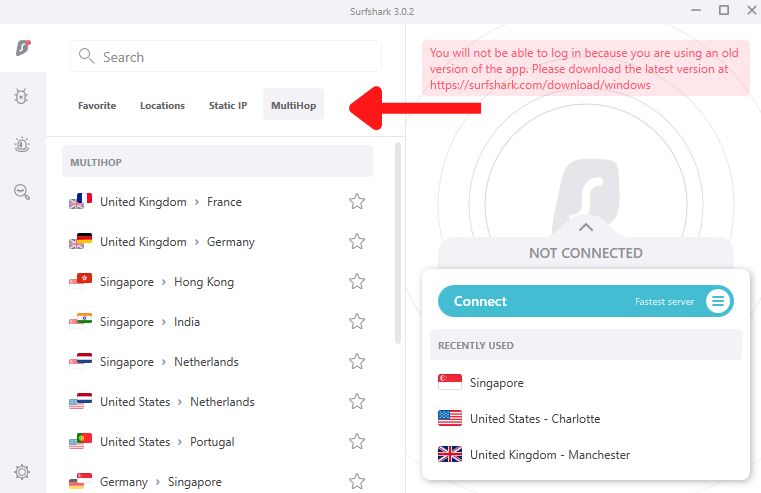
MultiHop

Surfshark owns a list of MultiHop servers that operate in pairs. Your connections are directed to the second VPN server after they reach the first one. The last intermediary, in other words, has no connection to your genuine IP address or location.

surfshark-multihop-servers

Camouflage Mode

Camouflage Mode, commonly known as Obfuscation or obfuscated servers, is one of Surfshark’s many security features.

It will disguise your VPN traffic as conventional network traffic, allowing you to remain undetected. When using the OpenVPN UDP and TCP protocols, the mode is activated automatically.

When your school or company bans internet traffic, or when your government blocks VPN ports, this capability comes in handy.

Alerts

Surfshark’s goal is to keep you safe not just through VPN connections. They’ve added the option of using alerts to notify you if your data is leaked across all of their subscribers.

As per our Surfshark alert testing, this feature functions with credit cards, emails,  and IDs. To protect your data, you must use two-factor authentication.

A periodic newsletter option keeps you up to date on current data breaches and only sends you notifications if your accounts are compromised.

CleanWeb

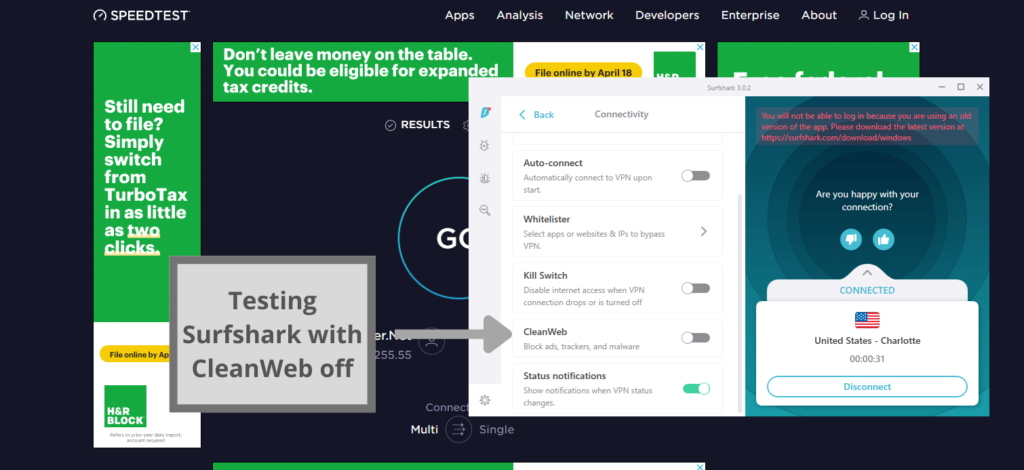
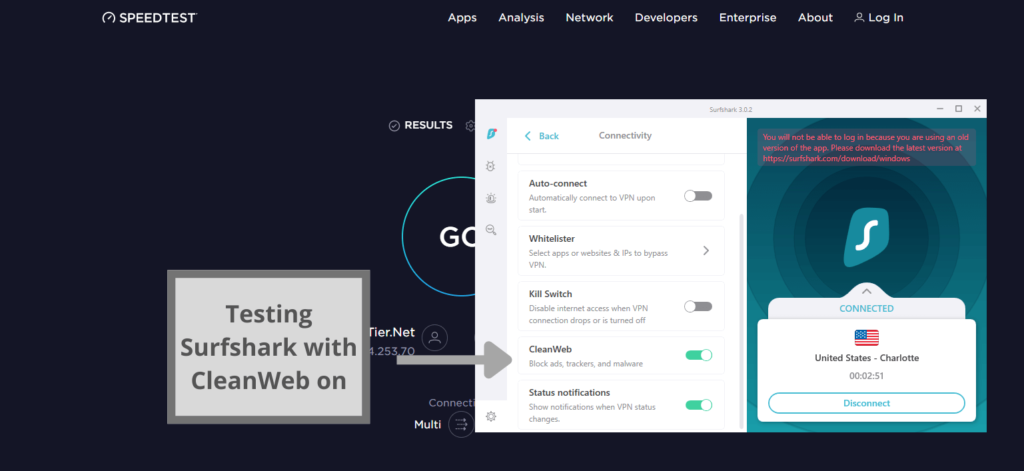
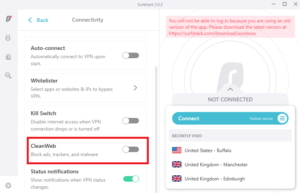
Surfshark’s patented DNS technology, CleanWeb, prevents ads from loading and numerous online trackers from collecting your information. You’ll need to go to settings to turn it on.

When enabled, it will prevent IP addresses from being blacklisted from being used. This implies that known ad hosts will be unable to load, and their pop ups will not appear. The same is true for hosts that distribute malware or collect user data.

We conducted a detailed Surfshark CleanWeb review, and you can see in the screenshots below how effective this feature was:

testing-surfshark-with-cleanweb-off

Here is what happened as soon as we turned CleanWeb on:

testing-surfshark-with-cleanweb-on

Amazing, right?

GPS spoofing

If you have an Android device, you can use Surfshark to spoof your IP address and physical GPS position. You don’t even need to download any additional software. Because most apps on your phone have access to your location data, it’s one of the most widely collected bits of data on any user.

Is Surfshark VPN secure?

Surfshark is one of the most secure VPN services available. It features a no-logs policy that has been certified, and you can choose your chosen encryption technology and tunneling protocol.

Let’s have a glance at some of the key features that distinguish Surfshark as a safe VPN:

Encryption protocols

AES-256-GCM, a secure and upgraded version of the AES-256 encryption algorithm, is available on Surfshark.

On Android, there’s also a Chacha20Poly1305 cypher option, which is quite close and safe. The key difference between them will be speed: AES-256 will be faster on newer devices with AES hardware acceleration, while Poly1305 will be faster on older phones.

Meanwhile, SHA-512 encryption protects your authentication. That means it’ll be encrypted into 512 binary digits and compared to login data kept on their systems, with a green signal given if the passwords match.

Tunneling protocols

Surfshark also has a wide range of tunnelling protocols to choose from.

WireGuard is the most advanced tunnelling protocol available today. It’s not only effective, but it’s also quite safe. Surfshark is also the first VPN company to make WireGuard the default protocol in all critical apps (except Linux for now).

One of the most widely used tunnelling protocols is IKEv2. It has significant support, and its speeds are equivalent to WireGuard’s. It’s ideal for older devices and works well even with slow Internet connections. Android, macOS, Linux,  Windows, and iOS are all supported.

Another tunneling protocol is OpenVPN (TCP/UDP). Despite the fact that it was released about two decades ago, it is still incredibly secure and speedy. If you require more security, though, TCP is the way to go. Choose UDP if you want fast speeds.

Please note that we tested all protocols for our Surfshark speed review and confirmed how swift all of them are.

Kill switch

The kill switch feature is simple to use and protects you even if Surfshark disconnects abruptly (which did not happen during my tests). The kill switch disables your internet connection for a short period of time before automatically reactivating it when you’re connected again, ensuring that none of your data is exposed while the VPN tries to connect.

RAM-only servers

When you turn off your VPN, Surfshark’s server network is completely diskless, meaning all data is automatically erased. This is to keep malevolent third parties out of the system.

This also adds an extra layer of security because there isn’t any information that might be shared.

Audits

Transparency is critical for cybersecurity companies to build confidence. Surfshark has been independently audited to ensure that confidence may be built.
Cure53 penetration testers performed both Surfshark security exams in 2018 and 2021, respectively.

They initially concentrated on Surfshark’s Chrome and Firefox extensions, as browser extensions are typically the least secure applications. The second time, they concentrated on server infrastructure and security in general. Surfshark performed excellently on both occasions.

Customer support

Surfshark offers excellent customer service around the clock, including

  • Live chat is available 24/7.
  • Email assistance is available.
  • The knowledgebase is superb, with numerous useful guides.

There are already multiple good text and video guides for various difficulties. Surfschool allows you to identify related topics with a single click and learn something new

The customer service agents were super-friendly, fast, and helpful. They also answered all our queries quite easily.

Is Surfshark value for money?

Yes! At a cost of only $2.30 per month, it’s safe to say that Surfshark is extremely value for money, all hails to its fantastic service, affordable price, robust security, and unblocking capabilities. It’s also worth noting that it’s one of the fastest VPN services available.

Surfshark is an excellent choice if you don’t have a VPN provider and want a low-cost, high-quality solution with a lot of features.

If you have any questions or issues about Surfshark, please leave a comment and we’ll be pleased to respond!

FAQs

Is Surfshark VPN worth buying?

Yes, Surfshark is an extremely reliable VPN service. The results of our testing were great! Surfshark offers various highly-secure protocols and robust encryption, unblocks all popular streaming services, doesn’t keep any logs, and equips other proprietary features.
Which is better: ExpressVPN or Surfshark?

Surfshark is better than ExpressVPN in every way as confirmed through our detailed Surfshark vs. ExpressVPN comparison. It offers 3200+ servers in 65 countries, super-fast speeds, and incredible security features. Other than that, you can easily avail its 2-year plus 2 months free offer at only $2.30/mo.

Is Surfshark good for gaming?

Yes, Surfshark is a great choice for gaming. It stabilizes your connection and offers a consistent ping rate. However, it might lag a bit, if you connect to a server far away from your location.
Some more VPN reviews for you!

Categories
Compare

CyberGhost vs. Surfshark: Head to Head Comparison

CyberGhost and Surfshark are two of the cheapest virtual private networks available. However, they are quite opposite when it comes to connection speeds, streaming site access, and overall online traffic privacy.

So, in this VPN comparison, we’ll be comparing these two well-known VPNs for a wide range of users today. While CyberGhost has received a lot of positive feedback, our testing has revealed that Surfshark is one of the best VPN services available.

In this Surfshark vs CyberGhost comparison, we’re going to conduct rigorous testing on various factors and see who comes out on top.

CyberGhost VPN vs. Surfshark – Summed Up

Before we get into the specifics of each VPN’s test findings, let’s have a look at the features that both companies offer.

CyberGhost Surfshark
Offers 7700+ servers in 90+ countries Offers 3200+ servers in 65 countries
Offers a dedicated torrenting mode All servers are optimized for torrenting
Unblocks Netflix libraries easily Unblocks Netflix, BBC iPlayer, Hulu, Amazon Prime Video, etc. easily
Seven multi-logins Unlimited multi-logins
Offers a strict no-logging policy Has a robust no-logging policy
45-day money-back guarantee 30-day money-back guarantee
Costs $2.29/month (3 years plan + 3 months free) Costs $3.49/month (2 years plan)
For more details, check out our CyberGhost review. For more details, check out our Surfshark review.

CyberGhost vs Surfshark: Speed test comparison

We tested both Surfshark vs CyberGhost speeds to see which VPN is better at this metric. On our base connection of 100 Mbps and on the following formula: download speeds/upload speeds, here are the results that we got of both VPNs on a few of its popular servers:

Servers CyberGhost Surfshark
USA 73/52 Mbps 83/65 Mbps
UK 68/45 Mbps 81/73 Mbps
Canada 72/59 Mbps 86/77 Mbps
Australia 66/32 Mbps 85/59 Mbps
Japan 65/24 Mbps 79/43 Mbps

As you can see, Surfshark was faster than its rival in all countries.

Final Result: Surfshark is the Winner!

Which one has the best features, Surfshark or CyberGhost?

Both of these VPNs offer robust features. However, they do slightly differ when it comes to performance. Let’s check out their extensive category of features that they offer with each subscription:

Port Forwarding

Keeping security in mind, both CyberGhost and Surfshark do not offer port forwarding to users. This feature can allow people to snoop into users’ devices which can be dangerous in their opinion. Therefore, both the providers have refused to offer this feature.

Final Result: It’s a Tie!

Smart DNS

Both the providers come with a Smart DNS feature that allows users to have a VPN connection even on devices that are not compatible with virtual private networks.

They offer easy setup guides on their websites that make configuring this feature on Smart TVs, Nvidia Shield TV, Roku, and Kodi extremely easy.

Final Result: It’s a Tie!

Ad Blocker

Surfshark’s CleanWeb is an excellent ad blocker that improves your privacy and security. Additionally, it eliminates resources required by ads and trackers, which increases speed.

surfshark-cleanweb

Although CyberGhost includes an ad-blocking option, we strongly advise against utilizing it. Instead of just blocking ads and malicious material, the CyberGhost “ad blocker” refuses to work on HTTPS websites, which make up the vast majority of the internet today.

Final Result: Surfshark is the Winner!

Obfuscated Servers

Surfshark has a Camouflage Mode that hides the fact that you’re using a VPN. However, CyberGhost lacks this feature.

Final Result: Surfshark is the Winner!

Kill Switch

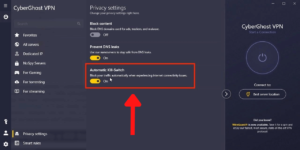
If your VPN loses connectivity, both services provide an automatic kill switch that will “kill” your internet and avoid data breaches.

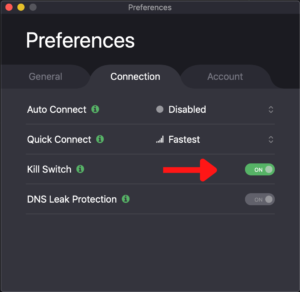
CyberGhost’s kill switch was previously permanently active, with no way to turn it off. Thankfully, the service provider has introduced the ability to turn the kill switch on or off as needed.

cyberghost-kill-switch

Final Result: It’s a Tie!

Surfshark vs CyberGhost VPN: Security Comparison

Without impenetrable security, you can’t have a secure VPN. Because there are more online risks than ever before, you must rely on your VPN to keep you safe. It must be capable of dealing with hackers, snooping agencies, and even your nosy ISP.

They’re all attempting to get their hands on your personal data, either to sell it or to monitor your online habits. Here’s how the security features of CyberGhost and Surfshark stacked up against each other.

Encryption Protocols

The supported VPN tunnels lists for CyberGhost and Surfshark are identical. They are as follows:

OpenVPN (TCP/UDP) is the most widely used open-source protocol. It works with any TCP or UDP port, making it ideal for getting over firewalls like the one in China. A UDP connection is faster, but it is also more easily blocked. TCP is more durable.

IKEv2 is a protocol that is well-known for its reliability. It has the ability to swap networks without losing the connection. It’s ideal for mobile users and those who frequently travel and must utilize unprotected public networks.

WireGuard: This protocol is the newest and quickest on the list. WireGuard’s codebase is significantly less bloated than OpenVPN, making it far easier to set up and troubleshoot.

Final Result: It’s a Tie!

Jurisdiction

Surfshark was previously headquartered in the British Virgin Islands, but in late 2021, it relocated to the Netherlands. The Netherlands is an excellent privacy jurisdiction because it is not part of the “5 Eyes” monitoring alliance.

CyberGhost is based in Romania, where it existed before being acquired by Kape Technologies. Kape, on the other hand, is a multinational corporation that trades on the London Stock Exchange.

Final Result: It’s a Tie!

Transparency

Surfshark has undergone two independent audits.

Cure53 penetration testers conducted the first audit in 2018 which concentrated on Surfshark’s Chrome and Firefox extensions. Fortunately, the testing was successful, and the extensions were considered to be quite safe.

The same audit firm conducted the second audit in 2021. This time, they concentrated on server infrastructure and security in general. Surfshark, like before, passed all of the tests with flying colors.

As for CyberGhost, the company has not been independently audited. However, it publishes quarterly transparency reports that provide details on DMCA complaints, malware activity flags, law enforcement demands, and crucial infrastructure facts.

Final Result: Surfshark is the Winner!

Logging

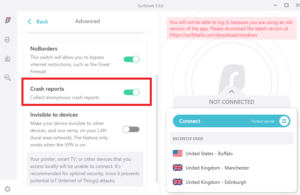
Surfshark has a strong reputation as a no-logs VPN provider. According to their Privacy Policy and Terms of Service, they do not log IP addresses or usage data that could be used to identify a user or their online activities.

They do offer the option of sending anonymous crash reports, and their mobile apps may have an advertising ID. Both of these features can be turned off in the settings.

surfshark-crash-reports-toggle

CyberGhost advertises that it follows a strict no-logs policy. However, a review of their privacy policy reveals that they do indeed log connection data. To enforce their connection limits, many VPNs monitor relatively basic connection data.

CyberGhost takes it a step further by keeping track of the devices you use to connect to the VPN. This is visible on your account page.

Final Result: Surfshark is the Winner!

Which one is better for Streaming?

When it comes to streaming, though, Surfshark is better than CyberGhost. It unblocks geo-restricted content in a variety of locations, including the United States, Japan, and the United Kingdom, among others. You may also view BBC iPlayer, Hulu, and other streaming services with it.

unblock-bbc-iplayer-with-surfshark

CyberGhost has worked hard to unblock Netflix in the United States and other countries. This is due to the fact that Netflix’s servers are constantly changing. As a result, getting a hold of them will be tough for the streaming service.

While Netflix has been able to restrict a number of VPNs, they have not yet been able to do so with CyberGhost. Overall, CyberGhost is fairly fair when it comes to streaming Netflix or other streaming sites.

Final Result: Surfshark is the Winner!

P.S. ExpressVPN is also a very good option for streaming.

Torrenting Comparison

The most crucial criteria for torrenting are speed and security. Surfshark is one of the best VPNs for torrenting in our opinion. It is extremely quick and safe, and it supports torrenting (P2P downloads) on all servers.

On the other hand, some VPNs, such as CyberGhost and NordVPN, provide specialized P2P servers. However, CyberGhost may lag and the speeds might be slow when it comes to this activity.

cyberghost-torrenting-servers

Overall, as per our testing, CyberGhost is a poor choice for torrenting, owing to its weak speeds.

Final Result: Surfshark is the Winner!

Surfshark vs CyberGhost Price Comparison

Plans Surfshark CyberGhost
Monthly $12.95 $12.99
Six-month
1-year $3.99/mo $3.95/month
2-year $2.30/month + 2 months $3.15/month
3-year $2.29/mo + 3 months

Both CyberGhost and Surfshark are pricey on their monthly plans, as you can see. Fortunately, both VPNs provide substantial discounts on longer plans.

So, a two-year subscription to Surfshark is quite cheap and comes with a shorter commitment than CyberGhost.

Final Result: Surfshark is the Winner!

Server Locations Overview

CyberGhost has over 7700 servers in over 90 countries. Surfshark, on the other hand, claims to have more than 3200 servers in 65 countries. We dug a little deeper to make sure the numbers were correct, and here’s what we discovered.

The assertions made by CyberGhost are true. They do have approximately 7700 servers located all over the world.

Surfshark lives up to the hype as well. We’ve established that it has over 3200 active servers all throughout the world. After careful consideration, the conclusion is clear. CyberGhost has nearly four times the amount of servers available as Surfshark.

Final Result: CyberGhost is the Winner!

Platform Compatibility & Interface Comparison

App Interface and Usability Surfshark CyberGhost
Location selection List form List form
Multi-logins Unlimited Seven
Mobile-friendly apps Yes Yes
Other devices and operating systems iOS, Windows, Android, Linux, and Mac Manual setup only

Both of these VPNs offer dedicated desktop and mobile apps. Let’s review their interface and user-friendliness in detail:

Desktop

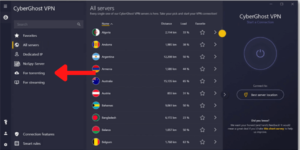
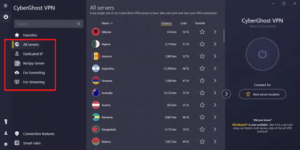
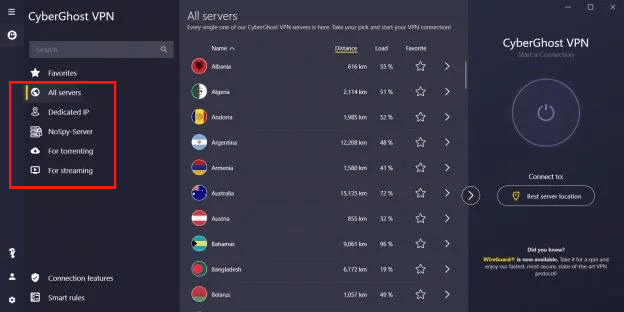
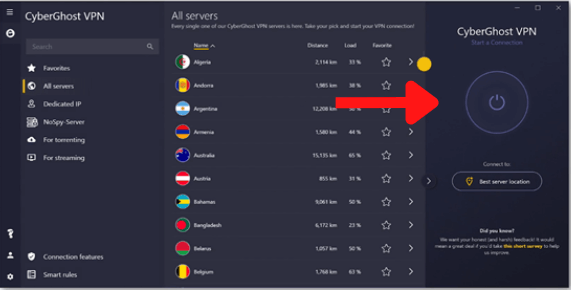
The desktop app for CyberGhost has a large quick connect button and a list of servers that pops forth. These can be filtered according to your intended task, such as gaming, streaming, torrenting, or acquiring a static IP address. 

The options menu is a touch more complicated, with privacy settings and smart rules available only through the main tab.

cyberghost-specialty-servers

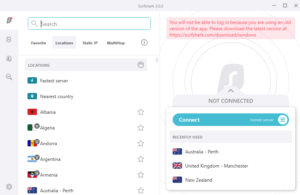
On desktop computers, Surfshark has a similar interface, with the rapid connect button taking center stage. It does, however, give a list of the three most recently used servers. Users may easily pick and sort across servers, and they can choose whether to see only Static IP or MultiHop servers.

The settings are once again difficult to browse due to several submenus with ambiguous labels.

surfshark-interface

Final Result: It’s a Tie!

Mobile

The mobile app for Surfshark places the sidebar to the bottom of the screen, but everything else is identical to the desktop version. You can select to use smaller packets and override your phone’s GPS location, which are both mobile-specific features.

On mobile devices, CyberGhost is essentially unchanged. It still gives you access to streaming-optimized servers and, rather than losing features, it adds them. There’s a built-in connection checker, for example, and the ability to select the maximum data packet size to send. Advertisements can still be blocked by users.

Final Result: It’s a Tie!

Customer support

Surfshark features a live chat support system that is available 24/7. We found its customer support staff to be quick and helpful throughout our entire testing process.

With no difficulties to report, Surfshark receives high scores for both reliability and support.

Thankfully, CyberGhost’s customer service meets expectations as well. When things go wrong, it offers live chat help 24/7. When we contacted them, their customer service team was quick to respond, responding to messages within 30 seconds every time.

While CyberGhost’s product isn’t as strong as Surfshark’s, their customer service department can compete with its rival.

Final Result: It’s a Tie!

Surfshark vs. CyberGhost – which is better?

In this CyberGhost vs Surfshark comparison, Surfshark comes out on top. In fact, it came out on top in almost every category we looked at.

Surfshark is also one of the greatest VPN services in the world and for a good reason. CyberGhost is still a good option, but it lacks the necessary tools to compete with the latest version of Surfshark.

If you wish to try out these VPNs for yourself, you can either subscribe to their cheap subscription plans or use their 30-day or 45-day refund policy to test them out.

FAQs

Is Surfshark VPN better than NordVPN?

Yes. Surfshark is a better and much more superior option than NordVPN, due to its powerful security features, reliable service, and cheap prices. However, both the VPNs are quite great and mentioned in our list of the best VPN services of 2026.

For comparing them to each other, check out our Surfshark vs. NordVPN comparison.

Is Surfshark Cheaper than Cyberghost?

Surfshark and CyberGhost have almost the same prices $2.30/mo and $2.29/mo respectively. However, Surfshark comes with a relatively smaller commitment than the latter along with 2 month free subscription, making it a better choice than CyberGhost.

To read more about both Surshark, check out Surfshark VPN Review.

Read more Comparisons!

Categories
Best VPNs

Best VPNs for Nvidia Shield TV in 2026

The Nvidia Shield is a set-top box that works with any HDMI-equipped TV and is powered by Android TV. The gadget delivers HD and 4K streaming media from the most well-known providers, as well as a large selection of Google Play Store apps and games.

However, its content is typically restricted by geographical constraints. Although streaming platforms like Netflix and Disney Plus are easily accessible via the Shield, the content that is available depends on which state the owner is located in.

Thankfully, it is possible to unblock this geo-restricted content through a VPN.

In this best VPN article, you’ll learn what is the best VPN for Nvidia Shield? You’ll also get a fairly straightforward tutorial to install the VPN on your Shield TV through “The Google Play Store” and “The APK approach.”.

Best VPNs for Nvidia Shield; Quick Overview

  1. Surfshark – Affordable Nvidia Shield VPN. Many servers and swift connections. No-logs policy. Unblocks Netflix, Hulu, and Amazon Prime on Nvidia Shield. Costs only $2.30/month.
  2. ExpressVPN – Best premium VPN. Speedy servers in 94 countries, strong security, and the ability to safely browse a variety of streaming websites.
  3. NordVPN – Secure VPN for Shield TV. A VPN that offers tons of advanced security features and doesn’t log user data.
  4. CyberGhost – Simplest VPN for Nvidia Shield. At a fair price, you get great security and speeds. Makes it simple to stream your favorite platforms.
  5. IPVanish – Great VPN app and Price. Excellent for streaming along with quick connections. Strong encryption and no logs.

The best VPNs for Nvidia Shield TV – our detailed list:

1. Surfshark – Affordable Nvidia Shield VPN

surfshark vpn

Surfshark is the best VPN for Nvidia Shield, and the most affordable one as well!

It’s also the one that allows unlimited device connections. This means that you can use Surfshark on as many PCs, TVs, cellphones, and Shield devices as you’d want.

Surfshark has you covered when it comes to your Nvidia Shield because it provides native app compatibility for Android TV devices. Just download the app from the Google Play Store and you’re all set to stream on your Nvidia Shield!

Moreover, the service also provides apps for devices running Linux, iOS, Fire OS, Android, macOS, and Windows.

Surfshark is ideal for unblocking all of your preferred streaming websites. If you want to stream BBC iPlayer, HBO Max, or Netflix Korea, it has you covered with access to 3200+ servers in 95 countries.

unblock-bbc-iplayer-with-surfshark

This VPN protects you from prying eyes by using AES 256-bit military-grade encryption, kill switch, and DNS/IP leak protection.

Additionally, it offers CleanWeb for ad blocking, as well as a NoBorders Mode that allows you to get around national internet censorship.

If you ask us, then Surfshark is definitely the best VPN for Nvidia Shield TV. The VPN costs only $2.30/mo and offers a 30-day money-back guarantee for service testing purposes.

You can get to know more about the VPN service from our Surfshark review.

2. ExpressVPN – Best premium VPN

expressvpn

ExpressVPN is the best VPN for Nvidia Shield Android TV that gives your device access to geo-restricted content and complete online protection.

The service provider offers access to content from all around the world through dependable, secure, and quick connections.

Nvidia Shield users can download the ExpressVPN software from the Google Play Store. The provider also has apps for Amazon FireStick, Chromebook, macOS, Android, Linux, and Windows.

With the service, you can use up to 5 devices at once. Moreover, the VPN’s recently updated router firmware allows you to quickly secure all of your connected devices.

ExpressVPN is proud of its quick connection times and strong security. Numerous international streaming services, including as Netflix, Hulu, CraveTV, BBC iPlayer, and DAZN, are safe to use access with this VPN.

expressvpn-works-with-bbc-iplayer

ExpressVPN is not only quick; it is also safe. It includes the fastest VPN protocol available, Lightway, as well as strong AES-256 encryption to protect your data. Additionally, it has a kill switch feature that you can configure to disconnect you from the internet immediately if the VPN loses connection.

ExpressVPN is expensive, but considering everything it delivers, it’s well worth it. You can get it at a price of only $8.32/mo along with a 30-day money-back guarantee. 

You can get to know more about the VPN service from our ExpressVPN review.

3. NordVPN – Secure VPN for Shield TV

nordvpn

NordVPN is a great choice for owners of Nvidia Shield looking for the robust VPN protection on their devices.

You can simply get NordVPN’s app from the Google Play Store that works with the Nvidia Shield. Moreover, NordVPN’s website offers an APK file that may be sideloaded onto your Shield.

Additionally, the service provides apps for the majority of other widely used platforms, including iOS, Linux, Android, Windows, and macOS with native Apple Silicon compatibility. Additionally, the VPN provides thorough router support.

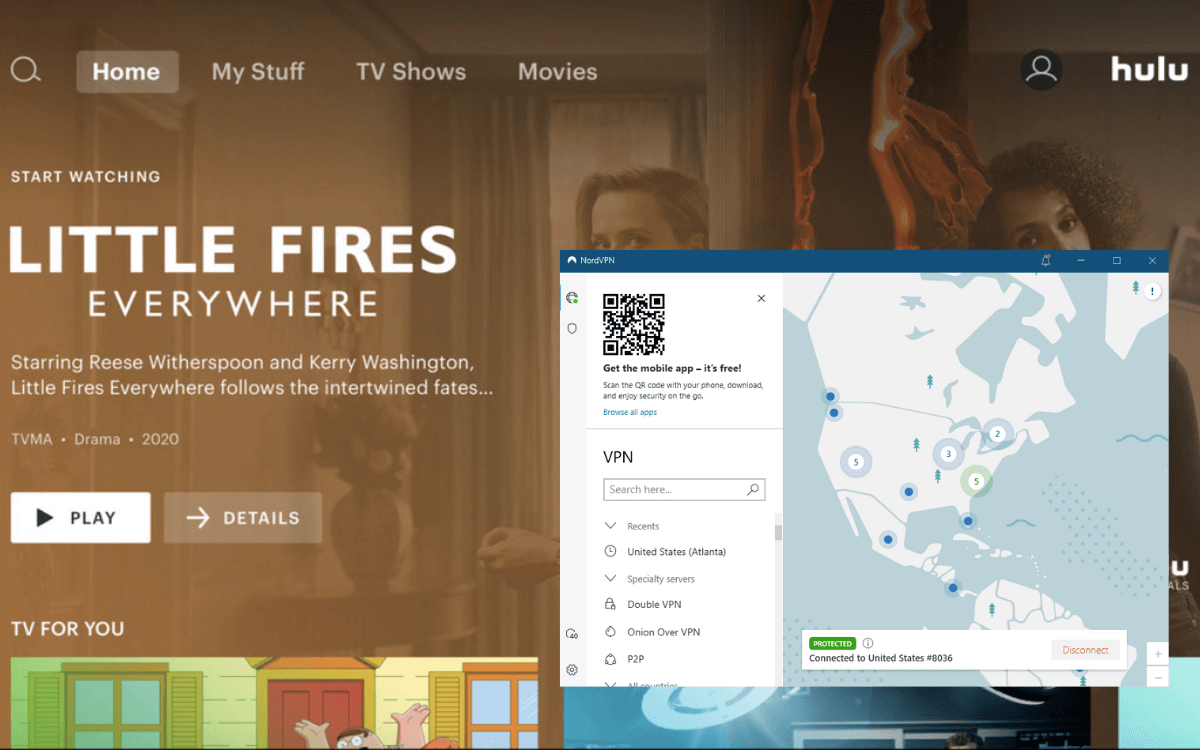
With more than 5500 servers spread across more than 60 countries, NordVPN is excellent for safely viewing video streaming services like Prime Video, BBC iPlayer, Sky Sports, and Hulu.

nordvpn-unblocked-hulu

As for security, the DoubleVPN function of NordVPN is one way the service adds security. This dual encryption, also known as VPN server chaining, improves your security, particularly when torrenting on an Nvidia Shield.

All in all, NordVPN is a secure choice for Nvidia Shield. It costs only $3.49/month and allows users to test the service with its 30-day money-back guarantee.

You can get to know more about the VPN service from our NordVPN review.

4. CyberGhost – Simplest VPN for Nvidia Shield

cyberghost

CyberGhost is the right VPN choice for Nvidia Shield customers who have little to no prior VPN experience. The provider’s apps provide the best protection possible without requiring extensive settings.

CyberGhost’s Android app is easily accessible from the Google Play Store and functions nicely on the Nvidia Shield. For the majority of widely used device platforms, such as Windows, iOS, Amazon Fire TV, macOS, and Android, CyberGhost also offers user-friendly apps.

On a single account, it allows you to connect up to 7 devices at the same time.

CyberGhost is just what you to unblock a variety of content. The VPN features specialized servers that have been optimized for various tasks, including streaming. Except for CyberGhost, only NordVPN offers specialty servers on our list. Compare NordVPN and CyberGhost to find out which offers better specialized servers.

You may unblock just about every website you can think of when you enter the server list. You’ll notice particular options for different platforms, like Netflix, Hulu, and Disney+.

unblock-netflix-with-cyberghost

CyberGhost supports multiple security features and protocols, including WireGuard and IKv2 protocols and IP leak protection.

Split tunnelling is also supported by CyberGhost using which you may choose which of your apps use the VPN and which remain on your standard internet connection using this option.

All in all, it’s the best VPN client for Nvidia Shield for all novice VPN users. It costs only $2.29/month and offers a 45-day money-back guarantee.

5. IPVanish – Great VPN app and Price

ipvanish

The greatest VPN on our list, IPVanish, works with every add-on you can think of, making it my final choice for Nvidia Shield. This means that whenever you want, you may use your Nvidia Shield to enjoy Kodi and all of its add-ons!

For owners of Nvidia Shield, IPVanish includes a native Android TV app, just as the other VPN providers mentioned. It also has an Android TV APK if you’d rather sideload the app.

You may install the VPN on any device with IPVanish’s unlimited device connection advantage, just like Surfshark. But, which one of the two VPN is better? Find it out in our Surfshark vs. IPVanish comparison.

IPVanish offers over 2000 in 75+ different locations. This means that you can enjoy unblocking all your favorite streaming platforms on Nvidia Shield with these servers, including Netflix, BBC iPlayer, Eurosport, ORF, TVNZ, and more.

ipvanish-unblocked-netflix-australia

IPVanish offers a strict no-logs policy despite it being situated in the US and a founding member of the Five Eyes Alliance. Using this VPN, customers can also turn on OpenVPN traffic scrambling to get around firewalls that obstruct VPN connections.

On Android devices, split tunnelling is also available for deciding which apps should use the VPN connection.

Finally, IPVanish is available at a price of only $3.75/month and comes with a 30-day refund policy. And with its Kodi compatibility, we can call it the best VPN for Nvidia Shield and Kodi.

What to look for in an Nvidia Shield VPN?

There are several top-notch VPN services available, but what factors make them suitable for Nvidia Shield TV users? Here are some features to watch out for:

  • Support for Android TV: The best VPN for Nvidia Shield client ought to offer a native Android app for Android-powered TVs.
  • Streaming: You may definitely benefit from Nvidia Shield more if you use a VPN that’s effective for streaming. You will have access to streaming services everywhere, regardless of where you are.
  • Speed: The VPN must be fast for the Nvidia Shield to perform at its best. To achieve the fastest performance on your TV, use a VPN that supports swift tunneling protocols, such as WireGuard.
  • Security: To keep you safe and anonymous at all times, the VPNs above provide exceptional security features including kill switches, AES 256-bit encryption, no log policies, and ad-blockers.
  • Price: Value for VPNs is essential. As a result, we only suggest VPN services that are economical and whose cost is reasonable given their level of service and the features they provide. You may test out each VPN on our list risk-free because they all include a 30-day money-back guarantee.

How to install a VPN on Nvidia Shield TV

There are two basic techniques to download a VPN on Nvidia Shield. These include the Google Play Store method and the APK method. Let’s check them out below:

Installing a VPN app via Google Play

  1. Subscription to a VPN like Surfshark.
  2. Fire up Nvidia Shield and navigate to the Apps menu.
  3. Visit the Google Play Store and find the Surfshark app.
  4. Install the VPN, open the app, and sign in.
  5. Connect to any server and unblock geo-restricted content easily!

Installing a VPN using an APK file (sideloading)

For this method, you’d require using your laptop and a USB drive. Now, let’s get into the steps:

  1. On your laptop/PC, open your browser and visit the website of your VPN provider.
  2. Install your VPN’s APK file on your USB. If you’re unable to find the APK page of your VPN, just ask their customer service for it.
  3. Then, eject the USB from your laptop once downloaded.
  4. Go to your Nvidia Shield and visit Settings > Security and Restrictions.
  5. Enable Unknown Sources and press OK if you get a warning.
  6. Then, visit the Google Play Store.
  7. Look for and choose ES File Explorer/FX File Explorer.
  8. On the page of the app, tap on Install and click Accept for the app permissions.
  9. Insert your USB in the Shield.
  10. Open the file explorer that you downloaded and go to the USB file.
  11. Visit the APK file from the website of the provider.
  12. Click Open when it’s installed.

FAQs

How do I stream American Netflix on Nvidia Shield?

Although Nvidia Shield TV is a powerful gadget, by default it prevents access to American Netflix outside of the US. By using a VPN to fake your IP and pretending to be in the United States, you can circumvent this geographic restriction.

Can I use a free VPN with Nvidia Shield?

There are a few free VPNs in the Google Play Store, but we do not advise using them. Free VPN services frequently have overloaded servers which are too slow for video streaming.

Free VPNs frequently earn money by collecting your data and selling it to advertising, which goes against the privacy that a reliable VPN ought to offer. Some even contain viruses, notably those for Android.

These are all the reasons why you need to avoid the best free VPN for Nvidia Shield. For a more seamless experience,  better privacy, fast speeds, and customer support that is available when you need it, stick with a premium VPN like Surfshark.

How do I use NordVPN on Nvidia Shield?

  1. On your Nvidia Shield, visit the Google Play Store and look for Surfshark.
  2. Click install once you find it.
  3. Open the app and sign in using your credentials.
  4. Connect to any server and enjoy!

Which Nvidia Shield version is the best?

If you worry regarding expandable storage, utilising your Shield TV as a Plex server, and caring about NVIDIA’s gaming options, the Shield TV Pro is the best option. It provides extra networking possibilities and functions as a SmartThings hub.

Conclusion

That’s all. We’ve highlighted the two methods for downloading the VPN onto your device as well as the best VPN for Nvidia Shield in our guide.

As we also noted, using the best free VPN Nvidia Shield TV could degrade or otherwise impair the whole experience, so your best chance for secure and fluid streaming is to stick with the VPN providers on our list.

With that stated, Surfshark is unquestionably the best service for your Nvidia Shield. It provides the most user-friendly Android TV apps and the greatest security features.

Some more blogs for you!

Categories
Compare

Mullvad vs NordVPN – Who Wins the Battle in 2026?

Well-known VPN providers Mullvad and NordVPN can help you protect yourself while browsing online. Both of them have helpful features like built-in ad blockers and split tunneling.

To choose the best choice for yourself, you must consider how either of them works in terms of speed, security, and other abilities.

The only way to do that is through a head-to-head Mullvad vs NordVPN comparison. We’ve divided the VPN comparison into multiple phases to ensure fairness while also providing a wealth of information.

So, without any delays, let’s get started!

Mullvad vs NordVPN: A Face Off!

NordVPN Mullvad VPN
Trustpilot Rating: 4.4 4.3
Servers: 5600+ servers in 59 countries 840+ servers in 39 countries
Logs policy: No logs No logs
Pricing: Starts from $3.49/month Starts from €5/month
VPN protocols: IKEv2, L2TP/IPsec, OpenVPN, Nordlynx OpenVPN, WireGuard
Streaming Compatibility: Hulu, Netflix, BBC iPlayer, HBO Max, and more YouTube
Platforms: Windows, Linux, iOS, Firefox, Chrome, macOS, and Android Mac, Windows, iOS, and Android
Simultaneous connections: 6 devices 5 devices
Support: 24/7 live chat, FAQs, knowledge base, email support Twitter, Facebook, Email

Mullvad vs NordVPN: Speed Comparison

The tunneling protocol is one of several factors that affect VPN speed performance. We have evaluated the speeds of Mullvad and NordVPN on WireGuard and OpenVPN (TCP/UDP) protocols separately using our 100 Mbps connection. The results are as follows:

Protocols NordVPN (100 Mbps download/100 Mbps upload speed) Mullvad (100 Mbps download/100 Mbps upload speed)
Nordlynx/WireGuard 79/60 75/50
OpenVPN UDP 70/45 85/35
OpenVPN TCP 65/13 29/16

Both NordVPN and Mullvad functioned admirably with the WireGuard protocol during the test. NordVPN’s download and upload speeds decreased on average by 21% and 40%, respectively.

On the other hand, Mullvad displayed slightly higher average losses: 25% for download speed and 50% for upload speed. However, almost equally great speeds were indeed provided by both providers.

OpenVPN UDP is another speedy protocol. Therefore, the outcomes were also more promising. The average speed loss for NordVPN was 30% for downloads and 55% for uploads. Mullvad also provided reasonably better results, reducing download and upload speeds by 15% and 65%, respectively.

It’s crucial to remember that the OpenVPN TCP protocol is focused on security rather than speed when evaluating VPNs with it. The average speed decrease for NordVPN in downloads was 35% and uploads was 87 percent. Results from Mullvad showed an average download speed decline of 71% and an upload speed drop of 84%.

Final Result: NordVPN is the Winner!

Netflix and other streaming platforms; Which one unblocks more?

Numerous well-known streaming services can be easily unblocked by NordVPN. We  had no trouble accessing HBO Max, BBC iPlayer, DAZN, Hulu, or streaming Netflix US as well as libraries.

nordvpn-unblocked-hulu

Furthermore, NordVPN includes a really helpful feature called SmartPlay that enables you to view international content on devices that don’t even support a VPN connection.

Netflix and other streaming services are regrettably not unblocked by Mullvad. While other sites either redirected us to the foreign libraries or displayed an error notification, we were only able to access YouTube. 

Final Result: NordVPN is the Winner!

Torrenting

Both Mullvad and NordVPN allow torrenting. The primary distinction between the two would be that NordVPN offers exclusive P2P servers that are specialized for torrenting.

Additionally, NordVPN immediately connects to the specialized server to guarantee your protection if you begin torrenting on a regular server and it get detected. As a result, you get both incredible speeds and security.

Mullvad states that all its servers are P2P-friendly even though it lacks specific P2P servers. We tested both VPNs, and the results were excellent: there was no throttling and the connections were fast.

Final Result: It’s a Tie!

Overview of Features

We will now examine the features that each VPN provider offers. In order for a VPN to be deemed usable, we will be searching for a few security-related features that we believe are essential.

Ad-blocker

Some premium VPN services guarantee complete online security. NordVPN provides the CyberSec feature, which bans invasive ads and harmful websites, as a result.

As soon as it is turned on, it will begin monitoring the websites you visit in real-time. It will alert you and prevent access if you attempt to access one of the websites on the blacklist that is known to host malware.

To prevent fraudulent websites from tracking your surfing activities or displaying pop-up advertising, Mullvad also features a capability to block advertisements and trackers. Each of them has a distinct setting where you can activate or deactivate them.

Split tunneling

To let you control which apps must use the VPN connection as well as which ones shouldn’t, split tunneling was created. It’s helpful if you want to download things quickly while also watching geo-restricted content on a streaming platform.

NordVPN provides split tunneling for Android and Windows users. You can enable or disable the VPN for particular applications using the Windows app. As a result, each time you open the app, they would automatically connect to the VPN.

On the other hand, the Android version merely lets you turn off the VPN for specific apps and offers an inverted split tunneling option. It’s important to note that users of macOS, Linux, and iOS cannot yet access this feature.

Split tunneling is another feature supported by Mullvad VPN, allowing you to choose which applications to bypass the VPN connection. But it’s also confined to Linux, Windows, and Android.

mullvad-split-tunneling

Kill Switch

Along with a basic kill switch, NordVPN also features an app kill switch. Instead of completely turning off the internet, you can set a list of apps to block online if the VPN loses connection.

Mullvad’s kill switch is called “block when disconnected” and is available under the Advanced tab. Its kill switch indicates that it restricts traffic even though the application is closed when the VPN is not connected.

Although it still keeps you secure, this is a cumbersome approach to create a kill switch, so it’s likely that most people will disable it to avoid the hassle.

Additional features

While both VPNs offer necessary features, NordVPN goes above and beyond to increase security and enhance user experience. For instance, it features a SmartPlay technology which enables geo-restricted video streaming on devices that don’t offer VPN support.

In addition, NordVPN offers specialized servers that can give you the greatest results while using a VPN for a certain purpose. It provides double VPN, obfuscated servers for optimum secrecy, and P2P servers for torrenting.

nordvpn-specialty-servers

It also provides the Dark Web Monitoring tool, which regularly checks to see whether your personal information has been compromised.

Final Result: NordVPN is the Winner!

NordVPN vs Mullvad: which is more secure?

We examine the protocols VPNs employ and the degree of encryption they use when it comes to security.

For privacy, we review every VPN’s privacy policy in its full to determine the kind of data it gathers and how it uses it. Let’s review and determine which VPN is one level over the other when it comes to security.

Logging

Your data is protected because Mullvad and NordVPN operate under stringent no-log policies. In order to confirm that the privacy claims made by both VPNs are true, independent auditing firms also examined them.

nordvpn-no-logging-policy

One of the Big Four auditing companies, PricewaterhouseCoopers, audited NordVPN in 2018 and 2020.  The findings showed that this VPN provider adheres to the strictest privacy and security guidelines.

In 2020, Cure53, an independent auditing company, also looked into Mullvad. According to the audit’s findings, there were no privacy breaches or personally identifiable information (PII) leaks.

Infrastructure

Nearly all of NordVPN’s servers have been modified to run exclusively on RAM in order to maintain security. Simply said, they don’t save usage logs on a hard disc.

Instead, operational data on NordVPN servers is stored in a volatile memory that is totally erased upon a system restart. RAM-only servers are much more secure than hard drives and can be remotely wiped clean to start a restart if there is a threat to the confidentiality of stored data.

Mullvad is also concerned about security. All of its servers are secured with the bastion host, unique computers made to withstand attacks, and encrypted to prevent unauthorized access.

Privacy

AES-256 encryption is of a level that is used by both Mullvad and NordVPN. Due to its resistance to brute-force attacks and near-impenetrability, it is regarded as the industry standard. Your information is thus always secure from third parties.

In addition, Panama, where NordVPN is based, has non-intrusive laws and is a privacy-friendly location. Whereas Mullvad is based in Sweden, a member of the 14 Eyes.  However, the business takes exemplary steps to safeguard the information of its customers.

For instance, since Mullvad doesn’t require an email address and even allows cash payments, you can sign up for an account absolutely anonymously. As a result, we were quite impressed by the efforts made by Mullvad and NordVPN to uphold the greatest standards for privacy.

Final Result: It’s a Tie!

NordVPN vs Mullvad VPN: Pricing Plans

Prices and Plans NordVPN Mullvad
Periods 1 month 1 month
1 year 1 year
2 years 1 decade
Special offers and discounts 70% off on the 2-year plan –
Lowest price per month $3.49/month €5/month
Highest price per month $11.99/mo €5/month

NordVPN offers a variety of flexible subscription alternatives in terms of pricing and plans. Depending on the length of your subscription, you can choose a 1-year, 2-year, or 1-month plan and receive sufficient discounts.

Mullvad has a one flat monthly cost, which is a completely different pricing method. Simply said, you will be required to pay the same monthly charge regardless of how long you want to use this VPN.

If you subscribe to its monthly plan, NordVPN costs $11.99; if you subscribe to its 1-year plan, it costs $4.99; and if you subscribe to its 2-year plan, it costs $3.49. We  advise signing up for the VPN services for two years to obtain the greatest deal because you’ll pay the lowest monthly fee at that point.

Final Result: NordVPN is the Winner!

Mullvad VPN vs NordVPN: Server locations

NordVPN offers over 5600 servers in 60 countries, including the Africa, Asia Pacific, Middle East, Americas, and Europe. Even some of the finest VPNs cannot provide this server fleet, which is rather impressive.

Dedicated IP, obfuscated, double VPN, P2P, and onion over VPN servers are just a few of the specialty servers offered by NordVPN. They are each designed for a particular activity. For instance, its obfuscated servers assist in getting over restrictions in severe censoring situations.

Moreover, Mullvad offers only 840+ servers in 39 countries, which is not even half of the server fleet of NordVPN.

Final Result: NordVPN is the Winner!

Mullvad vs NordVPN: Apps, interface, and ease of use

Mullvad NordVPN
OS supported  Mac, Windows, iOS, Linux, and Android Windows, Mac, Linux, iOS, and Android
Other devices and operating systems – Kodi, Fire TV devices, and Android TVs
Browser extensions Firefox Chrome & Firefox
Simultaneous connections Five Six

Windows, macOS, Linux, Android, and iOS all have dedicated NordVPN apps. Mullvad does too. The installation process is quick, and both VPNs are simple to use.

It’s important to note that you must create a 16-digit account number for Mullvad on its official website before you can install it. This extra step will ensure that you are entirely anonymous while configuring the VPN. So, we wouldn’t consider it a disadvantage.

You can use NordVPN on a variety of streaming devices, including Kodi and Firestick, thanks to its SmartPlay technology. Sadly, Mullvad does not provide this option and only supports a limited number of simultaneous connections. As a result, it is clear that NordVPN dominates this area.

Desktop apps

Desktop apps of NordVPN are simple to use and very user-friendly. All of its capabilities, including split tunneling, a kill switch, pause or auto-connect, are available to Windows users.

nordvpn-interface

macOS users only get a slightly constrained version of the VPN.  Apple’s stringent security policies are primarily to blame. You cannot, for instance, use split tunneling or disable the kill switch.

The desktop apps for Mullvad are similarly very simple to use. You can choose the appropriate country and server, as well as quickly navigate to Preferences or Advanced Settings. Like NordVPN, its Windows version has fewer restrictions than macOS.

mullvad-windows-interface

Considering the VPN desktop applications, we’d conclude that while they offer enjoyable experiences, Mullvad’s UI seems a bit outdated.

Mobile apps

For iOS and Android devices, NordVPN has dedicated applications that look the same. They are quite simple to use. You can choose servers, access the settings, and instantly establish or disable the VPN connection.

nordvpn-mobile-interface

It’s important to note that the iOS app lacks a customizable kill switch and doesn’t support split tunneling. However, it features Dark Web Monitoring that Android users are not able to access.

Additionally, Mullvad features user-friendly apps and supports both operating systems. Although they are simple to use, like the desktop versions, the interface is a little outdated. Its iOS version is likewise more constrained than the Android version because split tunneling is not supported.

Final Result: NordVPN is the Winner!

Customer support

You can contact support via a number of different channels when using NordVPN.

It provides a 24/7 live chat option, which is one of the quickest and most well-liked among consumers. Within a few minutes, a support representative will respond to a direct query from you.

On their website, you may discover helpful how-to manuals, articles, and FAQs if you have a general query about how to configure the VPN and how to use one of its functions.

Mullvad only offers email support, so responses could take hours or even days. But while you wait, you can search through Mullvad’s huge knowledge base; chances are, you’ll discover the solution on your own.

Final Result: NordVPN is the Winner!

Mullvad vs NordVPN: Which one takes the crown?

Our Mullvad vs. NordVPN comparison has made it evident that NordVPN is unquestionably a superior option. It offers servers in a far larger number of nations and is speedier than Mullvad. The fact that NordVPN offers long-term plans with significant discounts is what makes it better.

Even if that wasn’t sufficient, our winner offers support for more platforms. When compared to Mullvad, NordVPN offers apps for FireStick, Android TV, & Fire TV in addition to Windows, macOS, Android, Linux, and iOS.

Additionally, you can download Chrome and Firefox browser extensions and manually set it up on routers.

FAQs

Is Mullvad better than ExpressVPN?

No, ExpressVPN is the overall better choice than Mullvad VPN due to its fast speeds, secure privacy, and unblocking abilities.

Is Mullvad good for streaming?

Simply put, Mullvad is not a good streaming option because Netflix, BBC iPlayer, or Hulu don’t function consistently with it.

Read more Comparisons!

Categories
Reviews

NordVPN Review 2026 – Is it Really that Good?

NordVPN is a VPN powerhouse situated in Panama. Since its inception in 2012, the company has come a long way in a short period of time. Now, it operates more than 5,600+ servers in 59 countries in 2026.

This VPN service combines fast speeds, impenetrable encryption, and a no-logs policy that has been independently certified. NordVPN is a great choice for novices and expert users alike, thanks to its easy-to-use interfaces and extensive feature set.

But, is it really worth subscribing to? We, at Best VPN Comparison put all the features of this VPN to test in our NordVPN review for 2026.

So, let’s see if NordVPN is as amazing as its reputation suggests, and how it compares to other popular VPN providers.

NordVPN pros and cons

No VPN comes without cons. Sometimes it’s slow speeds. Other times, less number of servers. While NordVPN does try to offer the best of both worlds, let’s check out the reality of this VPN really is:

Pros Cons
Extensive server network consisting 5600+ servers in 59 countries. No specific app for routers
Compatible apps for all popular devices There’s no graphic interface of the Linux app
Robust security features
Unblocks Netflix, Hulu, Amazon Prime, and more.
Excellent customer support
Budget-friendly price
30-day money-back guarantee

Is NordVPN good for streaming?

NordVPN is a great VPN for streaming because it unblocks all of the major streaming sites as long as you use the appropriate servers. We haven’t encountered a video platform we couldn’t get into thanks to its SmartPlay technology.

It has a large number of servers in countries with the best streaming library. You’ll be able to access content in the United States, the United Kingdom, Canada, and a variety of other countries.

Unblocking Netflix with NordVPN

If you want to watch Netflix from different parts of the world, NordVPN is a great choice. That is what we concluded in our NordVPN review of Netflix. The libraries in the United Kingdom and the United States operated flawlessly.

nordvpn-unblocked-american-netflix

The library loading speeds varied by location, and we had to try a different server in certain cases to achieve the best results. But, on the whole, it was a fantastic experience.

Unblocking Hulu with NordVPN

Hulu is unlocked with NordVPN. There were no problems with loading times or video frame rates, and using NordVPN with Hulu was a great experience overall. Throughout the test, the resolution stayed constant at 1080p.

nordvpn-unblocked-hulu

Unblocking HBO Max with NordVPN

NordVPN worked well with HBO Max. The load times were really fast, and the overall experience was pretty similar to that of not using a VPN. Outside of the United States, NordVPN is one of the best ways to watch HBO Max.

nordvpn-unblocked-hbo-max

The overall visual quality, however, was not as outstanding as Netflix or Hulu. However, it was still totally functional and had no stutters.

Does NordVPN unblock BBC iPlayer, DAZN, or Disney+?

The BBC iPlayer NordVPN combo was flawless, with high-definition content, no stutters, and quick load times. However, finding a server that supports it took a long time.

nordvpn-unblocked-bbc-iplayer

It works fine with Disney+, but it’s not as simple as “click and watch.” It’s possible that you’ll have to look for the best solution. And DAZN worked well – except for US servers.

Is NordVPN good and safe for torrenting?

NordVPN is a solid choice for torrenting. Although NordVPN does not have P2P servers in every region, it does have hundreds of them in the United States, the United Kingdom, and other parts of the world. 

According to our NordVPN torrenting review, there should be a suitable server nearby, no matter where you are.

However, the NordVPN Windows app has a P2P server list where you may choose the nation you want in the regular way, with no difficulties.

NordVPN boasts a number of other features, including direct P2P support, that could make it a good alternative for torrent users.

It has a strong no-logging policy, many layers of DNS and traffic leak protection, Bitcoin and other cryptocurrencies as payment methods, and privacy features like Double VPN and Onion over VPN.

NordVPN pricing

Plans Price
1-month plan $11.99
1-year plan $4.99/mo
2-year plan $3.29/mo

If you want to get the most bang for your buck, opt for NordVPN’s longest plan offered. Many users may be put off by this, but NordVPN offers a 30-day money-back guarantee, allowing you to try the service risk-free before committing.

NordVPN supports a variety of payment methods, including cards, Bitcoin and other cryptocurrencies (through CoinPayments), and a variety of other systems (SOFORT Banking, UnionPay, AmazonPay,  and more).

NordVPN servers and locations

NordVPN offers 5,600+ servers in 60 countries all of which offer great internet speeds .

The majority of NordVPN’s servers are located in the United States and the United Kingdom, which is typical of VPN providers.

NordVPN, on the other hand, offers a diverse set of servers around the world, with many in Asia, South America, and Europe, as well as a few in India and the Middle East.

nordvpn-servers

NordVPN also has servers in Turkey, Vietnam, and Hong Kong, all of which have internet restrictions.

Does NordVPN work in China?

As per our NordVPN China review, the VPN is functional in the country. With most operating systems, though, you’ll need to do a manual setup. As a result, if you’re travelling there, you won’t be able to use their convenient clients. The setup is a little time-consuming, but it mostly entails installing NordVPN configuration files.

Speed and performance: Is NordVPN fast?

We tested this VPN’s performance while conducting a NordVPN speed review over a two-day period, utilising both Ethernet and wireless connections. For our NordVPN speed review, the baseline was 100 Mbps download speed and 100 Mbps upload speed.

Here are the speeds we got on some of the popular NordVPN servers:

Server Locations Download Speed Upload Speeds
United States (Chicago) 87 76
Australia 81 64
United Kingdom 83 69
India 85 70
Canada 80 55

We put VPNs to the test in rapid succession in order to determine the fastest VPN. NordVPN’s declared maximum speeds reflect a high-quality server network with few busy servers and lightweight apps.

NordVPN performance with other protocols

NordVPN has a lot more to offer than its own NordLynx protocol. You can see how NordVPN’s speeds vary based on which tunnelling protocol you use in the chart below.

  • IKEv2
  • NordLynx
  • OpenVPN (TCP and UDP)

Even with outdated protocols, the speeds are impressive. In terms of download speed, IKEv2 is comparable to NordLynx. The lowest documented reduction was 8%, while the highest was 97 percent.

Although the OpenVPN (TCP) version is slow, it provides a more stable connection. Despite the fact that the stats don’t appear to be particularly spectacular, this is pretty much the industry standard.

The OpenVPN (UDP) protocol is a lot faster. The speed restriction can be as low as 5% or as much as 84 percent depending on your location.

Only NordLynx and OpenVPN (UDP) have upload speed reductions of up to 15 percent. The farther away you are, the slower IKEv2 and OpenVPN (TCP) will be.

Interface and ease of use

NordVPN offers a wide range of clients and manual configuration options. You can use one of the various applications for your desktop and mobile devices, or set it up on your router.

The NordVPN apps offered for various smartphones are not the same. Although the Windows app is by far the most powerful, there are also solutions for Linux, browser extensions, mobile devices, and macOS to consider.

So, let’s take a look at each of these options individually for our review of NordVPN:

Windows

The Windows edition of NordVPN has the most features. You receive two forms of split tunneling and two types of kill switches, as well as LAN invisibility, auto-connect, and pause functionality.

NordLynx and OpenVPN (UDP/TCP) are the only tunneling protocols supported by the client. You’ll have to utilize a manual setup if you need IKEv2.

You’ll also get an interactive map interface to let you choose your connection country. However, you can also use the sidebar’s country list.

nordvpn-windows-interface

You can select a specific server or connect to the best one available by clicking the three dots that display when your mouse hovers over a country.

macOS

NordVPN offers two macOS apps, both of which are rather distinct as per our NordVPN review of Mac. One can be downloaded through the App Store. The other is available for download on their official website.

The latter is referred to as the sideload version, and it usually has more recent upgrades, although it only supports OpenVPN tunneling protocols.

nordvpn-mac-interface

IKEv2, OpenVPN, and NordLynx tunneling protocols are supported in the app store version. The kill switch is turned on by default, with no way to turn it off. Both versions support the latest Presets functionality.

Also, the macOS kill switch only works for individual apps, and you can’t set it up to halt the entire online connection if the VPN connection is lost. It also works with older macOS versions.

Linux

Although NordVPN supports Linux, the only packages available for download from their website are RPM and DEB.

If you use Linux, you won’t get a graphical application. You’ll need to use an OpenVPN stack and a command line terminal to set things up. In comparison to what Windows or macOS users get, the experience appears to be missing.

nordvpn-linux-interface

Also, the kill switch, when tested on Linux, was a bit glitchy.

NordVPN mobile apps

On both iOS and Android, NordVPN’s mobile apps are dominated by a map-based layout, which is somewhat unpleasant.

We’d be tempted to forget about it and just use the server list on a handheld screen because there’s so little area to scroll around – but it’s significantly more usable on iOS than on Android.

nordvpn-mobile-interface

The differences between the two are minor. However, as per our NordVPN Android VPN review, the Android app doesn’t have a proper kill switch, although the iOS version has, but it’s not user-selectable.

The Android app is the only NordVPN client that supports split tunneling, as well as the ability to configure a custom DNS server and block harmful popups.

Browser extensions

The NordVPN extension for Edge, Firefox, and Chrome is a proxy extension, which means that it can work without the desktop client installed but does not provide any encryption.

Instead, it just allows you to change your location easily and, if the settings are enabled, block WebRTC leaks, advertisements, and malware with CyberSec.

The key benefit is that you don’t have to launch the entire client and may appear to be anywhere you want with just a few clicks – furthermore, your connection won’t be slowed down by encryption.

NordVPN features — what has changed over the years?

NordVPN has been significantly improving its game since its original release in 2012, with fresh upgrades being released on a regular basis. The current features of NordVPN are shown below:

SmartPlay

SmartPlay is a unique feature that allows you to overcome streaming media blocks and access video from anywhere. When you use NordVPN to access streaming services like Hulu, HBO Now, and others, it instantly activates.

This technology can be used on devices that do not have the NordVPN software installed. Most devices with internet access allow you to alter their DNS settings, allowing you to use SmartDNS and NordVPN SmartPlay technology without having to download a client.

Specialty servers

nordvpn-specialty-servers

NordVPN has a good selection of dedicated servers. These are some of them:

Dedicated IP servers are available for purchase on NordVPN’s official website. When you’re connected, your IP address will always be the same. They’re only available in UDP or TCP mode with OpenVPN.

MultiHop servers, often known as double VPN servers. They create a VPN connection by connecting two VPN servers. It works with OpenVPN in both UDP and TCP modes.

Obfuscated servers encrypt your VPN traffic to look like standard HTTPS, and are only helpful in extreme censorship scenarios.

P2P servers are designed to handle P2P traffic and are best used for torrent downloads. They are, nevertheless, excellent for any form of P2P communication.

Split tunneling

The NordVPN split tunneling function allows you to select which apps should use the VPN connection and which should not. You may set up Windows to block or enable VPN for specific programmes alone.

nordvpn-split-tunneling

We were able to route traffic to both the VPN server and a public Wi-Fi network at the very same time by enabling split-tunnel mode in NordVPN’s Settings tab on both Windows laptops and Macbooks.

Threat Protection

Ads, trackers, and harmful websites are blocked by the Threat Protection system, which also examines your downloads for viruses. It simply looks at downloads, so it won’t catch everything, but it won’t cause any problems or conflicts if you use it alongside your standard antivirus.

Dark Web Monitor

This eerie-sounding function alerts you to the dangers of your personal information. It looks for data connected with your email address on dark web markets and pastebins. If it ends up there, you can bet that the services you’ve been utilizing have been hacked.

nordvpn-dark-web-monitor

If you use the same password across many platforms, hackers can swiftly compromise you on all of them. If your email ever shows up on a dark web marketplace, NordVPN will notify you.

Users of Android, iOS, and macOS can use the feature.

Pausing and auto-connect

If you wish to turn on your device and go online, VPN auto-connect saves a great deal of time. However, it keeps you linked to a VPN all of the time, and you have to turn it off completely to access something that doesn’t require a VPN connection.

This circumstance is ideal for user error: you could fail to enable your VPN afterwards, disclosing your IP address by accident.

To help with this, NordVPN’s auto-connect tool also has a pause option.

When the countdown runs out after you click pause and set a time, the connection will automatically re-establish.

Presets

The new Presets feature is intriguing, and it will undoubtedly be valuable to some people. In a nutshell, you can set up a server and protocol for easy access. 

That means if you have a favorite server and protocol combination for torrenting, or if you frequently stream US Netflix from outside the country, you can create a preset and activate it without having to fiddle with the settings.

Is NordVPN safe and secure?

NordVPN is one of the most secure VPN services available. NordVPN’s regular servers run on RAM and use military-grade encryption and secure tunneling techniques to keep your data safe.

RAM servers are ideal for VPNs since the data is wiped clean every time the server is restarted, leaving no information for hackers to steal.

Let’s check out the security of this amazing VPN in detail:

Encryption

It utilizes AES encryption with 256-bit keys, which is the same standard that governments and cybersecurity experts recommend. When we reviewed Surfshark, another highly rated VPN, we saw the same encryption standard, indicating that it is the industry standard.

Tunneling protocols

These three major protocols are supported by NordVPN. The following are the details:

Many major VPN companies use OpenVPN (UDP/TCP), which is an open-source VPN protocol. It’s safe and works on a variety of systems. You can choose which option you like with NordVPN. You can choose between a safer (TCP) and a faster (UDP) technique.

On mobile devices, IKEv2/IPsec is the best option. It uses far less CPU and is very good at reconnection, making it ideal for seamless switching between wifi and cellular data. iOS, Linux, Windows, and macOS are all supported.

WireGuard (NordLynx) — NordVPN’s version of next-generation WireGuard VPN technology. It’s a step forward from prior protocols, offering faster and more secure solutions. All NordVPN clients have this feature.

Co-located servers

In our learnings from the NordVPN privacy review, we got to know that this VPN has made significant progress in converting the majority of their rented servers into a completely owned, maintained, and managed network. This minimizes the risk of a data intrusion from the outside.

Data is only stored in RAM on such servers, which means it is wiped clean every time the server is restarted. There is no permanent data preserved if there are no disc drives.

NordVPN isn’t the first VPN service to feature colocated servers, but it is by far the most popular.

Kill switch

NordVPN also included a kill switch, which is something we constantly look for in a VPN. When we were downloading a large file during a storm and our VPN connection went out, the kill switch came in helpful.

nordvpn-kill-switch

NordVPN includes both a system-wide and app-specific kill switch. If the client detects that you are not connected to a VPN, the Internet Kill Switch will deactivate all Internet access.

The Program Kill Switch only affects a single app — say you’re torrenting with a VPN and don’t want any of your P2P traffic to go via your ISP.

The system-wide kill switch is automatically enabled and built into the client on iOS and macOS apps downloaded from the App Store.

The kill switch can be configured per-program on Windows and macOS (sideload app). You can only activate a system-wide kill switch on Linux and Android.

Logging

According to NordVPN’s privacy policy, connection time stamps, session information, usage bandwidth, traffic logs, IP addresses, and browsing data are not logged.

nordvpn-no-logging-policy

Instead, NordVPN saves your last session’s username and time, but only for 15 minutes after you disconnect from the VPN. A third-party audit recently confirmed this.

Security and privacy audits

NordVPN’s logging policy has been verified twice by PricewaterhouseCoopers Switzerland, once in 2018 and again in July 2020.

VerSprite, a third-party consulting firm, most recently undertook an independent audit of NordVPN’s application security in June 2021 and discovered no serious vulnerabilities.

This means that when it comes to customer data, all audits deemed the VPN to be entirely secure.

ioXt certification

NordVPN is one of the few VPN providers with ioXt-certified mobile apps on the market. This demonstrates that they adhere to stringent security guidelines.

Not to mention that the application process includes extensive testing of the service’s privacy policy as well as the app’s security.

Customer support

NordVPN provided a variety of customer support options, including 24/7 live chat, email assistance, and a searchable database of user questions. 

To test out its support options for our NordVPN customer service review, we went to NordVPN’s help page when we wanted to learn more about what data the VPN logged, for example.

While NordVPN does not provide a phone number in case we need to speak with a live person, the company’s support page has a wealth of information.

Is NordVPN any good and worth getting?

To conclude our NordVPN review for Australia, Canada, UK, and other countries, yes, NordVPN is worth subscribing to, if you want a prominent VPN provider that’s known to offer amazing services to its users.

Not only does this VPN come with a massive network of servers, it also offers powerful security features, fast speeds, and capabilities that can unblock Netflix, Hulu, BBC iPlayer, and more with the blink of an eye.

What’s more is that it’s not the cheapest VPN service in the industry, but it’s certainly a reasonable option for you to look into.

FAQs

Is NordVPN a trustworthy option?

Yes, NordVPN is quite trustworthy, and is one of the safest VPN providers in the industry. Its AES 256-bit encryption and robust protocols ensure that your data is secure. Moreover, all its standard servers run on RAM so your data is wiped as soon as you disconnect.

How many devices does NordVPN support at a time?

A single NordVPN subscription allows 6 device connections. It doesn’t matter if you use Android, iOS, Windows, Mac, or any other device, NordVPN will encrypt your internet traffic and protect your IP address.

Can NordVPN be traced?

No, with NordVPN, your IP address and web traffic cannot be traced.

Can you cancel NordVPN whenever you want?

Well, you can get your money refunded through its 30-day money-back guarantee if you’re not satisfied with the service.

Which is faster: NordVPN or ExpressVPN?

ExpressVPN is faster due to its Lightway protocol. However, NordVPN does come pretty close to its speeds. You can read more about both VPNs in our ExpressVPN vs. NordVPN comparison.

Is NordVPN worth subscribing to?

Yes, NordVPN is definitely worth getting because it provides everything nice for its users. Even though a few of its rivals do perform better in some aspects, if you want a consistent service, then NordVPN won’t disappoint you.

Does NordVPN work with Netflix?

Yes, NordVPN works great with Netflix. Even though Netflix has a VPN detection technology which makes the process unreliable, NordVPN is still able to access American Netflix and 10 other libraries easily. The speeds are great on a variety of devices, including Smart TVs and FireSticks.

Does NordVPN offer a SOCKS5 proxy?

Yes, a few NordVPN servers can be used as SOCKS5 proxies. With all the other features, you can easily go around between maximum security and speed.

What are P2P servers of NordVPN?

Under specialty servers, NordVPN offers a tab of P2P servers consisting optimized server locations for torrenting. Simply click on P2P and get a secure server for this purpose.

Some more VPN reviews for you!


Categories
Compare

Surfshark vs. ExpressVPN: A Thorough Analysis

If you’re looking for VPN comparisons, you’re on the right track. And if you’re checking out which one’s better among the two top VPN providers of the industry – Surfshark and ExpressVPN, then this is precisely where you need to be.

Surfshark and ExpressVPN are both fantastic choices for various purposes. They can unblock multiple geo-restricted streaming services, offer robust security, and fast speeds.

However, what gives Surfshark an edge is its super-exciting price i,e, only $2.30/month. 

While it also takes the lead in offering advanced security features, let’s check out the comprehensive Surfshark vs. ExpressVPN comparison we’ve jotted down here in this VPN comparison to figure out which VPN is the best for you!

Surfshark vs. ExpressVPN  – Summed up

If you’re not into heavy details, then here is a quick summary of the features of Surfshark and ExpressVPN.

Surfshark ExpressVPN
3200+ servers in 65+ countries 3000+ servers in 90+ countries
Strict no-logging policy Strict no-logging policy
Circumvents geo-restrictions of various streaming services, including Netflix, Hulu, Amazon Prime, and more. Offers content in HD with no lags. Offers an HD-streaming experience on all popular geo-restricted streaming services, like DAZN, Hulu, Vudu, Disney+, etc.
Unlimited simultaneous connections Five simultaneous connections
Costs $2.30/month on its 2 years + 2 months free plan Costs $8.32/month on its annual plan

In the VPN industry, both ExpressVPN and Surfshark are well-known. When comparing the titans in terms of servers, speed, and customer service, however, there is only one winner. Therefore, we used our in-depth analysis to narrow down the differences between ExpressVPN and Surfshark.

Pricing Analysis

Surfshark vs. ExpressVPN Prices and Plans Surfshark ExpressVPN
Periods 1 month 1 month
6 months 6 months
2 years 1 year
Special offers and discounts 82% off on 2 years + 2 months plan 35% off on the 1-year plan
Lowest price per month $2.30/month $8.32/month
Highest price per month $12.95/mo $12.95/mo
Annual price
Money-back guarantee 30 days 30 days

Both of these VPNs cost $12.95 for a single month of coverage, putting them on the higher end of the price scale.

Surfshark is the superior option for individuals who don’t have much money to spend. Its cheapest subscription is $2.30 per month, over three times less than ExpressVPN’s $8.32/mo. Just keep in mind that this price requires a two-year commitment.

Final Result: Surfshark is the Winner!

Payment Policy

Supported Payment Methods Surfshark ExpressVPN
Credit/Debit Cards Almost all are supported Almost all are supported
PayPal Supported Supported
Giropay Supported Supported
Cryptocurrency Supported Supported

Both Surfshark and ExpressVPN offer reliable payment methods. So, you can pay using your credit card, PayPal, or cryptocurrency – whichever way is most convenient for you.

Final Result: It’s a Tie!

Refund Policy

Refund Policy Surfshark ExpressVPN
Policy Duration 30-day money-back guarantee 30-day money-back guarantee
Free Trial 7-day free trial on iOS & Android 7-day free trial on iOS & Android
Refund Receiving Duration 5-7 working days 5-7 working days

A 30-day money-back guarantee is included with ExpressVPN. The same term applies to Surfshark. Using this refund policy, you can visit the customer support of your VPN and ask for a refund.

The company is bound to refund back your amount without asking any questions. During our testing, we received our refund within six working days.

Final Result: It’s a Tie!

Features

Features Surfshark ExpressVPN
Simultaneous connections Unlimited Five
Encryption AES 256-bit AES 256-bit
Kill switch Yes Yes
Split tunneling Yes Yes
Compatible Apps Android, Windows, iOS, Mac, routers, and FireStick. Linux iOS, Android, macOS, Windows, FireStick, Linux
DNS leak protection Yes Yes
RAM-only servers Yes Yes
Obfuscation technology Yes, called the Camouflage Mode On only a few servers
Browser extensions Chrome, Edge, & Firefox Chrome, Safari, & Firefox
SmartDNS Yes Yes
Additional features MultiHop, CleanWeb, Wireguard protocol, Whitelister, live chat support No-logs, custom firmware for routers, 24/7 customer chat support.
For more information, do check out Surfshark review ExpressVPN review

Between Surfshark and ExpressVPN, there are a few distinctions. Surfshark includes a malware scanner and a built-in ad-blocker. It also allows you to search without revealing your identity.

ExpressVPN, on the other hand, provides modified firmware for supported routers and does not require configuration for use in areas where internet access is tightly blocked.

Surfshark has several advantages over ExpressVPN, one of which is that it permits an unlimited number of simultaneous connections. As a result, people who want to share their VPN with their families will find it particularly appealing. Whereas, ExpressVPN only allows customers to connect five devices at a time.

Final Result: Surfshark is the Winner!

Geo-Unblocking Capabilities

Streaming Channels Surfshark ExpressVPN
Netflix Unblocks 12+ Netflix content libraries, including US, UK, Canada, Australia, India, Mexico, and more Unblocks 12+ Netflix content libraries, including UK, India, Canada, US, Iceland, Australia, and more.
Amazon Prime Video Yes Yes
Hulu Yes Yes
BBC iPlayer Yes Sometimes
Disney+ Yes Yes
Hotstar Yes Yes
ABC Yes Yes
Comedy Central Yes Yes
Sky Sports Yes Yes
HBO Max Yes Yes
NBC Yes Yes
Channel 4 Yes Yes

Both ExpressVPN and Surfshark, as you can see, are excellent at unblocking geo-restricted streaming services. However, the only notable difference between these two VPNs in our tests was that Surfshark continuously functioned with BBC iPlayer, whereas ExpressVPN has recently struggled with this service.

Final Result: Surfshark is the Winner!

Surfshark vs. ExpressVPN  – Torrenting

Whether you use torrents regularly or only once a month, you’ll need a VPN. Fortunately, both VPNs support P2P connections, so they’ll care for your needs.

Remember that ExpressVPN allows torrenting on all of its servers, whereas Surfshark offers dedicated torrenting servers. Both VPNs have good speeds and the ability to use split tunneling.

However, speed and IP leaks must be considered when determining which VPN is best for torrenting.

So, first and foremost, we ran speed tests on both VPNs’ servers, and the results are as follows:

Surfshark Torrenting Speeds

Surfshark Servers Torrenting Speeds
Canada – Toronto 81.25 Mbps
UK – Manchester 80.23 Mbps
USA – Denver 79.67 Mbps

ExpressVPN Torrenting Speeds

ExpressVPN Servers Torrenting Speeds
Canada – Vancouver 83.16 Mbps
UK – London 85.47 Mbps
USA – Seattle 82.19 Mbps

The security of ExpressVPN and NordVPN were then put to the test with IP leak testing. You can see the screenshots below to see that none of the VPNs we used revealed our US IP address:

Surfshark IP Leak Test

surfshark-ip-leak-test

ExpressVPN IP Leak Test

Both VPNs are great for torrenting. However, ExpressVPN takes the lead in this metric by offering better speeds than Surfshark. Also, all ExpressVPN’s servers are optimized for torrenting, so you don’t need to think twice before connecting to one, unlike Surfshark, which offers dedicated P2P servers.

expressvpn-ip-leak-test

Final Result: ExpressVPN takes the Lead!

Surfshark vs. ExpressVPN  – Netflix Unblocking

As you may know, Netflix has geo-restricted libraries all around the world. This implies that unless you use a trustworthy VPN, you will be unable to access the Netflix libraries of Canada, the United Kingdom, or Australia if you live in the United States.

Even though Netflix has begun restricting VPN IP addresses, Surfshark and ExpressVPN have learned to work around this by periodically renewing their IP address lists. As a result, you can use these VPNs to access Netflix from whatever library you wish.

However, when it comes to which is better in the Surfshark vs. ExpressVPN comparison for Netflix, then we’d say that if a high number of servers is enticing to you, then you should opt for Surfshark. Otherwise, ExpressVPN tends to offer more server locations so you can unblock more libraries across the world.

Final Result: It’s a Tie!

Surfshark vs. ExpressVPN – China Unblocking

A decent VPN is essential when visiting a nation with tight censorship and internet restrictions, such as China. However, China’s internet-filtering systems (known as the Great Firewall collectively) are among the most advanced in the world. As a result, most VPNs are blocked on the mainland and will not work.

ExpressVPN and Surfshark, fortunately, can evade Chinese internet restrictions. Shadowsocks, an open-source technology that works like a proxy, is available from Surfshark. Additionally, the service uses obfuscated servers, whose algorithms conceal the fact that you are using a VPN at all.

ExpressVPN, like Surfshark, uses stealth servers to help you get through China’s Great Firewall and other online hurdles. When the VPN detects that it is required, this technology automatically activates.

ExpressVPN does not support the Shadowsocks protocol. Hence, Surfshark comes out on top in this category.

Final Result: Surfshark is the Winner!

App User Interface and Usability

App Interface and Usability Surfshark ExpressVPN
Location selection List form List form
Pages for extra settings Yes Yes
Mobile-friendly apps Yes Yes
Auto-setup wizard iOS, Windows, Android, Linux, and Mac Selected routers, Mac, iOS, Android, Windows, and Linux

Surfshark: User Interface & Usability

The desktop app of Surfshark is simple to use. A list of your most recently used servers appears on the main screen, and a simple location selection button. If we had to find something to criticize, it would be the fact that some options are tucked away in the settings submenus.

surfshark-interface

The mobile apps of Surfshark are nearly identical to the desktop versions. However, some functions, such as the NoBorders mode, are unavailable (although mobile users can still use the privacy-focused Shadowsocks protocol). Surfshark’s Android app allows you to instantly match your phone’s GPS location to your server location without the use of any third-party apps.

ExpressVPN: User Interface & Usability

The ExpressVPN app looks like Surfshark’s, but the quick-connect button is significantly bigger and takes up most of the main screen. Because the settings menu is divided into numerous sections, you should have no trouble finding your required choices.

expressvpn-interface

Mobile ExpressVPN apps are very similar to their desktop counterparts, except that they have a smaller feature set. Auto-connection, wifi protection, split tunnelling, and protocol selection are the only choices in the settings menu.

Final Result: It’s a Tie!

Servers

Servers Surfshark ExpressVPN
Server count 3200+ servers 3000+ servers
Number of countries 65 countries 90+ countries
Virtual servers Yes Yes
Obfuscation  Yes Yes
Speeds 79.47 Mbps 81.29 Mbps

While Surfshark and ExpressVPN both have a similar number of servers, ExpressVPN has a more extensive country selection. This is especially true in Europe and the Asia-Pacific region.

Unfortunately, neither provider provides a thorough breakdown of the servers it has in every country, so it is difficult to determine which is more efficient during peak hours.

Final Result: It’s a Tie!

Surfshark vs. ExpressVPN Speed Tests

Both VPNs are fast enough to stream content in high definition. Overall, ExpressVPN outperforms Surfshark, with an average speed of roughly 81.29 Mbps versus 79.47 Mbps of Surfshark. 

Please remember that all tests were performed on a 100 Mbps connection, so your results may vary.

Let’s check out how much speeds both the VPN offered on their US servers:

surfshark-speed-test

Above are the speeds that we received using Surfshark. When we tested ExpressVPN, the speeds were equally competitive, in fact better at times. Let’s check out the speeds of ExpressVPN in the screenshot below:

expressvpn-speed-test

Final Result: ExpressVPN is the Winner!

Surfshark vs. ExpressVPN – Security Policy

Surfshark vs. ExpressVPN – Privacy & Security Features Surfshark ExpressVPN
Jurisdiction British Virgin Islands British Virgin Islands
Encryption AES 256-bit AES 256-bit
Logging policy No-logs No-logs
Kill switch Available Available
DNS leak protection Available Available
Tunneling protocols  IKEv2, OpenVPN, WireGuard, Shadowsocks SSTP, OpenVPN, PPTP, L2TP/IPSec, Lightway
WebRTC Leak Yes Yes

The table above demonstrates that these services take consumer privacy very seriously. The British Virgin Islands is home to both ExpressVPN and Surfshark. This is a country that has no obligatory data-retention regulations and is outside of the 14 Eyes security alliance’s reach.

Furthermore, neither preserves any records that may be used to identify you individually.

Both Surfshark and ExpressVPN have abandoned hard drive servers, relying solely on volatile memory to power their infrastructures (RAM). This means you won’t be able to store your data on a hard disc.

Furthermore, with each reboot, these servers are entirely wiped off. This ensures that no user data will be hacked or accessed in any other way by a third party.

Moreover, both VPNs ensure not leaking user IPs to anyone. We confirmed this by conducting IP leak tests on both VPNs. You can see in the screenshots below that our US IP addresses were safe and sound:

Surfshark’s IP Leak Test

ip-leak-test-of-expressvpn

ExpressVPN’s IP Leak Test

ip-leak-test-of-surfshark

Final Result: It’s a Tie!

Customer Service

Customer Service Surfshark ExpressVPN
Email/Ticketing Yes Yes
Live chat Yes Yes
Video guides Yes Yes
Phone support No No

You may seek support with Surfshark by writing to the 24/7 live chat or sending an email ticket. You can also go through the knowledge base, which has numerous answers to frequently asked questions.

With ExpressVPN, things are similar. It has a comprehensive knowledge base, along with live chat and email help available 24/7.

Final Result: It’s a Tie!

FAQs

Surfshark vs. ExpressVPN, which one is better for gaming?

While Surfshark offers more servers, ExpressVPN is a better option for gaming due to its vast network of server locations, impressive speeds, and robust security.

Surfshark vs. ExpressVPN, which one has a larger user base?

Both Surfshark and ExpressVPN are the most prominent providers in the industry. However, Surfshark is more popular due to its budget-friendly service.

Is ExpressVPN better than NordVPN?

Although NordVPN is the fastest VPN, ExpressVPN is a close second, especially with OpenVPN connections. However, since other protocols offer significantly greater speeds and security, NordVPN’s triumphs are more significant, giving the service an advantage. Check out our ExpressVPN vs. NordVPN comparison for more information

Conclusion

Choosing the best service becomes quite challenging when you make the two popular VPN providers go head to head with each other. Nonetheless, we selected the overall winner of our Surfshark vs. ExpressVPN comparison – Surfshark!

Surfshark outperformed ExpressVPN in several areas, including features, pricing, speed, unblocking, and usage in China. ExpressVPN, on the other hand, did have a few victories of its own but couldn’t be the winner.

In the end, it comes down to what you require from a VPN. Both services offer a 30-day money-back guarantee, which you should not hesitate to take advantage of.

To read more about both the VPN providers in detail, check out Surfshark VPN Review & ExpressVPN Review.

Read more Comparisons!


Categories
Compare

CyberGhost vs. NordVPN: Head to Head Comparison

If you look for any of the best VPN services, then CyberGhost and NordVPN are usually always towards the top. We’re talking about two excellent VPNs that have far too many high-end features to list.

Both VPNs have unlimited bandwidth, ease of use, and capabilities to meet any and all needs, with features like robust double encryption, Netflix unblocking, and the ability to cope with harsh censorship such as China’s Great Firewall.

But, what if we make them go head-to-head against one another to find out the best amongst the two?

Well, in this VPN comparison, that’s exactly what we did. We discussed the differences and similarities between CyberGhost and NordVPN after rigorous testing.

So, which is the superior option? Let’s have a look.

CyberGhost vs. NordVPN – Summed up

Let’s be clear. Both NordVPN and CyberGhost have their own metrics where they stand out. However, if before we go deep into the CyberGhost VPN vs. NordVPN fight, here is a quick summary of the two:

CyberGhost NordVPN
7700+ servers in 90+ countries 5600+ servers in 59 countries
Offers dedicated modes for various activities, like streaming, torrenting, and browsing. Offers a map-based interface with apps for Android, iOS, Windows, Mac, and more.
Unblocks Netflix, Amazon Prime, Hulu, BBC iPlayer, Hotstar, etc. Unblocks Hulu, BBC iPlayer, ABC, NBC, Disney Plus, HBO Max, etc.
Protocols include IKEv2, WireGuard, OpenVPN (TCP/UDP) Protocols include IKEv2/IPsec, OpenVPN, and NordLynx
Seven simultaneous connections Six simultaneous connections
Costs $2.29/month (3 years plan + 3 months free) Costs $3.49/month (2 years plan)

CyberGhost vs NordVPN: Which one is the fastest?

We tested our upload, download, and ping speeds with each VPN during our tests to see how much each VPN affected our Internet speed.

With our base speed of 100 Mbps and our testing method set in the following way: download speed/upload speed, we tested all the protocols offered by both VPNs and compared them with each other:

Protocols NordVPN CyberGhost
Nordlynx/WireGuard 87/76 72/65
IKEv2 85/66 60/46
OpenVPN (UDP) 82/45 67/48
OpenVPN (TCP) 76/24 20/5

In terms of architecture, NordVPN’s NordLynx is very similar to CyberGhost’s WireGuard. However, NordLynx is clearly faster, according to the data.

Because IKEv2 is a standard protocol, NordVPN and CyberGhost are on equal footing in this fight. However, NordVPN’s download speed drop is 15%, which is a fantastic result. CyberGhost slows down your download speed by 40%.

TCP is always slower than UDP when using OpenVPN. Only NordVPN was able to connect using OpenVPN TCP mode. What was unexpected was CyberGhost’s absence from the race. In TCP mode, it refused to connect, returning the DNS PROBE FINISHED NXDOMAIN error.

Final Result: NordVPN is the Winner!

Features comparison

Both VPN services have plenty to offer in terms of features. So, to test which is better in the NordVPN vs. CyberGhost comparison when it comes to features, here is what we dug out:

Special servers

Both services offer dedicated servers for specific activities.

CyberGhost provides gaming, streaming, and torrenting servers. Streaming servers unblock media streaming services, gaming servers have the minimum latency, and torrenting servers facilitate peer-to-peer connections, as their names suggest.

There is a separate category for NoSPY servers, but these are not included in the standard membership and must be purchased separately.

cyberghost-specialty-servers

NordVPN does not categorize its servers according to their entertainment value. They do, however, have specialty servers:

Double VPN – a configuration that combines two different VPN servers, allowing your connection to traverse via two intermediates before arriving at its final destination.

Onion over VPN is a system that makes use of the Tor network. Before reaching the desired destination, it bypasses your connection through a VPN server and numerous encrypted and random nodes.

Obfuscated – a configuration that encrypts your OpenVPN traffic to blend it in with conventional browsing. This helps you avoid being flagged for using a VPN in a banned country.

P2P – These servers will be configured to take advantage of the fastest bandwidth while also allowing P2P traffic connections. You can torrent on just about any server, but if P2P traffic is identified, you’ll be classified to this category automatically.

nordvpn-specialty-servers

As you can see, NordVPN’s specialty servers are more versatile than CyberGhost, And so, the winner is clear.

Final Result: NordVPN is the Winner!

Dedicated IP

Both services offer dedicated IP alternatives. So, for an extra $5/month, you can receive a dedicated IP address in the United Kingdom, France, Canada, Germany, or the United States using CyberGhost.

NordVPN, on the other hand, is a little more expensive – $5.83 per month. The same five countries are available, however instead of Canada, the Netherlands is available.

Final Result: It’s a Tie!

Web filters

Web filters are in place on both services to reduce tracking and ad display. CyberSec is NordVPN’s version, and it uses their own DNS servers to screen blacklisted hostnames. Pages that have been identified as having malware or spyware are prohibited.

DNS filtering is used by CyberGhost to filter out search results, however they name it Ad blocker. They do, however, feature two ad-block toggles.

Additional toggles are available for harmful websites and trackers. During testing, even though all these toggles were turned on, some ads remained unblocked.

Final Result: NordVPN is the Winner!

Exclusive features

To unblock geographically restricted websites, NordVPN utilizes proprietary technologies like SmartPlay. Additional functions such as connection pausing and dark web monitoring have also been incorporated.

nordvpn-dark-web-monitor

CyberGhost, on the other hand, only has its Smart Rules, which can also be customized on NordVPN.

cyberghost-smart-rules

Final Result: NordVPN is the Winner!

CyberGhost vs NordVPN: Which is more secure?

We found no leaks or issues with either NordVPN or CyberGhost in terms of security. They both use the AES-256-CBC cipher, which makes their encryption impenetrable even by powerful computers.

But, their hashing functions differ: NordVPN uses the more powerful SHA-512 hash function, whereas CyberGhost uses SHA-256.

Other than that, let’s take their security metric-by-metric to know the better option in the NordVPN vs. CyberGhost VPN security review:

Transparency

NordVPN has passed many audits, with PwC affirming their logging policy. They also took help of the VerSprite agency to run penetration tests on their apps in order to identify any potential flaws.

CyberGhost has previously submitted their service for independent audits, but none have been conducted recently. However, every three months, the corporation issues a transparency report that includes police demands, malware warnings, and DMCA complaints.

Final Result: It’s a Tie!

Logging

The privacy policies of both VPN companies are fairly similar. Both vow that they won’t keep track of your information and will treat your personal information with the utmost care. The difference, of course, is that NordVPN’s assurances were audited by third-party auditors.

Final Result: It’s a Tie!

DNS/IP leak protection

As for leaks, both VPNs ensure to not leak your native IP address while connected. However, we confirmed that by putting both the VPNs to test:

NordVPN DNS leaks result

We connected NordVPN to its Australian server from the United States and it did not leak our IP address at all. Just check out the screenshot below for confirmation:

nordvpn-leak-test-of-ip

CyberGhost DNS leaks result

As for CyberGhost, the DNS leak protection was equally robust. We connected to this VPN’s UK server and you can see the results below:

cyberghost-ip-leak-test

Final Result: It’s a Tie!

Which one is better for streaming?

Although CyberGhost has dedicated streaming servers, that does not mean it is the frontrunner in this race.

CyberGhost claims to work just fine with Netflix. You can connect to either the US or UK Netflix servers using the CyberGhost VPN app. However, we were still restricted by Netflix after connecting to CyberGhost’s US Netflix server.

unblock-netflix-with-cyberghost

CyberGhost doesn’t really appear to be a reliable VPN to use with Netflix when the specialized Netflix server is banned, according to our testing. Furthermore, we discovered that it did not work with BBC iPlayer and that it was prohibited by the servers we tested.

Next up was NordVPN, which has always had good Netflix compatibility. NordVPN was able to unblock Netflix without any issues.

This VPN unblocks all major Netflix territories around the world, including US Netflix, UK, Korea, Canada, Italy, Australia, Germany, and many more.

nordvpn-unblocked-american-netflix

Other streaming services such as Amazon Prime Video, BBC iPlayer, and Hulu also work nicely with it. If you’re looking for a Netflix-compatible VPN, NordVPN is one of the best options.

Final Result: NordVPN is the Winner!

Torrenting Comparison

P2P connections are supported by NordVPN and CyberGhost’s dedicated servers.

Most regions have P2P servers alongside conventional ones with NordVPN, so you’ll have lots of alternatives if you want to pick the one that’s nearest to you.

On regular servers, torrent connections are also possible. You will be reconnected to a P2P-compatible server as soon as the torrent traffic is recognised.

Torrenting servers have their own tab in CyberGhost, where you can filter them based on their distance from your location. Because it’s really simple to use, most users will be able to navigate the app rather quickly.

During our tests, however, we saw that the speeds rarely exceeded 30 Mbps. Our best bet is that they must be using throttling techniques to conserve their server’s bandwidth capacity.

Final Result: NordVPN is the Winner!

Pricing Plans Comparison

Both VPNs offer competitive pricing. Let’s look at the plans of both NordVPN and CyberGhost below:

Subscription Plans NordVPN CyberGhost
Monthly $12.99 $11.99
1-year plan $4.99/month $3.95/month
2-year plan $3.49/month $3.15/month
3-year plan – $2.29/month

In all honesty, CyberGhost really is cheaper than NordVPN. However, its cheapest plan comes with a bond of 3 years. But, if you really do subscribe to it, you get 3 months free along with a 3 year contract. 

While with NordVPN, you do have a less longer commitment and a better service. But, if you’re tight on budget, then we guess we all know who’s the hero.

Final Result: CyberGhost is the Winner!

Server Locations Overview

Servers CyberGhost NordVPN
Number of servers 7700+ Servers 5,600+ Servers
Server locations 90+ Countries 59 Countries
Obfuscation Offered Offered
Virtual servers Offered Offered

As you can see, CyberGhost offers a more extensive server network than NordVPN. However, both of them come with obfuscation technology and virtual servers on their networks.

Final Result: CyberGhost is the Winner!

Platform Compatibility & Interface Comparison

CyberGhost NordVPN
OS supported Windows, Linux, Mac, iOS, and Android Windows, Linux, Mac, iOS, and Android
Other devices and operating systems Manual setup only Fire TV devices, Kodi, and Android TVs
Browser extensions Chrome Chrome and Firefox
Simultaneous connections Seven Six

In terms of compatibility, CyberGhost and NordVPN are available in a variety of forms and on multiple devices. As a result, you can utilize both services regardless of which devices you possess.

Desktop

NordVPN’s Windows and Mac versions are both functional and sleek. They allow you to connect using a map, presets, or a country list, making your VPN experience simple.

nordvpn-windows-interface

Clients for CyberGhost are well-designed and intuitive, but they might use more refinement in several areas.

cyberghost-windows-app

Despite the fact that both providers’ Linux versions aren’t particularly impressive, NordVPN offers significantly better support for a wider range of Linux systems. While CyberGhost’s official website lacked up-to-date directions and settings.

Mobile

Because NordVPN’s desktop clients were so outstanding, their mobile counterparts are just as good. They’re even pushing the boundaries of what’s possible on Android, with features like split tunneling and a configurable kill switch.

Meanwhile, CyberGhost offers a basic version that lacks a kill switch toggle which NordVPN was able to include in their iOS app as well.

Overall, the CyberGhost and NordVPN apps offer two distinct flavors: one contains a map, while the other is more minimalistic. However, CyberGhost’s mobile clients are lacking some key capabilities that may be game changers.

Final Result: NordVPN is the Winner!

Customer support

It’s the difference between resolving your concerns today and in a week if you have good customer service. Let’s take a look at how NordVPN and CyberGhost handle user requests.

  • The support staff of NordVPN and CyberGhost can be contacted via live chat. In both cases, we were able to speak with a live person right away.
  • Both staff were really educated and open. We received our responses in a matter of minutes.
  • Customer assistance is exclusively available in English for both providers.
  • Both sites have extensive knowledge bases, including several FAQs and setup/troubleshooting tutorials.
  • The knowledge base of CyberGhost contains some out-of-date information, which can be confusing to new users.

We granted NordVPN the win based on these results and the fact that their website provides the most up-to-date and accurate information.

Final Result: NordVPN is the Winner!

NordVPN vs. CyberGhost – which one takes the lead?

So, to sum up this CyberGhost vs. NordVPN comparison, here’s a quick rundown.

Both NordVPN and CyberGhost provide excellent VPN services. However, it is clear that NordVPN is a larger firm. This is why everything appears to be more streamlined and perfect.

Still, deciding between the two is a difficult undertaking, especially when your own preferences are factored in.

We tested both VPNs on over nine metrics including security features, streaming, servers, speeds, and more. With the most wins, NordVPN took the lead and crowned itself the better option amongst the two.

FAQs

Is CyberGhost VPN safe?

Yes, CyberGhost is a safe VPN service with robust encryption protocols including WireGuard and OpenVPN.

Is Cyberghost cheaper than NordVPN?

Yes, CyberGhost does come at a cheaper price than NordVPN, but then it lacks in its service too among the two options.

To read more about NordVPN, check out our NordVPN Review.

Read more Comparisons!

Categories
Best VPNs

Best VPNs for Xbox One in 2026

Using a VPN for Xbox One has numerous advantages. Two significant ones are server hopping and IP address cloaking for protection against DDoS attacks. Another is using the streaming console to gain access to content that is blocked.

But since Xbox doesn’t support VPNs natively, choosing the best VPN for Xbox One can be challenging. Additionally, you don’t really want your virtual private network to spoil your game due to a sluggish connection.

So, after rigorous testing, we were able to find some best VPNs that work great with this gaming console. Let’s check out the list of the best Xbox One VPN services mentioned below.

Best VPNs for Xbox One; Quick Overview

Wondering what is the best VPN service for Xbox One S and other versions? Here is a list!

1. Surfshark – Affordable Xbox One VPN. It is compatible with many kinds of routers and Xbox One players at a cost of only $2.30/mo.

2. ExpressVPN – Best premium VPN. It has excellent support for routers – even provides custom firmware for a few. You also get easy accessibility for gaming and streaming content, thanks to a vast server network.

3. NordVPN – Secure VPN for Xbox One. Along with great support for routers, NordVPN protects you from DDoS attacks through features like Nordlynx, CyberSec, and more.

4. CyberGhost – Easy to Use VPN Xbox One. It offers optimized servers for gaming and streaming with user-friendly device apps, great for novices and experts.

5. IPVanish – Great VPN app and Price. A reliable option for perform activities on Xbox One with a reasonable price.

The Best VPNs for Xbox One – Full Disclosure

A quick Google search will offer innumerable results of being the best VPN for Xbox One, all of which make speed and security their primary claims. We created a tried and tested list of VPNs that truly provide excellent results on Xbox One:

1. Surfshark – Affordable Xbox One VPN

surfshark vpn

Surfshark is the best VPN service for all those wanting to enjoy gaming and streaming on a budget.

It provides outstanding compatibility with a wide range of routers. It also offers pre-flashed routers for users who do not want to go through the hassle of setting up a VPN themselves.

While testing, we only had to follow the website’s directions to complete the quick and simple process, and in about 10 minutes, our router was up and running.

You can also benefit from the provider’s unlimited simultaneous connections if you own an Xbox One in addition to other internet-connected devices. This way, you can enjoy a VPN connection on routers, along with other operating systems and devices.

According to our tests, Surfshark is the best VPN for Kodi, Xbox One, Roku, FireStick, and other gaming consoles and devices.

As for speeds, our average download speed and ping during testing were 80 Mbps and 30 ms, respectively, ensuring that we experienced no lag on our Xbox One.

The connection remained stable even when we connected to its long-distance servers; the UK server we used for testing had a ping of 71 ms and provided 68 Mbps, which is more than adequate for lag-free gaming.

Surfshark has a sizable server network that spans several different countries. This is advantageous for gamers as it allows you to access geo-restricted games even if they are not typically offered where you are.

You’ll also have no trouble accessing premium features and upgrades, competing in simple bot lobbies to improve your numbers, and more.

With a 256-bit AES encryption, kill switch, Camouflage Mode, and protection against WebRTC, IPv6, and DNS leaks, Surfshark is great at keeping you safe. Additionally, the service has split tunnelling and an ad blocker included.

All in all, Surfshark is the best Xbox One VPN. Available at a price of only $2.30/mo, the service gives you a bang for your buck. You can also use its 30-day money-back guarantee to enjoy the service free for a month. In case you need a thorough analysis, you can read our Surfshark review.

2. ExpressVPN – Best premium VPN

expressvpn

ExpressVPN is the best premium option for Xbox One that provides access to streaming, gaming, and other forms of entertainment with its huge server network.

The VPN offers excellent router compatibility and provides unique firmware to use with a wide range of compatible routers. Like Surfshark, you can also buy pre-configured routers to use with ExpressVPN if you’re not a do-it-yourselfer (Which is better? Read our ExpressVPN vs Surfshark comparison for the answer).

For the majority of widely used device platforms, the provider also provides native app support. You can still use the provider’s MediaStreamer DNS service to access restricted content on your Xbox One even if you don’t have a suitable router.

Please be aware, however, that it does not offer the same level of encrypted safety as the VPN service.

As per our ExpressVPN review, it offers unlimited bandwidth to users for playing online games on a speedy connection. Furthermore, the service never places data constraints or bandwidth restrictions on its customers, so you never have to worry about having your fun interrupted in the middle of a game.

With ExpressVPN, you do not need to be concerned about Distributed Denial of Service (DDoS) attacks, thanks to its security measures. Your gaming console is protected from cyberattacks with the kill switch, 256-bit encryption, and TrustedServer technology.

Our IP address was always secure once we verified it for DNS and IP leaks. Thus, even if a competing player wanted to attack you, they would remain in the dark.

If budget isn’t an issue then you should try ExpressVPN. It costs only $8.32/mo and offers a 7-day free trial on mobile devices as well as a 30-day money-back guarantee.

3. NordVPN – Secure VPN for Xbox One

nordvpn

Anyone wishing to secure their network should choose NordVPN. The provider’s website offers comprehensive instructions to install the VPN on 29 various types of routers. This way, you can use the connection on Xbox, and all other devices.

The service also offers native app support for the majority of common desktop and mobile device platforms to safeguard these devices when you are not connected to your wi-fi router.

NordVPN offers the fastest connection speeds the market has to offer. With this VPN, you never have to be concerned about dealing with data constraints or bandwidth restrictions because it is easily capable of handling gaming, streaming, and any other online activities you engage in.

Lags won’t be an issue as we only observed a increase in ping time (delay) on our Mac when connected to NordVPN. We saw a fall of no more than 20% in upload and download speeds, which are also crucial for gaming.

Your entertainment selections will be substantially increased as a result of the provider’s ability to access geo-restricted gaming and streaming content with its 5500+ servers located in 60 different countries across the world.

As for security, you are completely protected from targeted harmful activities, such as Swatting attempts and DDoS attacks with NordVPN. Its servers are excellent for gamers and provide complete protection from online threats.

This implies that you typically won’t need to be concerned about any player hurting you. We didn’t find any IP/DNS leak testing during our NordVPN review, thus our connection was always safe.

NordVPN offer top-notch protection at a cost of only $3.49/month. And with its 30-day money-back guarantee, it allows you to test the VPN risk-free.

4. CyberGhost – Easy-to-Use VPN for Xbox One

cyberghost

CyberGhost offers user-friendly apps and gaming-optimized servers so you can play your favourite Xbox One games from anywhere.

During our tests, setting up our router with a handful of its gaming servers was quick and simple, and we were connected in no time. In order to prevent lag or disruptions, its servers ensure quick speeds and low ping rates.

With this provider, fast connection speeds are the norm, so your online games will run smoothly, in-game purchases will download swiftly, and updates will be easy. When utilising CyberGhost, there are no data constraints or bandwidth restrictions to be concerned about.

CyberGhost offers an extensive server network, consisting 7000+ servers spread over more than 90 countries. Its servers are located in great bot lobby nations like Sri Lanka, where you can quickly join challenges to raise your numbers.

It offers features like a kill switch, 256-bit encryption, and DDoS attacks protection, which can easily protect you while gaming. We were also at ease knowing that our Xbox One is completely protected after following the web instructions and configuring CyberGhost on our home router.

In short, CyberGhost is great for accessing restricted games across the globe. Priced at $2.29/month, the VPN offers a 45-day money-back guarantee, which is fantastic. Its cost is similar to Surfshark, but which one is better? Find it out in our Surfshark vs CyberGhost comparison.

5. IPVanish – Great VPN app and Price

ipvanish

IPVanish has improved its speed competitiveness and is outpacing other mid-tier VPN services, earning a reputation as a reliable, low-latency VPN provider with extremely low ping times, reliable functioning, unlimited bandwidth, and a wide worldwide server network.

Keep in mind that OpenVPN is the only VPN protocol that can be used with this router. As a result, you should only think about using this VPN if your network is capable of handling this level of encryption.

Even if the connection speed is excellent, it is slower than what our top VPNs provide. When tested, we were able to get a download speed of 68 Mbps using OpenVPN from a base speed of 100 Mbps.

Thanks to the provider’s usage of military-grade encryption, IP/DNS leak prevention, and kill switch, IPVanish also does a great job of shielding your online activities from prying eyes.

If you’re not keen on getting the best of the best VPN services for yourself, then you can simply opt for IPVanish. It comes at a cost of $3.75/month and offers a 30-day money-back guarantee.

What to Look for in an Xbox One VPN?

Don’t just select the first VPN you come across when looking for the best VPN for Xbox. There are a few things to take into account and the Xbox One VPN services above cover them all.

  • Server Network: You require a VPN with worldwide servers. By doing this, you’ll be able to purchase a game pass even if it’s not offered where you are and connect to low-ping servers.
  • Speeds: Online gaming requires fast connections with little lag. Every VPN on our list provides quick connections with low pings.
  • Device compatibility: Since Xbox doesn’t inherently support VPNs, you’ll need to configure the VPN on your router. The VPNs we chose are fully compatible with several router models, so setting them up on your Xbox will take just a few minutes.
  • Security: Trying to avoid DDoS attacks and possible doxxing? IP/DNS leak protection, AES-256 encryption, a kill switch, and other features are required for your Xbox VPN’s toolkit to stay protected.

How to Install a VPN for Xbox One

A VPN cannot be directly configured on an Xbox One. Fortunately, it can be installed on a laptop or router to enable you to establish a mobile hotspot.

Setting a VPN on a router

Each router has a different setup process. we’ve provided some helpful basic advice in the section below.

  1. Find the IP address of your router. Open Command Prompt on Windows, type “ipconfig,” then hit Enter. The IP address of the router will be listed under “Default gateway.”
  2. Sign in to the control panel of your router. Log in by entering the router’s IP address into your browser. By Google searching “[router model] default login details,” you can obtain the default login information for your router.
  3. Install your router according to the VPN’s instructions. The support pages of all significant providers have guides. If you locate a manual for your particular router model, follow the instructions there.
  4. The router’s control panel is where you connect to the network. You will be protected on all devices that you connect to the VPN-enabled router.

Keep in mind that not all router firmware supports VPN. To download a different firmware, you can flash your router, however this is a bit more difficult. If you’re unsure of what you’re doing, ask for assistance because incorrectly flashing the router can harm it.

Sharing a VPN connection over wi-fi

A VPN can also be installed on your laptop/PC. After that, you can establish a mobile hotspot using that computer. The Xbox One must then be connected to that mobile hotspot in order for the VPN on the computer to secure it.

Ensure that your Xbox One is connected to your laptop and not your wi-fi. Otherwise, your console will not be protected by the VPN.

We should point out that using a VPN in this manner has worse performance than installing it on a router.

Now, the method for sharing a VPN connection over wi-fi varies depending on the operating system. You may find instructions for both Windows 10 and macOS below.

Sharing a VPN connection on Windows 10

  1. Visit Settings > Network & Internet > Mobile Hotspot on your Windows laptop.
  2. After that, click on Wi-Fi, and turn on Mobile Hotspot.
  3. Reopen Settings and select Network and Internet > change adapter settings.
  4. Right-click on [Insert the VPN of your choice here] Windows Adapter and go to Properties.
  5. Press on the Sharing tab and tick the Allow other network users to connect through this computer’s internet connection box. The drag-down menu above the adapter should display the hotspot you created. You’ll find it by the name Microsoft Wi-Fi Direct Virtual Adapter. Tap on it.
  6. Finally, connect your Xbox One to your laptop like you would to your Wi-Fi.

Sharing a VPN connection on macOS

Please ensure connecting your macOS device through the Ethernet cable not Wi-Fi.

  1. Obtain the login information from the VPN service you selected (We recommend Surfshark).
  2. Configure a L2TP/IPsec VPN on your macOS device.
  3. Visit System Preferences > Sharing.
  4. Navigate to Internet Sharing, but refrain from clicking Enable yet.
  5. Click on the drop-down menu to select the VPN connection and tick the Wi-Fi box saying: “To computers using“
  6. In the Wi-Fi options, set up the password of the wi-fi.
  7. Revisit Internet Sharing and press on Enable.
  8. Connect to the virtual private network (VPN).
  9. Then, connect your Xbox One to your Mac through wi-fi.

FAQs

Can I use a free VPN with Xbox One?

Well, you can, but we recommend you don’t. Most free VPNs do not offer support to routers, making them useless for Xbox One. They have some restrictions, such as data caps or the inability to access geo-blocked games and streaming services.

They are doubtful because they make money off of advertisements and other unethical methods, such selling your data.

This is why, instead of the best free VPN for Xbox One, Kodi, and other devices, we recommend using Surfshark, which is super-affordable, fast, and unblocks content from across the globe.

Can you get banned for using a VPN on Xbox?

It’s okay to use a VPN for security reasons. But, you can get banned if you use a VPN for bypassing geo-restrictions.

However, that’s only possible if your VPN connection gets detected. A premium VPN like Surfshark offers a Camouflage Mode that conceals your VPN traffic, making it look like regular traffic. This way, you can never get caught.

But, if you try using the best VPN for Xbox One that’s free, the chances of getting banned are high.

Is using Xbox without a VPN unsafe?

Yes, you can put yourself in danger of DDoS attacks on your connection without using a VPN on Xbox One.

Conclusion

Cyberattacks and vengeful players shouldn’t destroy your pleasure of online gaming. Get a high-quality VPN with robust security features to ensure that your IP address is totally hidden from any prying eyes.

When you’ve had enough competition, you may stream movies, play with friends in other countries, and access only country-specific gaming content.

So, what is the best VPN service for Xbox One? Because Surfshark offers the best router assistance as well as top-notch support for the majority of your devices, we’ve labeled it as the best VPN for Xbox One.

Additionally, it has a huge global server network with genuine IP addresses that offers access to geo-restricted gaming and streaming video content.

Some more blogs for you!

Categories
Compare

NordVPN vs ProtonVPN: Which One to Get in 2026?

In the VPN and privacy sectors, NordVPN and ProtonVPN are both well-known and recognised services.

NordVPN is still one of the most prominent VPNs on the market, with a huge server network, fast speeds, and a variety of privacy options. In terms of features, performance, and streaming ability, it consistently surpasses competing VPNs.

ProtonVPN is a Swiss VPN that focuses on privacy and security. However, it has fewer servers, less features, a higher fee, and limited access to major streaming sites.

So, in our NordVPN vs. ProtonVPN comparison, who comes out on top?

We’ll go over each of the categories we evaluated the VPNs against in detail, and mention the results below.

NordVPN vs. ProtonVPN: A Face Off!

NordVPN ProtonVPN
Trustpilot Rating: 4.4 2.6
Servers: 5600+ servers in 59 countries 1700+ servers in 63 countries
Logs policy: No logs No logs
Pricing: Starts from $3.49/month Starts from €4.99/month
VPN protocols: OpenVPN, L2TP/IPsec, IKEv2, Nordlynx OpenVPN, IKEv2/IPSec, and WireGuard
Streaming Compatibility: Netflix, BBC iPlayer, HBO Max, Hulu, and more Netflix, Hulu, YouTube, and more
Platforms: Linux, Windows, Firefox, Chrome, macOS, iOS, and Android iOS, Mac, Windows, and Android
Simultaneous connections: 6 devices 10 devices
Support: knowledge base, FAQs, 24/7 live chat, email support knowledge base, email support

Speed comparison: NordVPN vs ProtonVPN

We conducted a NordVPN vs ProtonVPN speed test on a variety of these VPNs’ servers and protocols. The testing was based on our formula: 100 Mbps download speed/100 MBps upload speed.

We chose the fastest protocols for each VPN service for this comparison: OpenVPN UDP for ProtonVPN (since it provides a lot of options to increase speed), and NordLynx for NordVPN.

Protocols NordVPN ProtonVPN
Nordlynx/OpenVPN UDP 86/57 78/60

It’s evident that both companies are outstanding in this situation. ProtonVPN does not decline at this stage, despite the fact that NordVPN’s unique NordLynx protocol (a bespoke version of WireGuard) is far ahead of many others supplied by other top VPNs.

When connecting to the most remote servers, for example, the ProtonVPN’s speed declines from 78 percent to 97 percent. NordVPN, on the other hand, can keep rather consistent speeds regardless of the region to which you’re connected.

Final Result: NordVPN is the Winner!

Netflix and streaming platforms; Which one unblocks more?

As for NordVPN vs ProtonVPN streaming capabilities, both are excellent at accessing streaming platforms. Both companies use ways to avoid being identified while circumventing various geo-restrictions.

NordVPN claims to be able to unblock more than 400 different streaming services. ProtonVPN is only interested in unblocking more than 30 popular streaming providers.

nordvpn-unblocked-hbo-max

We were able to unblock BBC iPlayer, Netflix US, and Youtube while using ProtonVPN. DAZN, on the other hand, was adamant about not giving up.

Remember that you can only utilize the servers that are optimized for unblocking streaming sites if you have the Plus or Visionary subscription. Furthermore, ProtonVPN does not provide SmartDNS.

Meanwhile, NordVPN provides all of its users with access to streaming platforms, and unblocks more platforms, along with offering the SmartDNS feature, which allows users to stream geo-restricted content on devices that don’t support VPN connections.

Final Result: NordVPN is the Winner!

Torrenting

When torrenting, it’s best to utilize a VPN so that your ISP can’t track your activities (this is quite useful if your country restricts torrenting).

So, which of our two VPN contenders should you pick? Let’s look at it more closely.

ProtonVPN’s premium plans all support P2P file sharing. All you have to do now is find a torrent-friendly server.

Torrenting is also possible with NordVPN. It, like ProtonVPN, provides dedicated servers for P2P traffic. In addition, if you try torrenting while connecting to a server that isn’t P2P-friendly, the VPN will immediately switch you to one that is.

Final Result: It’s a Tie!

Features overview

Even if extra features aren’t normally a VPN’s main selling point, it’s always wonderful to have more control over your VPN connections. Let’s look at a few features NordVPN and ProtonVPN offer to determine which is a better option:

Double VPN

Both ProtonVPN and NordVPN have a function called Double VPN. It provides an extra degree of privacy by allowing you to connect through two separate VPN servers. Remember that your internet speed will be significantly slower.

ProtonVPN calls this feature Secure Core, and it is only accessible with ProtonVPN’s Plus and Visionary subscriptions.

Split tunneling

The Split tunneling feature of ProtonVPN is quite advanced. There are numerous configuration options available, including the ability to include and exclude apps as well as IPs from the VPN tunnel. The feature is accessible in ProtonVPN’s Windows and Android apps.

Split tunneling with NordVPN is also quite configurable: you may disable and enable VPN connections for the apps you choose. You cannot, however, set it with IP addresses. NordVPN’s Windows and Android apps contain this feature, just like ProtonVPN’s.

nordvpn-split-tunneling

SmartPlay

NordVPN is the only provider that offers SmartPlay. It’s also known as SmartDNS, and it improves your chances of being able to access streaming platforms and get around geo-restrictions.

It also lets you to watch geo-restricted movies and shows on devices without a NordVPN app. SmartPlay is even compatible with devices that don’t support VPN connections, such as game consoles.

Specialty servers

Most VPNs provide dedicated servers for certain purposes. ProtonVPN, for example, uses Tor over VPN. Before connecting to a VPN server, it reroutes your connection over the Tor network. This is especially useful if you’re connecting from a country where the government is oppressive.

Similarly, NordVPN offers Onion over VPN, which is practically the same thing. The VPN also has specialist P2P servers that provide the fastest torrenting speeds.

CyberSec

CyberSec is a feature of NordVPN that will keep you safe online. Just enable it in the General tab, and the VPN will ensure that unsafe websites are blocked, as well as all annoying ads that appear on various pages.

Keep in mind, though, that a VPN isn’t an antivirus, and you’ll still need an anti-malware to keep your devices safe.

Final Result: NordVPN is the Winner!

NordVPN vs ProtonVPN: which is more secure?

Both VPN providers are outstanding in terms of NordVPN vs ProtonVPN security. These VPNs are among the safest on the market, thanks to military-grade AES-256 encryption, no-logs policy, secure tunnelling protocols, and independent audits.

Encryption and tunneling protocols

Both NordVPN and ProtonVPN protect your data with AES-256 encryption. Because this sort of encryption is nearly impossible to crack, utilizing either of the services is absolutely risk-free.

When comparing the tunneling protocols, however, some disparities emerge. NordVPN has a slightly larger selection of them. NordLynx, OpenVPN TCP and UDP, and IKEv2/IPsec are all options.

ProtonVPN, on the other hand, supports OpenVPN TCP and UDP and IKEv2/IPsec. WireGuard would be a welcome addition, however there are presently no plans to integrate it.

Logging

When it comes to NordVPN vs ProtonVPN logging policies, the former is an excellent example of a well-executed no-logs policy. Nothing personal is logged by the VPN, including bandwidth usage, connection timestamps, session information, IP addresses, and so on.

App diagnostics data and Crash error reports are the only kinds of data it saves. You can, however, just opt out of this.

Aside from that, NordVPN is situated in Panama, which is a privacy-friendly jurisdiction with no laws requiring data retention. Finally, NordVPN’s no-logs policy has been independently verified twice, demonstrating its reliability.

ProtonVPN is also extremely dependable. It is open-source, for starters. Furthermore, SEC Consult has independently audited ProtonVPN.

protonvpn-no-logs

Everything appears to be in order when it comes to the no-logs policy. ProtonVPN, on the other hand, maintains the timestamp of your last login, unlike NordVPN.

Finally, ProtonVPN is situated in Switzerland, which is known for its privacy.

Kill Switch

A well-functioning kill switch should be included in any reliable VPN. Otherwise, if your VPN suddenly dies, your true IP address may be exposed.

Fortunately, ProtonVPN provides a reliable kill switch. The feature successfully switched off the internet connection throughout our tests. However, getting the internet back online on the Windows app was a bit of a challenge.

protonvpn-kill-switch

NordVPN includes two kill switches: an Internet kill switch and an App kill switch. When it comes to the latter, you can create a list of all the apps you wish to prohibit if your VPN connection is compromised.

Final Result: It’s a Tie!

Plans pricing

Prices and Plans NordVPN ProtonVPN
Periods 1 month 1 month
1 year 1 year
2 years 2 years
Special offers and discounts 70% off on the 2-year plan –
Lowest price per month $3.49/month €4.99/month
Highest price per month $11.99/mo €9.99/mo

While ProtonVPN’s one-month subscription is somewhat less expensive than NordVPN, the latter’s long-term plan is simply twice as affordable. And, let’s be honest, if you’re serious about utilizing a VPN, you’ll need a long-term subscription.

ProtonVPN, on the other hand, is the only one that provides a completely free plan, which NordVPN does not. Regardless of how much we enjoy freemium VPNs, we still consider NordVPN to be the winner in this area, as its price is not only more reasonable, but also less complicated.

Final Result: NordVPN is the Winner!

China and countries with restricted internet access

The Great Firewall is a set of web-filtering tools used by the Chinese government to limit what its citizens can read online. Normally, you’d be able to get around these restrictions by using a VPN, but most big providers are completely blocked.

ProtonVPN is one of them. Until recently, this service was truly functional on the mainland. Recent improvements to the Great Firewall, however, appear to have spotted it. Normally, a service would identify a remedy in a matter of days, however ProtonVPN’s post addressing the issue hasn’t been revised since 2019.

On the plus side, NordVPN functions flawlessly in China. Users don’t have to do anything special, which is fantastic.

Final Result: NordVPN is the Winner!

Server locations

While both services serve a similar number of countries, NordVPN has a significant network size advantage. In fact, it has nearly five times the number of servers as ProtonVPN i.e. 5600+ servers in 60 countries (ProtonVPN offers 1700+ servers in 63 countries).

nordvpn-servers

This may increase the likelihood of consumers finding a low-load server, albeit this is dependent on a variety of factors, including the total number of users and even the time of day.

Furthermore, even if some NordVPN servers are blocked by a geo-restricted service, there are plenty others to select from.

NordVPN isn’t the only VPN offering a server network this vast. A VPN that can beat this network size is PIA. Get more details about it in our PIA VPN vs NordVPN comparison.

Final Result: NordVPN is the Winner!

Interface & Ease of Use

ProtonVPN NordVPN
OS supported  Mac, Windows, iOS, and Android Windows, Mac, Linux, iOS, and Android
Other devices and operating systems Fire TVs & Android TVs Kodi, Fire TV devices, and Android TVs
Browser extensions Safari, Chrome, Edge, Firefox, Opera Chrome & Firefox
Simultaneous connections Ten Six

When it comes to NordVPN vs ProtonVPN device compatibility, both VPNs have done their homework. You will be able to download a high-quality app regardless of the device you use.

Desktop apps

ProtonVPN’s desktop applications are excellent, particularly the Windows version. Apart from looking slick and modern, it has the majority of the extra features. The main window shows a map as well as a wealth of data about your connection.

You can view the connection time, the bandwidth you used in the previous 60 seconds, and the connection duration, for example. The server load is also visible. It simply displays the load of the server to which you are now connected.

protonvpn-desktop-interface

Meanwhile, some functions, such as Alternative Routing and Split Tunneling, are missing from the macOS application. ProtonVPN for Linux has a very minimal user interface and a terminal.

In terms of features, NordVPN’s desktop apps are a touch more unified than its mobile versions. Both the Windows and macOS applications show a map to make it easier to select the country you require. The Mac version, on the other hand, still lacks the split tunnelling capability.

nordvpn-interface

Furthermore, the Linux version of NordVPN lacks a user interface, forcing you to use the command line terminal.

Mobile apps

ProtonVPN and NordVPN are available for download on both Android and iOS devices. The question is, which VPN provides the best mobile apps?

As a result, ProtonVPN’s mobile apps are nearly identical, which is a pleasant surprise. Normally, the iOS app is inferior to the Android app when it comes to VPNs, but not in this case.

protonvpn-mobile-app

In the meantime, the Android version of NordVPN is superior to the iOS version, as the iOS app lacks features like auto-connect and split tunneling.

Overall, iOS users may choose ProtonVPN, while Android users will be satisfied with any VPN.

Final Result: ProtonVPN is the Winner!

Customer support

Both of these services feature a large knowledge base where you can look for answers to your concerns. However, only NordVPN offers a live chat support desk, which is unexpected given that most premium VPN services do.

Instead, ProtonVPN requests that users contact them using a ticket system, which has a one- to two-day response time.

Given that email is the primary method of communication for ProtonVPN consumers, you’d expect staff to respond more quickly.

NordVPN is a wonderful illustration of this: it offers 24/7 assistance and yet responds within five hours on average.

Final Result: ProtonVPN is the Winner!

NordVPN vs. ProtonVPN – The Winner?

Now that we’ve reached the end, the real questions we’re about to answer are: Which is better: NordVPN vs ProtonVPN? Which VPN takes the lead?

Well, NordVPN is the clear winner in this comparison. Although ProtonVPN has some appealing features, such as a free subscription, its overall pricing cannot compete with NordVPN.

To make matters worse, ProtonVPN’s split tunneling cannot compensate for the difference in the sheer number of features offered by NordVPN, like better speeds and user-friendliness.

FAQs

Is ProtonVPN cheaper than NordVPN?

While ProtonVPN’s one-month subscription is somewhat less expensive than NordVPN’s, the latter’s long-term plan is twice as affordable. And, let’s be honest, if you’re serious about using a VPN, you’ll need a long-term subscription.

Is ProtonVPN secure?

Yes, ProtonVPN is quite secure. The VPN has a rigorous no-data-logging policy, so even if someone asks for your data, it won’t provide it to them. It also has Tor integration and SecureCore servers for added security.

Read more Comparisons!