Categories
Best VPNs

Best VPNs for Safari in 2026

Apple devices including the iPad, iPhone, and Mac all come with a default Safari web browser. Although it’s the most efficient browser choice for Mac users, it isn’t the most private or secure.

Thus, we advise getting one of the VPNs listed below if you want to use Safari with any of these devices. A VPN improves the security of your browsing experience by preventing your data and IP address from being seen by other users of the internet.

Therefore, in this best VPN guide, we jot down the best VPN for Safari – one that offers top-notch security features, assures complete privacy, and has the power to block even the most obtrusive advertisements and unsafe websites.

Best VPNs for Safari; Quick Overview

  1. Surfshark – Affordable Safari VPN. Budget-friendly VPN costing only $2.30/month and offering the best security, privacy, and unblocking capabilities on iOS and Mac amongst the lot.
  2. ExpressVPN – Best premium VPN. Works great with MacOS and iOS. Offers connections that are safe and private. Easily unblocks geo-blocked content and is excellent for streaming.
  3. NordVPN – Secure VPN for Safari. Incredibly fast servers for streaming and browsing. Strong security and privacy. 30-day money-back guarantee is included.
  4. CyberGhost – Easy-to-Use VPN for Safari. Offers optimized servers for streaming, torrenting, and browsing activities on macOS and iOS apps.
  5. IPVanish – Great VPN app and Price. Compatible with iOS and Mac devices. Offers decent speeds, privacy, and secure connections.

The best VPNs for Safari– Full Disclosure

Here is a list of the top 5 VPNs that we evaluated after examining a large number of them.

1. Surfshark – Affordable Safari VPN

surfshark vpn

Surfshark is the best VPN for Safari that is quite reasonably-priced. This VPN provider’s macOS app comes with a ton of features that enhances and improves your Safari browsing experience.

Along with that, the VPN also boasts 3200+ servers across 95 countries.

Although Surfshark doesn’t offer a Safari browser extension, it is simple to launch the VPN app from your Mac’s dock.

The VPN offers tons of security features, including 256-bit encryption, a kill switch, and defense against WebRTC, IPv6, and DNS breaches. With the CleanWeb function, harmful websites and ads are blocked, and trackers are disabled. This function is a lifesaver given Safari’s terrible stance toward ad-blocking.

The best part is that you may connect as many devices as you like to this service, ensuring that you never have to browse the internet unsecured.

You get all this with Surfshark at a price of only $2.30/mo, backed by a risk-free 30-day money-back guarantee. Read our full Surfshark review for more details.

2. ExpressVPN – Best premium VPN

expressvpn

ExpressVPN meets the entire criteria to be the best Safari VPN. Installing the VPN app lets you to use it to secure your entire device. All of the operating systems that Safari is compatible with, including Mac OS X, macOS, and iOS, have a dedicated ExpressVPN app.

It should be noted that ExpressVPN’s software does indeed function flawlessly with Safari and offers top-notch security for iOS and Mac browsers.

ExpressVPN offers a wide variety of servers: more than 3,000 servers spread across 160 locations in 94 different countries.

Military-grade encryption is a requirement if you want to access the internet in repressive countries, which is something ExpressVPN offers. A kill switch is one of the security features that will stop all of your device’s apps from connecting to the internet if the VPN connection drops.

If you frequently use wi-fi networks in public places, then the ExpressVPN app also offers automatic wi-fi protection, which is crucial.

In short, it’s a great choice and the best VPN for Safari and Mac due it its user-friendly app. It comes at a price of only $8.32/mo along with a 30-day money-back guarantee. Read our full ExpressVPN review for more details.

3. NordVPN – Secure VPN for Safari
nordvpn

NordVPN is another best VPN for Safari, due to its strong encryption and robust privacy features that all combine and protect you on the browser.

To secure your Safari browser, you need to download the NordVPN app for Mac OS X, macOS, and iOS. You can manually install the VPN on Linux desktops and similar devices, and there is also an app accessible for Windows and Android.

There is no Safari browser plugin available from NordVPN. So, you can download it on the device you have the Safari browser on to make it work.

In order to keep all of your data secure and inaccessible to others, NordVPN uses military-grade AES-256 encryption. If a secure connection is lost, there is also a kill switch that will prevent you from accessing the internet.

It further offers a CyberSec feature for your Safari browser. When turned on, CyberSec prevents trackers, harmful websites, and advertisements.

NordVPN is available at a price of only $3.49/month, and has a 30-day refund policy in store to test all its features. Read our full NordVPN review for more details.

4. CyberGhost – Easy-to-Use VPN for Safari
cyberghost

CyberGhost is a user-friendly VPN service. Although CyberGhost can be installed on Mac OS X, macOS, and iOS, it does not have a Safari browser extension. Additionally, there are Windows and Android apps available, and Linux desktops and routers can manually install the VPN.

The service allows you access to a vast and secure server network in more than 80 countries. Moreover, it offers dedicated streaming, torrenting, and gaming servers for optimized speeds on Safari.

Through its 256 AES encryption, which protects against risks lurking in cyberspace, CyberGhost offers a safe connection to the internet. The VPN also offers a kill switch and automatic wi-fi protection, so your data never leaks on public wi-fi.

Moreover, you also get an ad-blocker to block all intrusive ads appearing on the sites you visit.

This VPN is available at a price of only $2.29/month and offers a 45-day money-back guarantee, which is way more than what the other VPNs on our list offer.

5. IPVanish – Great VPN app and Price
ipvanishIPVanish offers a reliable VPN app and offers servers in 75+ locations.

Although it doesn’t have a Safari extension, it does provide an app for Mac OS X, macOS, and iOS operating systems that, if installed on those devices, will secure your browser traffic.

The VPN is situated in the United States, where data interception by law enforcement organizations like the NSA is well known.

However, you can put your trust in IPVanish when it comes to online security. To protect the privacy and security of all of your data, it provides a powerful 256-bit AES encryption.

The fact that the VPN service keeps no logs is a crucial privacy element. Kill switch and automatic wi-fi protection are features of the IPVanish apps that will stop internet snoopers from identifying your actual IP address.

This VPN comes at a cost of only $3.75/month, along with a 30-day money-back guarantee.

How did we choose the best VPNs for Safari?

We put multiple VPNs to test in order to uncover the best VPNs for Safari. After all, not every VPN provides browser-compatible apps. Some can seem to be too slow or unsecure. Here are all the factors we chose to test our list of VPNs on:

  • iOS and macOS compatibility: Since all of the VPNs in this article offer iOS and Mac apps, they can all be used to encrypt both Safari browser traffic and apps on these devices. In case you want to safeguard a few additional devices, they also include applications for Windows, Linux, and Android.
  • Server network: To circumvent censorship and geographic restrictions, many people use VPNs. As a result, it’s critical that a VPN offer servers in numerous countries, including the UK, US, and Australia.
  • Unblocking: It’s more difficult to unblock some websites and services than others. Due to the fact that some VPN IP addresses are actively blacklisted. Our research has revealed the top Safari VPNs for getting around the strictest restrictions, including those imposed by streaming services like Hulu and HBO Max.
  • Speeds: Some VPNs have speed differences that are quite noticeable. When streaming or downloading, you’ll notice the difference even though it might not seem like much of a change when you’re just surfing. This is why ensured listing down only the VPN services offering fast speeds to users.
  • Security: The internet traffic between your browsing device and the Internet is supposed to be secured by a VPN. Surprisingly, some people don’t succeed in doing this! You can be confident, though, as each of the VPNs listed above offers a kill switch, AES 256-bit encryption, and DNS leak protection. 

Do you really need for VPN for Safari?

This internet is not a safe place as it is. And therefore, you need a VPN for Safari. Here are all the reasons for this:

  • Privacy: Like most popular search engines, Safari records all your browsing activities. Even if you enable Private Browsing, your ISP and everyone else can see what you accessed. This is why you need a VPN for Safari. A VPN will encrypt all you data and make it invisible for everyone.
  • Security: It’s pretty dangerous when you connect to a public Wi-Fi network. Even if you’re performing harmless activities, your data is always at high risk. It’s very easy for hackers to steal your credit card details or use your device for crimes. A VPN adds an extra layer of security so it’s difficult for everyone to intercept your traffic.
  • Ad-blocking: The best VPN for Safari, like Surfshark offers an ad-blocking feature. And you actually need the functionality after Apple’s update on the ad-blocking policies of Safari in 2018. Since most ad-blocking extensions were discontinued, it’s crucial using a VPN with an ad-blocker to avoid annoying ads and trackers.

How do you use a VPN with Safari?

Here is how you can use a VPN with Safari:

  1. Select a VPN that offers a dedicated macOS or iOS app. We recommend Surfshark.
  2. Download and install the VPN on your Mac/iOS device.
  3. Connect to any VPN server.
  4. Launch Safari and enjoy!

FAQs

Can I use a free VPN with Safari?

Avoid using free VPN services whenever possible. There is no best free VPN extension for Safari that will fully preserve your privacy. Some free VPNs are frauds that gather your personal information through their VPN apps and sell it to marketers rather than securing it.

Without encryption, a VPN is not a VPN, yet strangely, many free VPNs offer no encryption at all. These services deceive you into believing you are safe while actually being risky.

Free VPNs are alluring, but they typically waste time. We do not advise wasting valuable internet time looking for the best free VPN for Safari.

If you really want to use a VPN without any cost, then you can try out our best VPN for Safari free by opting for its 30-day money-back guarantee.

Is there a built-in VPN in Safari?

Yes, even though Safari has Apple Private Relay as a built-in VPN, a separate VPN service may still be preferable.

While you can’t get the best VPN extension for Safari since most VPNs do not offer any, you can simply download a VPN app on your device and keep yourself secure on the Safari browser.

Some more blogs for you!

Categories
Best VPNs

Best VPNs for PS4 & PS5 in 2026

ISPs have a history of throttling network connections, which may be a nightmare for games that demand quick reflexes. The major activities on which network throttling can be an issue include streaming, torrenting, and online gaming.

However, you can increase your speeds, gain access to geo-restricted content, and decrease input latency on PlayStation using a reliable and speedy VPN service.

Please note that find the best VPN for PS4/PS5 can be challenging, since it’s difficult to set up a VPN on gaming consoles.

But, the team of bestvpncomparisons.com evaluated more than 100 VPNs and jotted down only 5 best VPNs that provide excellent security, compatibility with PlayStation, and can even bypass geo-blocks.

Best VPNs for PS4; Quick Overview

  1. Surfshark – Affordable PS4 VPN. The best inexpensive VPN for PS3, PS4, and PS5. A robust VPN with multiple security features, no connection limit, great speeds, and ability to unblock geo-restricted games and streaming platforms.
  2. ExpressVPN – Best premium VPN. Combines excellent unblocking capabilities with a wide range of cutting-edge security features.
  3. NordVPN – Secure VPN for PS4. Prioritizes user security while maintaining speed and offering excellent unblocking abilities.
  4. CyberGhost – Easy-to-Use VPN for PS4. Excellent for lag-free gaming, secure streaming, or even just regular browsing because it is quick and simple to use.
  5. IPVanish – Great VPN app and Price. With this VPN, it’s easy to secure your PlayStation, thanks to its trust-worthy high-speed connections, zero-logs policy, and unlimited bandwidth.

The Best VPNs for PS4 – our detailed list:

1. Surfshark – Affordable PS4 VPN

surfshark vpn

Surfshark is affordable and the best VPN for PS4 that gives you access to 3200+ servers in 65 countries, ensuring that you have a low-latency connection wherever you are in the world.

For connecting it to your PlayStation, you can use its Smart DNS feature. However, configuring the VPN on your router will give you the complete experience.

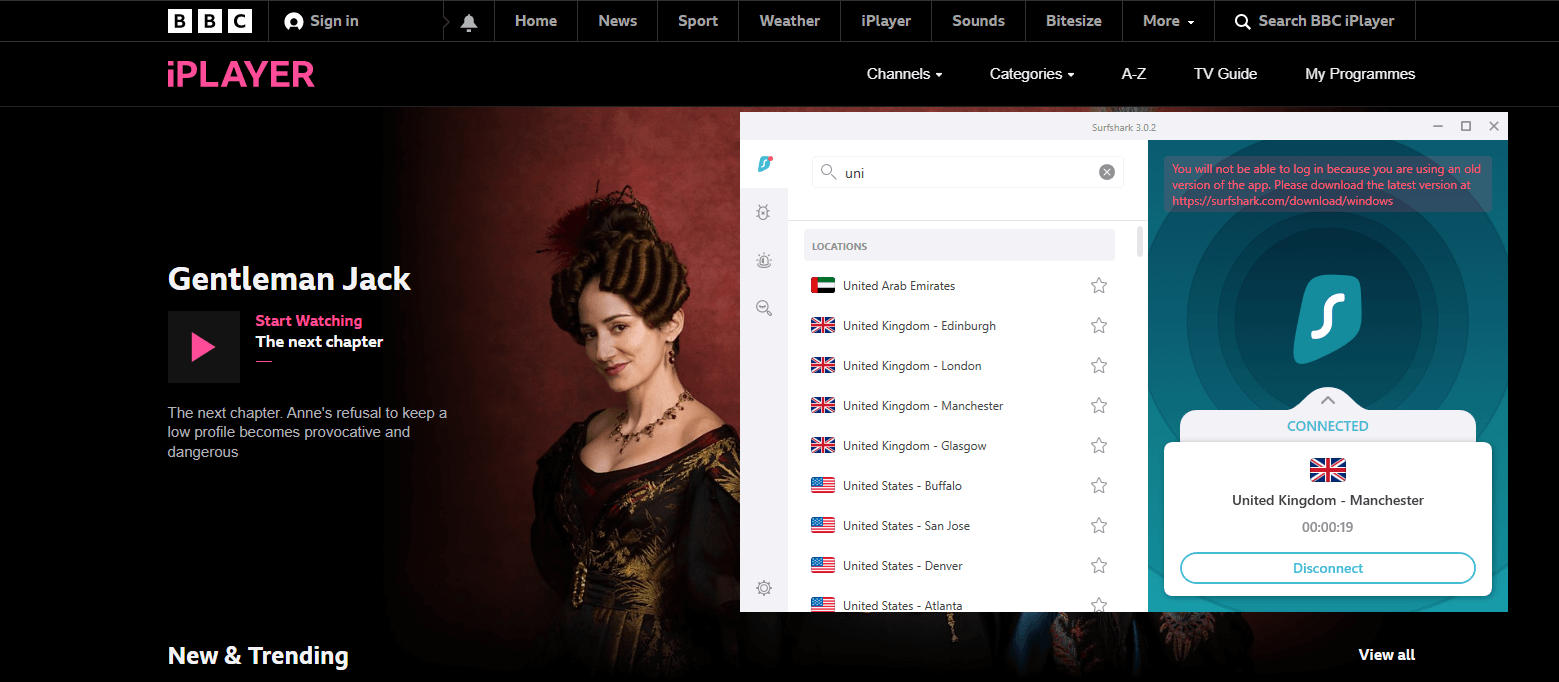
Surfshark has outstanding unblocking capabilities, enabling you to access websites like Netflix US and Hulu from other countries. We even connected to BBC iPlayer and faced no errors.

unblock-bbc-iplayer-with-surfshark

Moreover, with this VPN, you can connect as many devices as you like as you get an unlimited number of simultaneous connections on a single subscription.

To keep you secure, the VPN offers 256-bit encryption, no-logs, kill switch, and RAM-only servers. Additionally, it can block advertisements and viruses using its CleanWeb feature.

Finally, Surfshark is quite reasonably priced. It’s one of the best VPNS available, costing only $2.30/mo. Moreover, with a 30-day money-back guarantee, you can test the VPN risk-free.

For more details, check out the latest Surfshark review.

2. ExpressVPN – Best premium VPN

expressvpn

Another great VPN choice for your PlayStation is ExpressVPN. This VPN lives true to its name and provides quick speeds for all your streaming and gaming needs with 3000+ servers spread throughout 94 countries.

With its MediaStreamer feature, which is effectively a Smart DNS function, ExpressVPN provides a simple method for connecting your PS4 to stream geo-blocked platforms.

Moreover, it offers custom firmware that makes the router installation procedure easier if you’d want to connect through router.

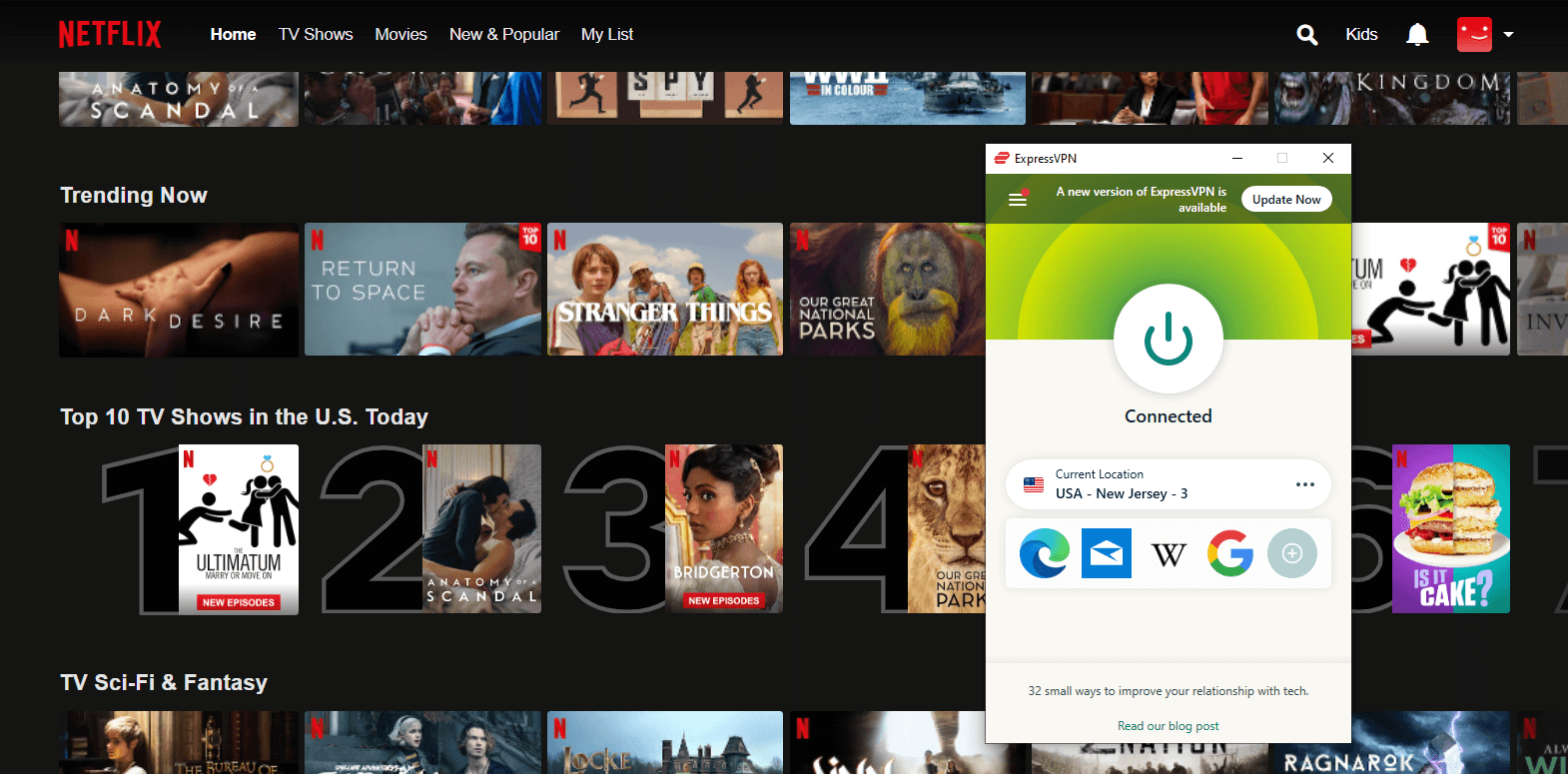
Moreover, ExpressVPN can unblock a number of streaming services including Netflix, HBO Max, and Hulu that are blocked by most VPNs.

expressvpn-works-with-netflix

ExpressVPN protects your traffic at all times with 256-bit AES encryption, DNS/IPv6 leak protection, TrustedServer technology, and a kill switch that halts all traffic when your connection is lost.

This VPN is a good option for those who care about privacy because it doesn’t store any information that might be used to identify you.

ExpressVPN is fairly pricey when compared to other VPN services, costing $8.32/mo.  Try it out, and if you decide it’s not for you, you can always cancel its subscription through its 30-day money-back guarantee.

For more details, check out the latest ExpressVPN review.

3. NordVPN – Secure VPN for PS4

nordvpn

The next pick for a PlayStation VPN is NordVPN. This VPN offers a vast server network and stringent security, which is simply incredible.

SmartPlay, a feature of NordVPN, is a Smart DNS option. If you only want to unblock TV shows and movies, this is the easiest way to connect your PS4 or PS5 to geo-restricted streaming services.

You can also set up NordVPN on your router as an alternative. You can also use guidelines provided by NordVPN to walk you through the process, so setting it up shouldn’t be too difficult.

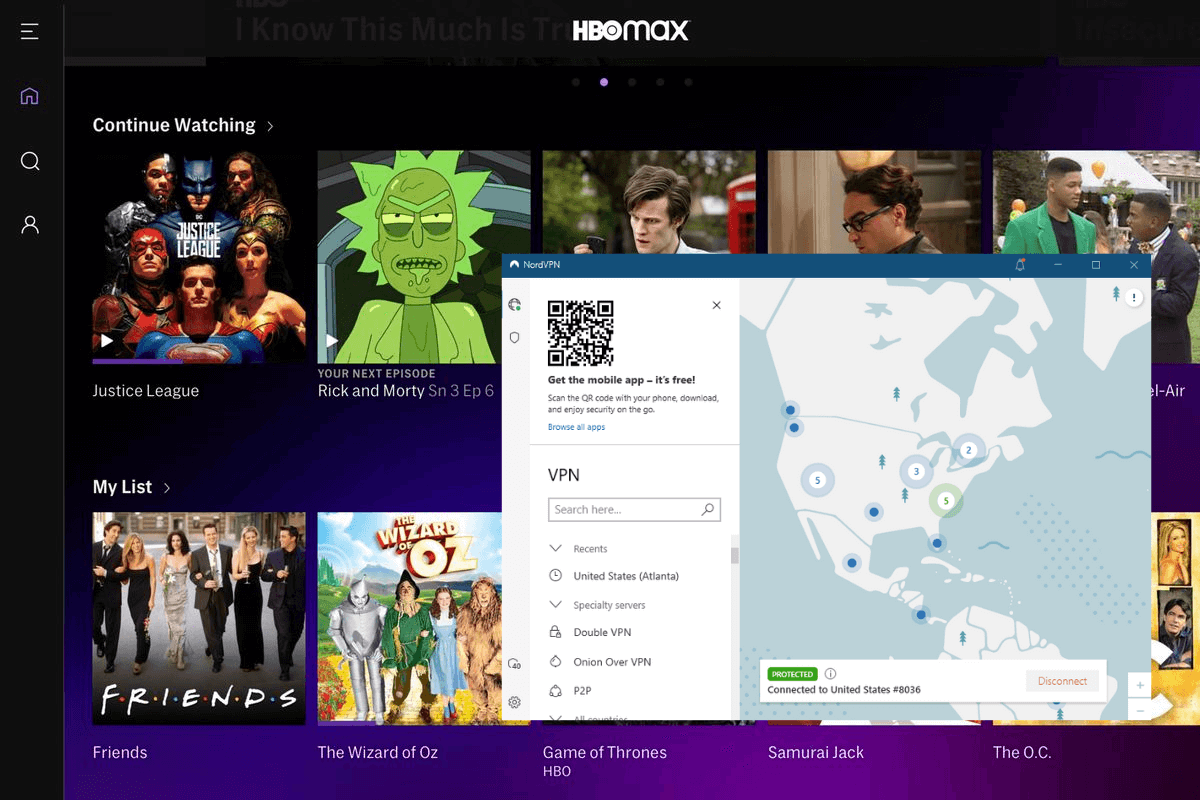
As for unblocking, NordVPN is fantastic because the service does a terrific job at accessing streaming websites. We were able to enjoy Hulu, HBO Max, Netflix, and BBC iPlayer easily with the VPN.

nordvpn-unblocked-hbo-max

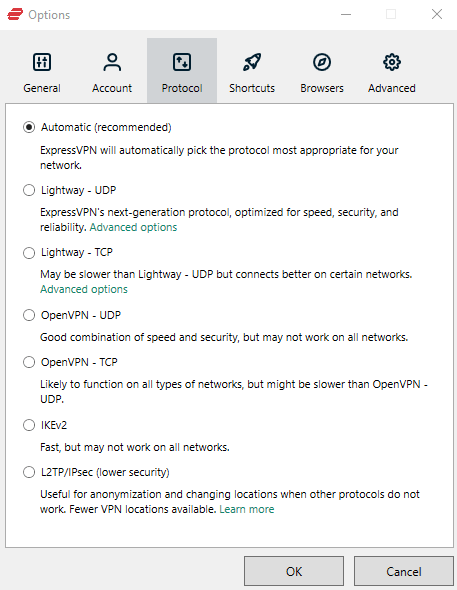
Compared to most other VPNs, NordVPN allows consumers more flexibility in setting up their security. It offers 256-bit encryption, CyberSec, kill switch, obfuscation, and more. You can also choose to utilize Tor over VPN or Double VPN to stay secure.

Finally, this secure VPN for PS4 costs only $3.49/month and comes with a 30-day money-back guarantee.

For more details, check out the latest NordVPN review.

4. CyberGhost – Simplest VPN for PS4

cyberghost

CyberGhost was created with beginners in mind, making it as simple as possible to get around geo-restrictions, share files, or surf anonymously.

You can set up a VPN-enabled hotspot or your router if you wish to install a fully functional VPN on your PlayStation. You can also purchase one of CyberGhost’s pre-configured FlashRouters and save time by using it rather than manually configuring your router.

This service delivers quick speeds, manages a network of more than 7,000 global servers, and allows users to quickly unblock a number of popular streaming services like Netflix and Hulu.

unblock-netflix-with-cyberghost

To keep your information secure at all times, CyberGhost uses AES 256-bit encryption, an automatic kill switch, and the WireGuard protocol. Moreover, it doesn’t log any personally identifiable information.

The cost of CyberGhost is only $2.29 per month. Moreover, you also get a 45-day money-back guarantee for testing the VPN.

5. IPVanish – Great VPN app and Price

ipvanish

Due to its excellent multi-platform support and fast speeds, IPVanish is well-liked by consumers who enjoy streaming online. The VPN allows you to choose the best server location for your gaming needs from more than 2000 servers spread across 75+ locations.

There are just two options available for router installation: OpenVPN and L2TP/IPSec. Therefore, you won’t achieve fantastic speeds unless your router has a robust CPU. Thanks to instructions in the support center, installation is simple.

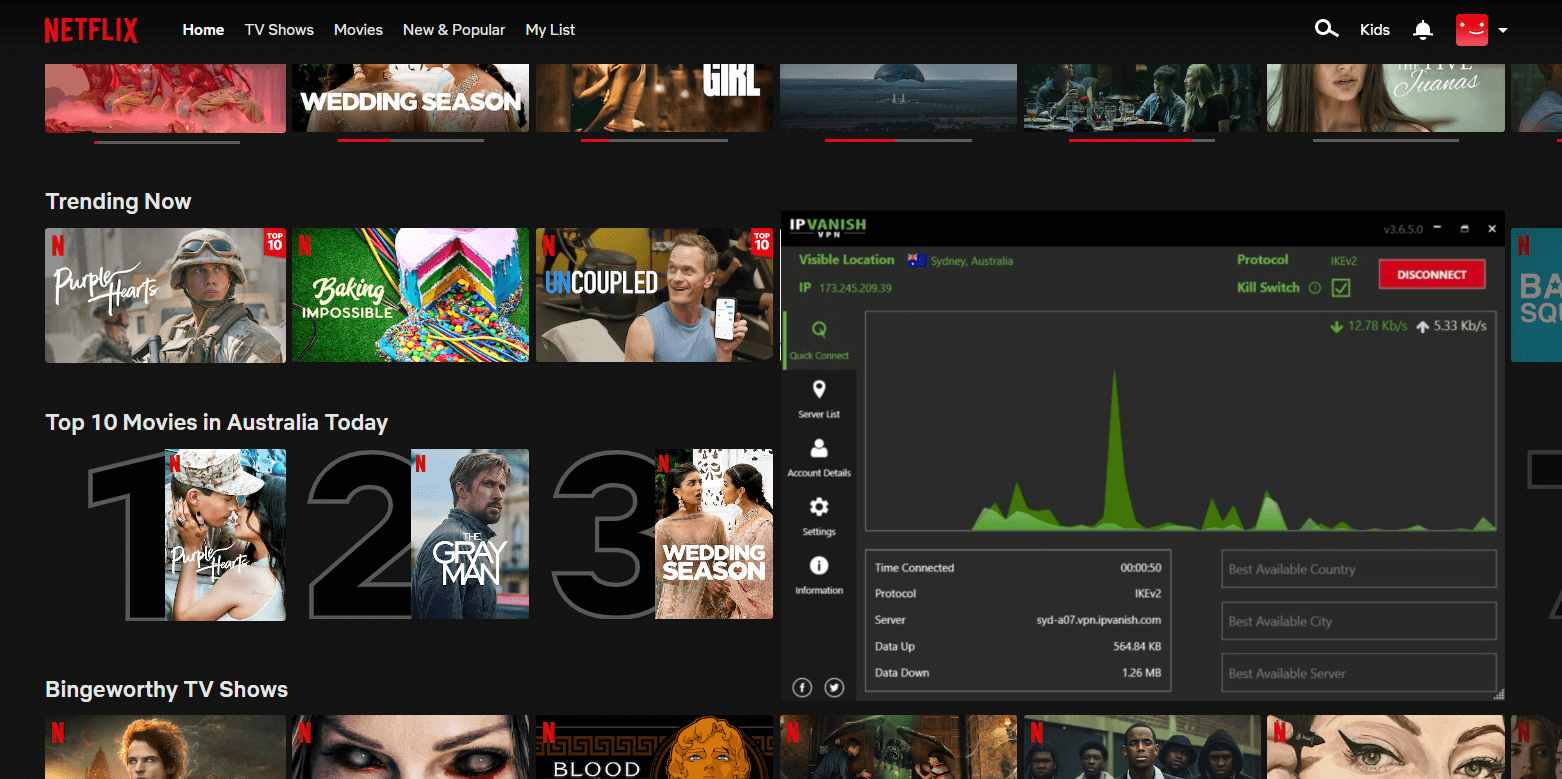
In terms of unblocking streaming websites, IPVanish isn’t the greatest because it doesn’t have a Smart DNS option. However, it can still unblock BBC iPlayer, Hulu, Netflix, and Amazon Prime for you.

ipvanish-unblocked-netflix-australia

Even though this service has a reputation for being lightweight, security is a top priority. Users have the option to obfuscate their OpenVPN traffic, restrict local traffic, and switch IP addresses frequently in addition to the 256-bit encryption and kill switch that are all included by default.

We already highlighted how inexpensive IPVanish is. It costs only $3.75/month, and you can cancel your subscription if you change your mind within the first 30 days for a full refund.

How we chose these VPNs

When looking for the best VPN for PS4, always test multiple options on a variety of factors. Doing the same, we chose the VPNs on our list based on the following metrics:

  1. Easy to set up on PS4/PS5: Select a VPN that includes Smart DNS if you wish to unblock streaming apps or is compatible with your router to get the most out of your console. Each of the VPNs mentioned above provides comprehensive and simple instructions for setting up routers. You can also connect your PlayStation using your Mac/PC by configuring a Wi-Fi hotspot.
  2. Fast Speed: Speedy connections are essential for the best experience when using your PlayStation for gaming and streaming. The last thing you want is a sluggish game, or a show that keeps buffering. Because of this, we chose VPNs that are reputed to provide a variety of fast servers.
  3. Massive network of servers: You should look for a VPN that offers thousands of servers across numerous countries. You are less likely to encounter overloaded servers if there are more of them. Additionally, you’ll have faster speeds and less lag in the game if the server is closer to you.
  4. Security: It’s crucial to protect yourself against risks online even while gaming. VPNs can mask your IP address and provide the most stringent security features, such as military-grade encryption, DNS leak protection, and a kill switch.
  5. Efficient customer service: You can solve your issues more easily if you receive good customer service. Regardless of your time zone, all of the VPNs on this list provide live chat assistance that is available 24/7.

Why do I need a VPN to play on PlayStation?

You might be surprised by how many ways using a VPN to support your PlayStation 4 can make your life better. In no particular order, here are the top five. The best VPN for PS4 gaming can be utilized for:

  1. Playing games before others: PlayStation games frequently have region-specific release dates. Before they are released in the USA, many games first appear in Japan and even Australia. You can connect to a server location of those countries and play games just by using a VPN.
  2. Prevent DDoS attacks: You may have heard tales of gamers hiring hackers to assault their rivals’ systems or launch DDoS attacks to slow down their internet. However, a VPN connection is difficult to hack, and because VPN servers have extremely fast connections, they are significantly more immune to DDoS attacks than your home internet service.
  3. Unblock geo-restricted streaming services: On your PS4/PS5, you can add apps of all your favorite streaming services, but you can only access the local content library. However, you can circumvent geo-restrictions and access content from any location by setting up a VPN!
  4. Offers low pings: If you enjoy playing video games, you are probably aware of how important low ping or latency is. When ISPs notice that you are playing games, some of them restrict the speed of your connection. However, your ISP won’t be able to reduce your speed if you use the best VPN for gaming on PS4 pro.

How to set up a VPN on a PlayStation console

On PlayStation, there are 3 ways to set up a VPN. Let’s check each of them out below:

Setting up a VPN on a router

It is beneficial to set up a VPN directly on your router since every device that connects to your network will automatically benefit from the VPN.

However, this router installation can be a little challenging, and you’ll need to carefully follow the instructions to prevent your router from being harmed. Additionally, you’ll discover that the real procedure varies depending on the VPN.

As previously mentioned, our top-rated VPNs include comprehensive guidelines to make the process as simple as possible for you.

Sharing a VPN connection over a Wi-Fi router

You can share a VPN connection by converting your computer into a virtual router and using its Wi-Fi to connect your console to your PC (or an ethernet cable).

Although installing a VPN via this approach may be a little simpler than doing it directly on your router, the VPN’s performance will be noticeably inferior. Find the instructions below for both Windows and macOS.

Sharing a VPN connection on Windows 10

  1. Download and install the VPN you prefer on your Windows PC (We recommend Surfshark).
  2. Then, visit Settings. Navigate to Network & Internet > Mobile Hotspot.
  3. Turn the toggle On.
  4. Visit the Settings > Network & Internet. From there, click Change adapter options.
  5. Look for the adapter of your VPN, then right-click on it to launch Properties > Sharing.
  6. Tap on the  Allow other network users to connect through this computer’s internet connection option.
  7. Under Home Networking Connection, choose you hotspot connection.
  8. Open your VPN app and connect to a server.
  9. Fire up your PS4 and visit its Settings. Then, go to Network > Connect to the internet. After that, click Use Wi-Fi and choose your mobile hotspot.
  10. Finally, play your favorite games and unblock geo-restricted easily on your PS4/PS5.

Sharing a VPN connection on macOS

  1. Look for the account credentials of the VPN you selected.
  2. Configure L2TP/IPsec on your macOS.
  3. Visit System Preferences and then Sharing.
  4. Launch the Internet Sharing menu.
  5. From the dropdown, choose your VPN connection.
  6. Tap the  “To computers using” Wi-Fi box.
  7. In the Wi-Fi options menu, create a password.
  8. Go back to Internet Sharing, and click Enable.
  9. Open your VPN and connect to a server.
  10. Visit your PS4 and connect to your Mac-enabled Wi-Fi connection.

Using Smart DNS

For each VPN service, there will be somewhat a different process for setting up Smart DNS. The generic steps are as follows:

  1. Install a VPN you prefer (Surfshark is our top choice).
  2. Register your IP address in the Smart DNS or DNS settings sections of the VPN dashboard.
  3. You ought to now receive a DNS code; write it down.
  4. Turn your PS4/PS5 on and visit Settings > Network. Then, click Custom.
  5. Choose either Wi-Fi or LAN cable depending on how you desire your PS to be connected to the internet.
  6. Choose Automatic > Do Not Specify > Manual.
  7. Insert the DNS codes that you previously jotted down.
  8. Visit Automatic > Do Not Use. After that, click  Test Your Internet Connection.
  9. Start your PS5 or PS4 again.
  10. Now, you ought to be ready to go! You can access a brand-new library of entertainment on your PlayStation by opening a streaming app, which you couldn’t do before.

Conclusion

Your PlayStation experience can be enhanced with a swift and reliable VPN. Because they aren’t immediately compatible, VPNs aren’t the simplest to set up and use on gaming consoles, which is the issue.

Surfshark, however, is the best VPN for PS4 because it’s quick and simple to set up and use with the device. Once connected, you can unblock geo-blocked games and streaming services, and secure your online gaming experiences.

FAQs

Can I use a free VPN for PS4/PS5?

You can use the best free VPN for PS4 and PS5, just like other VPNs, but that’s a poor idea. Since free VPNs are pros at selling your data, all your personal information is at stake with the VPN.

This is why we recommend opting for Surfshark’s 30-day money-back guarantee, and using this best VPN for PS4 free for an entire money!

Does changing DNS help PS4?

For your PS4, using the incorrect DNS server might significantly increase your ping time or, worse yet, reduce your connection speed. Actually, the majority of gamers simply use the ISP’s (internet service provider) assigned default DNS servers, which are almost never the quickest DNS servers.

Some more blogs for you!

Categories
Best VPNs

Best VPNs for Tor in 2026

Tor is a privacy-oriented browser that helps you get around internet censorship by anonymizing your internet traffic. Tor encrypts all incoming and outgoing data so that anyone intercepting it cannot read it.

However, both your ISP and governmental organizations are able to detect your use of Tor. This is not ideal since, despite the fact that Tor has many legitimate purposes, it is known for being used for criminal conduct.

This is why using a VPN with Tor is a good idea. However, it can be difficult to find the best VPN for Tor browser that will genuinely keep you safe. So, we did our research, and came up with a list of secure VPNs for you.

Best VPNs for Tor; Quick Overview

  1. NordVPN – Most Secure VPN for Tor. AES 256-bit encryption with Tor Over VPN servers. Money-back guarantee of 30 days.
  2. ExpressVPN – Best premium VPN. Fast and experienced VPN provider with an Onion site and Bitcoin support. Excellent for internet surfing, torrenting, and streaming.
  3. Surfshark – Affordable VPN for Tor. Good speeds, unlimited simultaneous connections, and powerful unblocking capabilities.
  4. CyberGhost – Easy-to-Use App. User-friendly apps with no-logs and decent speeds.
  5. IPVanish – Great VPN app and Price. Offers quick servers and no logs. Works great with streaming websites as well.

The Best VPNs for Tor – Full Disclosure

Here is a complete list of all the best VPNs for Tor that you can use in 2026:

1. NordVPN – Most Secure VPN for Tor

nordvpn

Our top choice for a Tor VPN is NordVPN. It is a stalwart in the market and provides incredibly fast speeds in addition to a sizable worldwide server network.

Hails to its Tor over VPN feature, your traffic will be automatically redirected over the Tor network. This is excellent if you want to use Tor with applications other than a web browser.

Other beneficial security features offered by NordVPN include the Double VPN, which routes your traffic over two VPN servers. However, as double encryption slows down connections, we advise sticking with NordVPN’s standard or obfuscated servers if connection speed is a concern.

It also offers DNS leak protection, no-logs policy, split tunneling, and the Nordlynx protocol.

The provider has an excellent global server network, with around 5,500 servers spread across 60 nations. By connecting to these servers, NordVPN prevents outsiders from viewing your personal information.

Along with the Tor browser, NordVPN is compatible with iOS, Firefox, Windows, Chrome, macOS, Android, and routers.

You can get NordVPN at a cost of only $3.49/month, along with a 30-day money-back guarantee.

For more details about the provider, go through our NordVPN review.

2. ExpressVPN – Best premium VPN

expressvpn

ExpressVPN is the most secure and another best VPN for Tor browser. It offers a number of features that make using it with The Onion Router simpler and safer, and it goes above and beyond to honor its privacy obligations to its customers.

Recently, ExpressVPN introduced a .onion version of their website for users who want to sign up for an account without being identified.

The company is situated in the British Virgin Islands and follows a rigorous no-logs policy. When the VPN connection drops, the automatic kill switch (also known as “network lock”) shuts down your internet traffic to stop leaks that would inform your ISP that you are using Tor.

Additionally, ExpressVPN’s TrustedServer technology, which runs all servers entirely from RAM and writes no data to actual hard drives, is used on all of its servers.

ExpressVPN offers a large number of IP addresses to choose from thanks to its over 3000 servers located all over the world.

ExpressVPN works with a variety of common operating systems and devices, including Android, macOS, routers, Windows, Safari, Chrome,  and more, in addition to the Tor browser.

You can get ExpressVPN at a cost of only $8.32/mo along with a 30-day money-back guarantee.

For more details about the provider, go through our ExpressVPN review.

3. Surfshark – Affordable VPN for Tor

surfshark vpn

Surfshark is a fantastic cheap option. Despite that, you can access the Tor network with Surfshark to browse the internet anonymously and get around geo-blocks and censorship easily.

To use the Tor browser in restricted areas, Surfshark offers the NoBorders mode. For increased anonymity, you can also use its MultiHop capabilities and Camouflage mode.

Surfshark also offers a wide range of other security features, including Military-grade 256-bit AES encryption, a kill switch, DNS leak prevention, and ad blocking. Thanks to a no-server-logs policy and a bitcoin payment option, your privacy is adequately safeguarded.

Surfshark’s global server network is substantially bigger now than it was a few years ago, with over 3,200 servers spread across 95 different countries.

Surfshark supports an infinite number of devices simultaneously and offers apps for Fire TV, Android, Windows, macOS, iOS, and Linux.

You can get this best VPN for Tor at only $2.30/mo, along with a 30-day money-back guarantee.

For more details about the provider, go through our Surfshark review.

4. CyberGhost – Easy-to-Use App

cyberghost

Because of its unique NoSpy servers, CyberGhost is a great option for Tor. These are RAM-only servers that wipe your data and browsing history off when you disconnect from the VPN.

Additionally, to avoid interference from third-parties, CyberGhost directly manages these servers. You can utilise The Onion Router without being concerned that your data will be compromised because of this.

Every user of CyberGhost receives a special anonymous ID, and the email address you enter to register is encrypted. As a result, users’ email addresses cannot be linked to their CyberGhost accounts by third parties. Moreover, there are no data logs kept by CyberGhost.

With more than 7,700 servers located across more than 90 countries, the provider has a sizable global server network.

You may connect up to seven devices at once with a single account, and there are apps available for the macOS, Android, Linux, Windows, and iOS platforms.

CyberGhost is available at a cost of only $2.29/month along with a 45-day money-back guarantee.

5. IPVanish – Great VPN app and Price

ipvanish

If you need to use Tor to secure a large number of devices, IPVanish is a good choice.

With IPVanish’s Scramble feature, you can get around VPN restrictions and securely surf the Dark Web. It also includes necessary security features like an IP/DNS leak protection, automated kill switch, and military-grade AES 256-bit encryption.

The obfuscation feature included in IPVanish’s apps makes your VPN traffic look like as regular internet traffic. If you want to increase speed, WireGuard protocol are also available.

However, if you want to make an anonymous purchase, look elsewhere because it does not accept bitcoin.

You can get IPVanish at a cost of only $3.75/month, along with a 30-day money-back guarantee.

Why use Tor over VPN?

Following are a few reasons why you should use Tor over VPN:

  • Best privacy and security possible.
  • Bypass ISP restrictions on access to Tor.
  • Complete security to keep you safe while you browse.
  • Use a VPN to get all the best security features.

How does Tor or Onion over VPN work?

To make Tor/Onion over VPN work, you need a VPN as well as a Tor browser. However, in most cases, you’ll just be using the Tor Browser. Follow the steps below for it:

  1. Subscribe to a VPN service. We recommend NordVPN for this as it offers anonymous payment options.
  2. Download and install the VPN on your device.
  3. Connect to any server offering fast speeds.
  4. Download the Tor Browser, launch, it and connect to the Tor Network.
  5. Enjoy surfing on the Tor browser.

VPNs with built-in Onion over VPN feature

Only a small number of VPNs offer Tor functionality as part of their offerings.

With its integrated Onion over VPN capability, NordVPN is the market leader in this regard. It can be used without any further setup being added. The configuration is already done for you to browse anonymously right away, without needing Tortilla or the Tor browser.
Pros and cons of using Onion over VPN

The following is a thorough overview of the pros and cons of utilising Onion over VPN:

Pros Cons
Multi-layer encryption Your connection can get cut off since Tor’s exit nodes get blocked randomly
Actual IP remains unidentified even if Tor network is compromised Due to various intermediary servers, your speeds below extremely slow
The VPN service and ISP cannot view your activities
Various ISPs block Tor networks, so the only technique to access them is by a VPN
VPNs offer features like a kill switch so you stay protected in every case

Onion over VPN vs. Double VPN

Please note that Onion over VPN isn’t the only solution to remain unidentified. In fact, Tor isn’t the only way to interconnect multiple secure connections.

Using multiple VPNs is also possible. Your traffic is twice encrypted and is routed through many servers in this way.

Every VPN service offering this built-in feature calls it by a different name. These names include DoubleVPN, MultiHop, and Nested VPN.

Another option is to try setting it up by yourself by configuring a VPN on your router, and then further connecting a VPN server to your device. The final method is to use virtual computers, where the host acts as the router.
FAQs

Is Onion over VPN safe?

The Onion network is susceptible to a cyberattack, just like other cybersecurity tools. However, even if the network is compromised, your real IP address will remain hidden if you use Tor in conjunction with a VPN.

Do you need a VPN for Tor?

Although not necessary, a VPN is quite helpful when using Tor. Your entire traffic is encrypted and hidden from your ISP. To put it simply, using Tor with a VPN is significantly safer.

However, we highly recommend not to think of using the best free VPN for Tor browser. That’s because free VPNs would put your data at risk, instead of protecting you on Tor.

How to use Tor over VPN?

Here’s how you can do that:

  1. Download a reliable VPN while making sure that you select the correct version for your preferred device, and then launch it.
  2. Open its app and connect to your preferred server.
  3. Once you connect to the VPN, launch your Tor browser.
  4. That’s it!

Should I use Tor bridges instead of a VPN?

You have the choice to connect through Tor bridges when utilising the Tor network. Similar in operation to relays, bridges are private and do not show up in the main Tor directory.

Finding one, though, can be difficult. Although it’s not simple, you could set one up on your own.

Tor bridges might provide your browsing experience more freedom. There are specific variations of them, such as disguised tor bridges, which might be helpful for gaining access to blocked content. In most circumstances, your ISP cannot obstruct private Tor bridges.

Some more blogs for you!

Categories
Reviews

HideIPVPN Review: Is It Worth It?

hideipvpn-review

Choosing a VPN might be challenging because you are unsure of what you will receive for your money.

Amongst all VPNs in the industry, there’s HideIPVPN – a VPN and Smart DNS combo – that claims to provide super-fast speeds and highest level of security at an affordable cost.

Moreover, it has several commendable features, that are perfect for unblocking streaming platforms that you might find appealing.

However, by the looks of it, it also offers a limited variety of servers and fewer simultaneous connections per subscription.

In this VPN review, let’s address multiple factors of this VPN to check if it lives up to our criteria and can be called a great choice for all your activities.

So, let’s get right into the HideIPVPN review!

HideIPVPN pros and cons

HideIPVPN offers many incredible features. It does, however, have drawbacks, just like any other VPN. Let’s examine the VPN’s advantages and disadvantages for a quick overview:


Pros Cons
Offers a Smart DNS service Small server network
Fast speeds Located in the US
Unblocks Netflix, Hulu, and other streaming platforms
Multiple security protocols
Offers P2P support on some servers
Unlimited bandwidth
3-day free trial
Doesn’t require users to enter a payment method on its free trial
5 simultaneous connections

Speed and performance: Is HideIPVPN fast?

We conducted all speed tests after setting up the VPN protocol to OpenVPN (UDP). While testing, we faced no lags, thanks to HideIPVPN’s fast connection speeds.

However, it’s a fact that the average download/upload speed will inevitably slow down due to the great proximity between your physical location and the server, regardless of which server you choose.

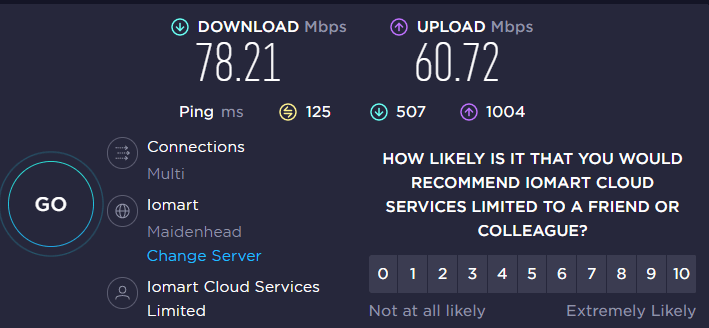
We established a connection to its UK3 server to evaluate its performance. On this server, our speeds dropped slightly on our 100 Mbps connection, but still managed to offer 78.21 Mbps download and 60.72 Mbps upload, which is FAST considering we live far from the United Kingdom.

hideipvpn-speed-test-on-uk-server

We then tested its local US1 server, which gave off a 81.27 Mbps download speed and a 68.82 Mbps upload speed. That’s literally what you expect from a top VPN!

Overall, HideIPVPN is great if all you need is anonymity and fast connections.

Streaming: Does HideIPVPN work with Netflix?

With only 20+ servers, we were amazed that HideIPVPN could unblock a variety of well-known streaming services.

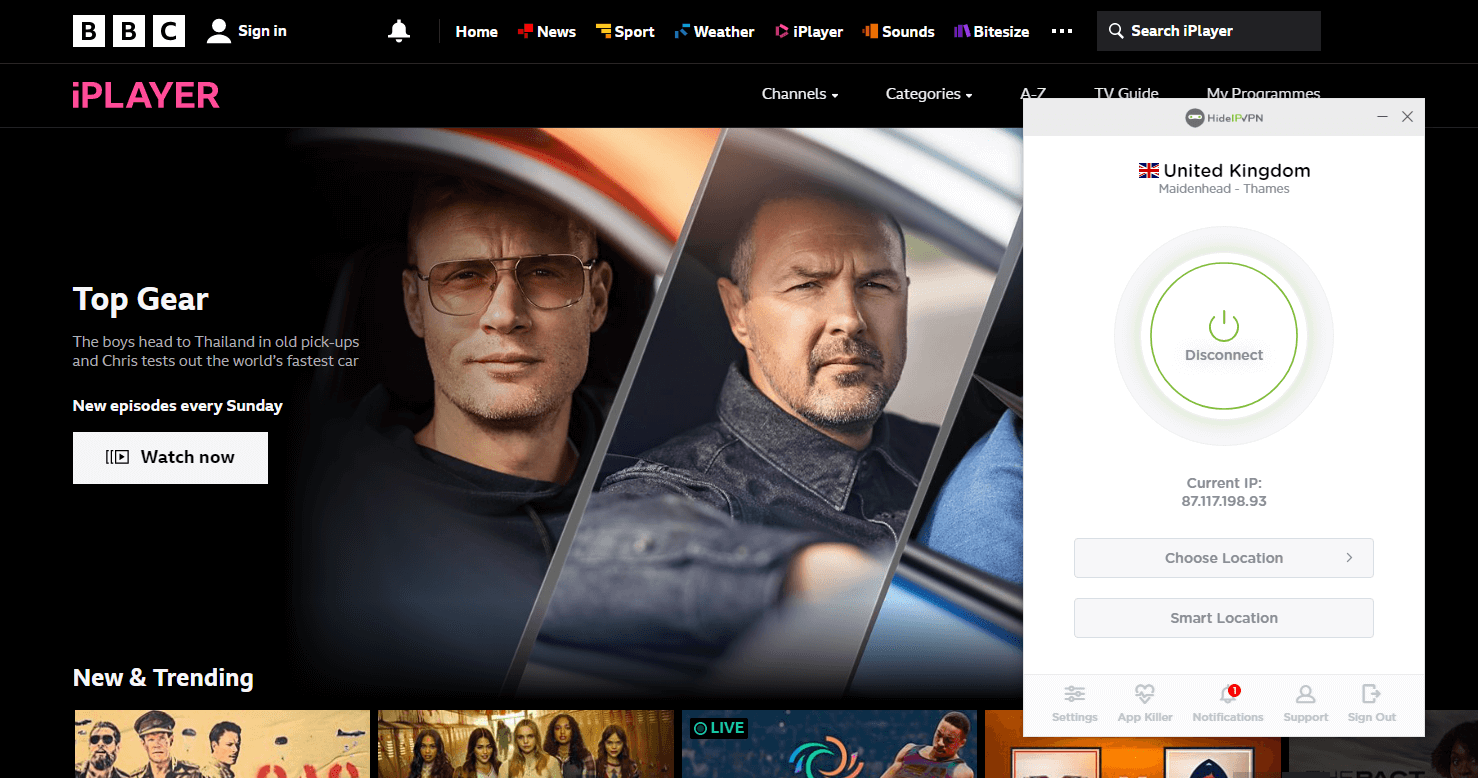
While testing, we were able to unblock Netflix, Channel 4, Hulu, Amazon Prime, BBC Player, and HBO Max with HideIPVPN, but we couldn’t access Disney+ at all. The best aspect is that watching the content in HD didn’t cause any buffering, which is fantastic.

hideipvpn-unblocked-bbc-iplayer

However, with the SmartDNS feature, we weren’t as fortunate. We couldn’t unblock Netflix, but we were able to access geo-restricted YouTube videos.

Is HideIPVPN good and safe for torrenting?

HideIPVPN allows torrenting on just a few servers, located in the Netherlands and Germany.

For our HideIPVPN review, we connected to a server in Germany and were able to download a 1.2GB file on Bittorrent in 7 minutes.

We then established a connection to a server in the Netherlands, using which we successfully downloaded a 2GB file on uTorrent in about 12 minutes. 

Even though we were happy with the torrenting performance, HideIPVPN should mention more clearly that only servers in Germany and the Netherlands are supported.

HideIPVPN features

HideIPVPN offers a few cutting-edge features to all its users. Let’s check them out in detail below:

Application Killer

An essential component of a VPN service is a kill switch. When the connection suddenly drops, it serves the purpose of protecting your data.

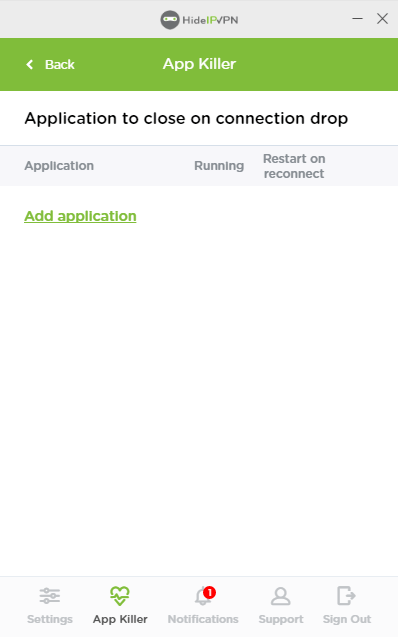
HideIPVPN doesn’t offer a regular kill switch. Its macOS and Windows apps offer ‘Application Killer’, which stops particular apps when there is a network instability. However, the apps need to be manually added.

hideip-vpn-app-killer

Smart Location

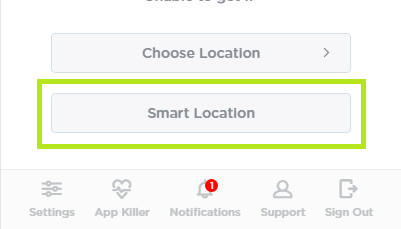
HideIPVPN makes it simpler for you to choose a VPN server if you are unsure. The quickest and closest server to you is automatically selected by Smart Location when you click the button. If speed is your main concern, then this is that right option for you.

hideipvpn-smart-location

Smart Location is not consistently precise. During testing for our HideIPVPN review, it occasionally picked a far-off server over a nearby one. However, the majority of the time, it optimized speed flawlessly.

Smart DNS

A Smart DNS solution enables you to access geographically restricted online material. It doesn’t change your IP address or encrypt your internet connection, unlike a VPN.

It only modifies your device’s DNS to send requests to its own DNS servers.

Although HideIPVPN offers the functionality, you can also buy it separately. Using Smart DNS, you can unblock Hulu, Amazon Prime, and Netflix pretty easily.

Is HideIPVPN safe and secure?

Yes, this VPN is pretty safe to use, thanks to its robust encryption, protocols, and secure logging policy. Read more about it in detail:

Protocols

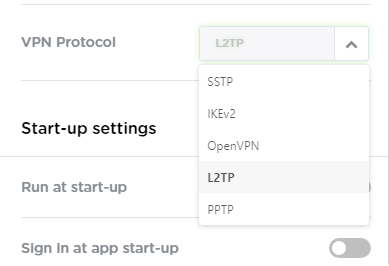
HideIPVPN offers 5 VPN protocols: OpenVPN, L2TP/IPSec, SoftEther, SSTP, and PPTP, with corresponding 128-bit and 256-bit AES encryptions.

hideip-vpn-protocols

According to us, OpenVPN is the most reliable choice. It is an open-source implementation of a protocol that many people have already inspected. You should choose this when given the option because it is secure and has been proven effective.

Juridiction

A downside of this VPN is that it registered in the anti-privacy state of Delaware in the US.

But, many VPNs headquartered in the US do offer a strict no-logging policy. So, we decided to look through HideIPVPN’s policy thoroughly in the section below.

Logging Policy

HideIPVPN adheres to a strict no-logs policy, which is a promising beginning. However, it hasn’t gone through any independent audits to support the policy. You have to accept HideIPVPN’s statement without an audit to back it up.

In accordance with its privacy policy, HideIPVPN gathers the information required to access DNS and VPN servers. However, it doesn’t clarify what it means by “necessary data.”

HideIPVPN servers and locations

The VPN offers 24 servers across 12 countries. These include 6 servers are located in the United States, 1 in Canada, 5 in the United Kingdom, 1 in Germany, 2 in the Netherlands, 3 in Poland, 1 in Russia, and more.

Additionally, subscribers get access to a Smart Location feature that chooses the best server for you.

Does HideIPVPN work in China?

Yes, HideIPVPN works in China. The VPN service provider made some improvements to its service back in 2009, in order to allow users from China to circumvent its infamous Great Firewall.

Plans and pricing

Plans Price
1-month $6.99
12-month $4.99/mo
24-month $2.99/mo

HideIPVPN is reasonably-priced, as can be seen from the table above. And, truth be told, the cost really does represent the true worth of the service.

The SmartDNS is a bonus that comes with every package, which is amazing. We were relieved to see that you can use JSB, Discover, MasterCard, Bitcoin, PayPal, Diners Club, VISA, and Amex to pay for its service.

Interface and ease of use

HideIPVPN is compatible with several operating systems, including iOS, Windows, Linux, Mac, Android, and more. You can also use HideIPVPN with TP-Link, D-Link, and DD-WRT routers.

But, how do its apps perform? Let’s see below:

Desktop versions

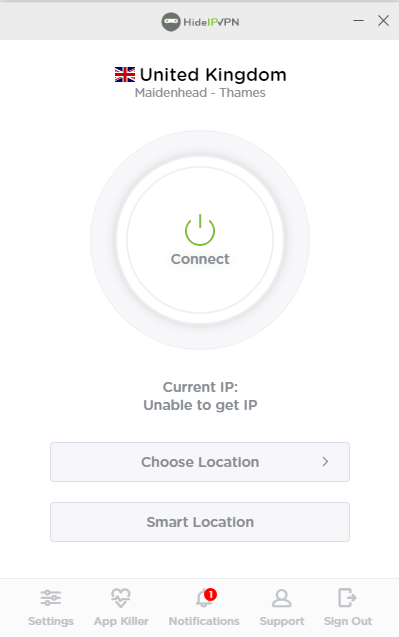
The Windows client has an easy-to-use interface, a server list that lets you choose locations within each country, and a simple Favorites option that lets you organize your frequently-used servers.

hideipvpn-windows-interface

Your nearest server is immediately connected via “Smart Location,” which works pretty smoothly. We tested it from the US and instantly got connected to a Canadian server.

Moreover, it offers numerous protocols and DNS leak protection. There is a kill switch somewhere, but it’s application-based, so you have to configure the apps to shut down when the connection breaks.

Mobile apps

HideIPVPN recently updated the Android/iOS software, which has now become extremely easy to navigate and efficient to use. We tested its Android app and were able to install it easily on our device, as well as connect to a server within seconds.

Customer support

HideIPVPN’s customer support includes email, ticketing, and live chat. You don’t get phone support. But, the most efficient option in case of any queries is its live chat.

Moreover, the provider offers an extensive knowledgebase and FAQs on its website. There are setup instructions to assist you in getting HideIPVPN on a variety of platforms, including Windows, routers, Linux, etc.

We discovered that customer service agents’ were pretty supportive and responded quickly when we first tried it. But, when we tested it again the next couple of times, there was simply no reply to our messages.

Conclusion

HideIPVPN is a great VPN service that unblocks practically everything, offers adequate security, and is affordable. Even though its servers connections are smaller in number, its download and upload speeds are phenomenal.

With HideIPVPN, we were able to enjoy a secure connection for as much as we’d like.

In short, we recommend you try this VPN. In case you’re not up for paying the full amount instantly, you can try the VPN out through is 3-day free trial.

Categories
Reviews

ALTVPN Review: Is It Worth Its Price?

ALTVPN is a great VPN service offering robust encryption and a strict no-logging policy. This VPN, with its roots in Ukraine, claims to be absolutely committed to keeping the online security of users intact.

Another impressive feature of this VPN is its ability to bypass restrictions imposed by China’s Great Firewall as well as streaming services.

While operating on a global scale, ALTVPN shows some consideration for users in Eastern Europe and underlines the necessity of using VPNs to access information that is prohibited in the post-Soviet republics.

In this ALTVPN review, the team of bestvpncomparisons tests this VPN’s speeds, unblocking abilities, security, server network, and efficiency before recommending the VPN to you.

So, without any delays, let’s get started!

ALTVPN pros and cons

Every VPN has unique distinguishing characteristics and trade-offs, and ALTVPN is no different. Let’s examine the benefits and drawbacks of this VPN review to see how it works:

Pros Cons
Very fast Doesn’t offer a native Windows app
Super-affordable Website is in Russian
Unblocks various streaming platforms
Offers a free trial

Speed and performance: Is ALTVPN fast?

We tested this VPN on a 100 Mbps test connection using our Windows device, and the results were quite impressive.

The first VPN server we tried was in Toronto, and it gave us an average speed of 76.70 Mbps. The next was in New York, and it gave us a slower but still extremely fast speed of 72.16 Mbps.

altvpn-speed-test-on-us-server

We further tested the server down under – the Sydney server, and received a speed of 69.23 Mbps. A server in Singapore, located on the other side of the globe, performed admirably by delivering 67.19 Mbps, which is deemed fast.

altvpn-speed-test-on-singapore-server

In short, ALTVPN offers super-fast speeds on all its servers, be it short or long-distance.

Streaming: Does ALTVPN work with Netflix?

According to our ALTVPN review of Netflix, the VPN can easily unblock 8+ libraries of the streaming platform. That’s not all. ALTVPN can also unblock geographically restricted content of other popular streaming services, including Hulu and BBC iPlayer.

The latter is particularly challenging for many VPNs, but we were able to access all of the BBC iPlayer content without any problems by simply choosing a server in the UK. You can check out the screenshot below to confirm this:

altvpn-unblocked-bbc-iplayer

Is ALTVPN good and safe for torrenting?

Yes, ALTVPN is extremely safe for torrenting purposes. The VPN allows accessing multiple P2P clients like uTorrent, BitTorrent, and Vuze safely, and lets you download torrents, something many VPN providers are occasionally dubious about.

Is ALTVPN safe and secure?

The next aspect that we covered in our ALTVPN review was that if it’s safe and secure to use from anywhere across the globe. We tested multiple features of this VPN, which are as follows:

Protocols:

Security protocols are essential to stay secure while using a VPN. Therefore, a VPN should provide all the suitable protocols, including the latest ones for its users. ALTVPN offers the IKEv2, OpenVPN (UDP/TCP), and L2TP/IPSec protocols to its users.

altvpn-protocols

Logging:

ALTVPN offers a zero-logs policy, giving them a significant advantage over many other VPNs on the market. This means that the VPN will not store your IP address, DNS requests, session logs, or any other personal information.

Encryption:

The VPN offers the 2048-bit encryption which protects your data completely and keeps you anonymous. Using this encryption method, users can access any content they desire without worrying about strangers hacking or spying into their data.

Additionally, the VPN also provides you the choice to use the PGP (Pretty Good Privacy) keys, a further data authentication method and cryptographic layer that keeps you anonymous.

Proxy server:

ALTVPN creates an extra VPN redirection through a proxy server, such as Shadowsocks and SOCKS5, so you can further increase your anonymity and circumvent geo-restrictions in countries with stringent network restrictions.

altvpn-proxy

ALTVPN servers and locations

This VPN offers 70+ servers in 23 countries, which is small when compared to the best VPNs in the market.

Although they only have servers in a few places right now, they are constantly expanding, and their servers are quite reliable.

Does ALTVPN work in China?

Yes, ALTVPN specifically mentions that it works in China, and keeps users protected from the stringent Great Firewall of the country.

This is a big deal since only a few VPNs in the industry can actually work in that highly censored country.

Plans and pricing

Plans Price
1-month 699 r. per month ($11.70/mo)
6-month 283 r. per month ($4.74/mo)
1-year 192 r. per month ($3.21/mo)

ALTVPN is one of the most affordable VPNs in the market like Surfshark, that offers three different pricing plans: 1-month 6-month, and 1-year.

But, we were happy to see that this service offered a free trial that lasted for a whole day, allowing us to test out the VPN and discover what it’s all about.

A 7-day money-back guarantee was also offered, although it excludes personal IP addresses that are bought separately from the main account.

App Support

ALTVPN only has an app for Windows, macOS, and Android, while other operating systems/devices, including iOS, Linux, and routers are set up using its built-in VPN settings and specific protocol types.

You can try to use the provider’s setup guides on the website, but you’ll need to use the Google Translate option in your browser as the guides are only available in Russian.

Its Windows app is dark in color, with a feature-rich home screen and a big connection button in between. Unlike most VPN’s interfaces, it’s smaller and clean.

altvpn-windows-interface

At the top-right, you’ll find the settings where you can locate whatever you want easily and customize the VPN.

Customer support

As for support, ALTVPN offers a separate FAQ section, which answers a variety of general and technical queries of its users in Russian.

Moreover, if you looking for a quick response, then you can also leave a quick message to the support team and they’d get back to you with an informative and satisfactory solution in no time.

Conclusion

Now that we’ve reviewed every possible thing of this VPN, it’s time to conclude our ALTVPN review.

Even though this VPN is fast and reasonably priced, it still needs to improve a bit if it wants to compete with the top VPN services. But, if we currently look at what the VPN offers, then it’s great overall.

You get fast speeds, excellent unblocking capabilities, robust security features with the latest protocols, and dedicated apps and settings for all popular OSes/devices.

Liked our review of ALTVPN? Stay tuned for more!

Some more VPN reviews for you!

Categories
Reviews

BulletVPN Review – How Good Is It?

BulletVPN is a prominent industry player, which safeguards your online privacy and assists you in circumventing internet blocks so you can access content that isn’t available where you are.

It allows you to escape the boundaries of the 5/9/14-Eyes Alliance, maintains a stringent no-logs policy, and offers robust security features, among other characteristics, that all deliver a smooth experience.

But, here’s a slight drawback – the VPN is a bit on the pricier end. And so we wanted to test, is it worth its cost?

For our BulletVPN review, our team at bestVPNcomparisons examined its security features, server network, streaming capabilities, device compatibility, and customer support in order to determine the answer.

BulletVPN pros and cons

Every VPN has its own standout features with some tradeoffs, and so does BulletVPN. In this review of BulletVPN, let’s look at the pros and cons to determine where this VPN stands:

Pros Cons
High encryption standard Small server network
User-friendly apps for devices Speeds can be improved
Unblocks various popular streaming platforms, including Netflix and Hulu Doesn’t offer browser extensions
Kill switch
30-day refund policy
P2P compatibility
Bullet Shield
24/7 live chat support

Speed and performance: Is BulletVPN fast?

BulletVPN guarantees a lightning-fast internet connection so users enjoy their online activities.

To confirm the speeds of BulletVPN, we ran speed tests on servers across 55 countries where they are available.

We experienced incredibly fast speeds on nearby servers and respectable speeds on far-off servers; overall, we experienced an above-average speed loss of about 30%.

We tested BulletVPN’s Quick Connect feature, which connects you to the server that is closest to your location and has the fastest connection. As a result, we were connected to a local US server. Here are the speeds that we got on that server:

bulletvpn-speed-test

On the US server, websites loaded immediately, streaming platforms began playing right away without any buffering, and we downloaded a 10 GB file in about 12 minutes.

We experienced an 40% speed drop on average when connecting to distant servers in Asia, Europe, and Australia. We connected to its German server and the results are as follows:

bulletvpn-speed-test-on-german-server

We still had respectable speeds despite the speed loss; webpages and movies loaded in 5-7 seconds, and browsing didn’t cause much latency or buffering.

Streaming: Does BulletVPN work with Netflix?

BulletVPN  can unblock every major streaming service, including Netflix. However, while a few servers will unblock the entire library, some will just let you access Netflix Originals.

Streaming services restrict most VPN providers and ban their IP addresses. But, BulletVPN can nevertheless give you access to your preferred content by bypassing the geographic restrictions imposed by these streaming platforms.

As you may already be aware, Netflix is accessible in practically every country. And, depending on where you are, it offers different catalogues.

As for testing, we could stream UK Netflix from the United States despite the VPN IP address ban.

bulletvpn-unblocked-netflix-uk

Despite some sites’ lengthy load times, the playback quality was generally decent. You also get Ultra HD servers that are designed for 4K streaming.

Is BulletVPN good and safe for torrenting?

Downloading torrents is great with BulletVPN. It works with all of the leading torrent clients, including BitTorrent, uTorrent, and Vuze, and supports P2P traffic on all of its servers.

Its security features also offer a high level of protection while torrenting.

BulletVPN features

The following industry-standard VPN features are available with BulletVPN:

  • AES 256-bit encryption: BulletVPN encrypts your internet traffic with industry-grade security to prevent your activities from being viewed by third parties.
  • Kill switch: To prevent your data from leaking onto the internet when you are disconnected from the VPN server, this feature immediately disables your internet connection.
  • DNS/IP leak protection: It’s good to know that BulletVPN offers complete leak protection. While connected to servers in more than 12 different countries, we conducted numerous IPv6, DNS, and WebRTC leak tests but found no leaks.
  • Security protocols: You can select from a variety of protocols using BulletVPN, including WireGuard, OpenVPN, and L2TP. Using WireGuard, one of the fastest protocols available, we were able to get the fastest speeds.

Is BulletVPN safe and secure?

Yes, there are a few features that are exclusive to BulletVPN which keep you private and secure. Let’s take a look at them:

Bullet Shield

Bullet Shield prevents your device from accessing the internet unless you’re connected through one of its VPN servers. According to this VPN, the kill switch is insufficient to safeguard you because it only addresses server-side disconnections, making Bullet Shield an essential feature.

enable-bullet-shield-in-bulletvpn

Virus Scanning

In our BulletVPN review, we further ran a malware scan on the BulletVPN Windows installer. We carried it through VirusTotal to accomplish this.

No-logs policy

The rigorous no-logging policy of BulletVPN prohibits the VPN from recording your visits or activities on certain websites, but it does record some other data. This includes connection logs, which show your bandwidth usage as well as the times you connected and disconnected.

BulletVPN servers and locations

BulletVPN offers 150+ servers spread over 55 countries to its users. By connecting to its servers, you can obtain an IP address from any other country across the globe. These include Canada, India, Germany, Australia, Brazil, and more.

Does BulletVPN work in China?

Yes, BulletVPN can work in China. It can be incredibly challenging to find a VPN that operates in China due to the country’s stringent firewall and VPN limitations, but BulletVPN is one of the few possibilities.

You can use their Hong Kong server to connect to the VPN in China with minimal lag.

Plans and pricing

Plans Price
1-month $10.98/mo
6-month $9.16/mo
1-year + 2 years FREE $2.49/mo

BulletVPN is one of the least expensive premium VPN services, costing $2.49 per month on its annual plan, that too with 2 years absolutely FREE!

It further offers a 30-day money-back guarantee, using which you can test out its service risk-free for a full month.

Interface and ease of use

According to our tests, we had no trouble navigating through the BulletVPN apps because to their user-friendly layout and designs. Let’s discuss them below:

Desktop versions

The desktop app of BulletVPN is similar to its website. A sizable “Connect” button is present in the center after you sign in.

If you click on it, the service will connect you to the best server available, and its information will be shown at the bottom of the screen.

You can pick between Locations, Connect, Account, and Settings options from its homescreen. If you want to connect to a different location, clicking “Locations” will provide a list of the servers that are currently available.

bulletvpn-windows-interface

You can also enable and disable a number of features, including BulletShield. The VPN protocol on your device can also be changed.

Mobile apps

The mobile apps of BulletVPN are incredibly simple to use and intuitive. It’s quite easy to manually connect to a server because to its Quick Connect feature, which lists the most recent servers and offers a search box.

Customer support

With informative and quick email assistance, troubleshooting tips, and frequently asked questions, BulletVPN provides good customer service.

Our emails and requests were typically answered within four hours, and the solutions provided were clear.

Additionally, users’ reviews on the App Store, Google Play, and Trustpilot indicate that the BulletVPN support staff is quite competent and quick to respond to any issues you might encounter.

Conclusion

We highly recommend BulletVPN if you’re looking for a great, quick, and secure VPN service. It allows torrenting, works on a variety of devices, unblocks Netflix and Hulu, and isn’t very pricey.

After researching this provider, we can state that BulletVPN competes favourably with the best VPN services like Surfshark, ExpressVPN and NordVPN.

FAQs

Is BulletVPN any good?

Yes, BulletVPN is great! It offers an extensive list of security features, including 256-bit AES encryption, a kill switch, a strict no-logs policy, public Wi-Fi protection, and leak protection to keep its users secure.

Is BulletVPN free?

No, BulletVPN is a premium VPN service. However, for new customers, it offers a brief free trial.

Some more VPN reviews for you!

Categories
Reviews

Speedify Review: Is the VPN Worth It?

If speed is your goal, then Speedify is an outstanding VPN with its fantastic free plan and lightning-fast connections.

The Philadelphia-based company allows you to make the most of your available bandwidth with their unique “channel bonding” technology, that provides an incredibly reliable connection.

In order to optimize your bandwidth, Speedify smoothly splits your online traffic and passes it through all available connections simultaneously, making it fast.

All this takes place in the background, completely invisible to your apps, which continue to function as usual.

So today, we conduct the Speedify review at the bestvpncomparisons.com, and examine the channel bonding function of this VPN to assess how it affects performance. We also analyze and test its streaming capabilities, security, and UI to help you make an informed decision.

Speedify pros and cons

Believe it or not, but Speedify is an excellent VPN service. However, there are tradeoffs everywhere. Here is a quick list of pros and cons that we compiled while testing Speedify:

Pros Cons
Channel bonding offers you a reliable connection even if you get disconnected from one of your internet sources Windows user interface can be improved
Improved upload and download speeds Reduced our download speeds once
User-friendly apps for all major devices
Robust security features
Accesses Netflix easily
Failover feature that continues downloads on mobile data if Wi-Fi is disconnected
Great customer service

Speed and performance: Is Speedify fast?

Speedify is consistent and quick, just like its name. We ran several speed tests using our 100 Mbps base connection on multiple servers of this VPN, and the results were great!

Our basic internet speed was 95 Mbps before we connected to Speedify. In our tests, we obtained a speed of just over 85.21 Mbps, with a speed drop of only about 15% on our internet connection.

On all the servers, we didn’t experience any speed drops greater than 15 Mbps on average. With the servers in Perth and Copenhagen, we experienced a download speed of 85.67 Mbps.

speedify-speed-test-on-denmark-server

Our connection to Florida was running at about 86.18 Mbps at the time. Even the server in Tokyo, which is the furthest away from my location, performed admirably at 82.81 Mbps.

speedify-speed-test-on-tokyo-server

At some point, our Wi-Fi network stopped working as well. But, we were amazed to see that the VPN kept providing us with a reliable connection using our mobile network.

Moreover, the tunneling protocol is a key factor in speed, and Speedify provides an unexpected solution. It offers OpenVPN TCP, OpenVPN UDP, OpenVPN TCP Multiple, and HTTPS protocols.

Contrary to what you’ll see on other VPNs, Speedify even claims that TCP is its speediest protocol and HTTPS is the slowest!

Streaming: Does Speedify work with Netflix?

Out of the 6 streaming platforms tried, we could only unblock 4 of them, and the ones worked offered excellent streaming.

With Speedify, we had no trouble unblocking HBO Max, Disney+, and Netflix so we could enjoy favourite TV shows. Although Hulu was supported by its single server in Northern Virginia, we still watched it.

In order to avoid being blocked, Speedify’s apps now offer a Streaming Bypass mode that enables direct connections to Netflix.

speedify-unblocked-netflix-usa

As for video quality, we were astonished at how effectively this provider maintained minimal latency and high quality during video conversations and streaming videos – there are absolutely no issues there.

In fact, Speedify performed admirably when we streamed CraveTV as well. It’s a reliable solution for broadcasting all around. In fact, Speedify is a top option for anyone streaming videos, thanks to the channel bonding feature.

Is Speedify good for torrenting?

To download torrent files, you can use Speedify’s specialized P2P servers located in Amsterdam. You can connect to a server location that supports torrenting by choosing the Torrent Friendly Server option from the speed server list.

Speedify features

Next in our Speedify VPN review, let’s look at its few exclusive features:

Channel bonding:

Your data is sent over numerous internet connections such as Wi-Fi, Ethernet, and mobile data, simultaneously using the exclusive channel bonding technology, which increases speed and stability.

If you don’t use numerous internet connections, you won’t find this to be very helpful.

Bypass:

Bypass is a helpful option that can be activated if you discover that using a VPN prevents you from accessing some services. It works with Android services, Apple Updates, and Ubisoft Connect as well as streaming websites.

speedify-bypass-mode

Live broadcasting:

If you’ve ever broadcasted your own video via a VPN, you know it’s not always the most pleasant experience. However, Speedify excels in this area by consistently delivering high-quality video performance.

Bonding mode:

Bonding Mode specifies how your internet connections are controlled. Traffic is optimized for streaming in the default Streaming Mode. While Redundant Mode transfers all traffic over all connections to increase reliability at the expense of much more data utilization, Speed Mode exclusively focuses on performance.

speedify-bonding-mode

Is Speedify safe and secure?

Speedify is pretty decent when it comes to security. We reviewed the VPN on several privacy factors, and here is everything we found out:

Encryption:

The latest encryption standards are used by Speedify to protect your data and guarantee your safety while browsing on any network.

Speedify uses its own proprietary security protocol, in contrast to many VPNs that offer OpenVPN and other well-liked protocols.

It equips ChaCha20 encryption for data protection, which is technically equivalent to AES 256-bit encryption and more sophisticated than the more widely used AES 128-bit encryption.

You also get AES 128-bit encryption if your device supports the AES hardware.

Logging

In comparison to most of the VPNs, the Speedify privacy policy is much clearer and more detailed, providing extensive information on the data it does and does not collect.

The company confirms that it does not keep a record of the websites you visit or the data that you send or receive.

However, it does collect a few small pieces of information like when you connect, the device you use, how much bandwidth you consume, a few details about your Wi-Fi network, and how long can you stay connected.

Jurisdiction

Speedify is located in Philadelphia, Pennsylvania, which is not a fantastic location. This VPN might not be the ideal option if your online activities involve anything the US government would find objectionable.

Exclusive features:

Speedify offers some solid security features like a kill switch and IP/DNS leak protection. There have been no data leaks or instances of Speedify disclosing information; which sufficient evidence to believe in this service.

Speedify servers and locations

As for Speedify VPN servers, you get 55 servers locations in 36 countries. We couldn’t obtain an accurate count because the service no longer provides the number of servers it has in its fleet.

The majority of the countries have one server location with numerous separate servers within it. With 12 server locations, the United States has the best coverage.

Does Speedify work in China?

Speedify probably doesn’t function in China. We had one of our team members visit China to test it out. We also used the VPN’s customer service to ask its status about functioning in the country.

As per their customer service, some consumers have little trouble getting it to function in China, but others do experience problems.

In short, it should come as no surprise that Speedify won’t function in China. This is due to the fact that the Great Firewall of China makes it difficult for most small VPNs to operate there.

Plans and pricing

Plans Price
Individuals 1-month: $14.99
1-year: $7.49/mo
3-year: $4.99/mo
Families 1-month: $22.50
1-year: $11.25/mo
3-year: $7.50/mo
Teams 1-month: $14.99
1-year: $7.49/mo

Plans from the VPN are available for singles, families, and groups. 4 subscription plans are available for the individual plan, including a Starter Plan that provides 2GB of free monthly data and 3 premium plans.

The Team plan for businesses provides tailored features like centralized account administration and API for your company.

Speedify has 3 subscription options: Individuals, Families, and Teams. It further comes with a FREE Plan with 2 GB data per month.

Additionally, all plans come with five simultaneous connections so you can use the VPN on several devices.

The 30-day money-back guarantee is included with all plans, excluding the Teams plans and the Free option, so you can test out Speedify and get a hassle-free return if you’re not satisfied with the service.

Interface and ease of use

Next in our review of Speedify VPN, we tested the desktop and mobile apps. Here is everything you need to know about them:

Desktop apps:

Speedify offers apps for Windows, Mac, and Linux users. When you open the app, Speedify instantly recognizes all of your connections, thanks to its straightforward and intuitive layout.

speedify-windows-app

Moreover, the app for Linux app is quite flexible. You can choose from a variety of methods for installing the app, and you even receive a UI that you can customize based on how you want to use it.

Even sharing the bonded internet connection with other devices over Wi-Fi or Ethernet is possible.

For Android TV and the Amazon FireStick, Speedify doesn’t provide browser add-ons or apps.

Mobile apps:

Channel bonding from Speedify is a very helpful feature for mobile users. It can use both of your Wi-Fi and cellular connections simultaneously to increase your speed rather than isolating them.

In order to help you avoid overage charges, Speedify also inquires as to whether you have a limited data plan.

The mobile app functions in a similar manner to its desktop counterpart. The same settings, use statistics, and primary and secondary connection management are all accessible.

Speedify is a wonderful way to secure your smartphone connection without compromising speed, and features a slick user interface and more capabilities than we’ve seen from most mobile VPN options.

Customer support

You get excellent support from Speedify’s customer service team when you have issues or questions. You can contact them by email in addition to their 24/7 live chat.

In-depth lessons, setup instructions, step-by-step guides, and even links to other third-party guides may all be found in the comprehensive knowledge base.

Conclusion: Is Speedify worth it?

Overall, Speedify is a great VPN service. Its devotion to both speed and security, as well as efforts to develop a different product with distinctive features and original technology, are amazing.

Speedify works well for video chats, internet conferences, and streaming. The customer service is also excellent, on par with the leading brands in the VPN industry. Additionally, it has all the essential security measures required for a VPN.

FAQs

Can Speedify be trusted?

Yes, Speedify can be trusted by users, due to its powerful security features, highly-encrypted tunneling protocols, and a minimal logging policy.

Does Speedify increase internet speed?

Users can anticipate speeds of up to 80 to 85 Mbps using Speedify for the majority of its public server locations. Depending on the region, the maximum speed can change.

Does Speedify work with Netflix?

Yes, Speedify VPN can unblock Netflix. We put Speedify to test with many US servers, and each time it successfully unblocked US Netflix.

Some more VPN reviews for you!

Categories
Compare

Hotspot Shield vs ExpressVPN – Expensive vs Affordable

In the VPN business, there are numerous paths to success. To attract customers, many services innovate and provide new features. Others, on the other hand, don’t wander as often and instead seek to improve on the formula. Success isn’t really guaranteed no matter which path they take.

We’ll be comparing Hotspot Shield with ExpressVPN this time. Hotspot Shield is a VPN that is well-known for its fast connection speeds, free version, and general performance. Meanwhile, while ExpressVPN is more costly than the standard VPN, it excels in a variety of areas.

So, when you examine Hotspot Shield vs ExpressVPN closely, what other differences do you notice? Let us have a look.

Hotspot Shield vs ExpressVPN: A Face Off!

ExpressVPN Hotspot Shield
Trustpilot Rating: 4.6 4.7
Servers: 3000+ servers in 94 countries 1800+ servers in 80+ countries
Logs policy: No logs No logs
Pricing: Starts from $8.32/month Starts from $7.99/month
VPN protocols: Lightway, L2TP/IPsec, OpenVPN, IKEv2 Catapult Hydra, IKEv2
Streaming Compatibility: Netflix, Hulu, HBO Max, Amazon Prime, DAZN, Hotstar Netflix, YouTube,BBC iPlayer
Platforms: Linux, Windows, iOS, Firefox, Chrome, macOS, and Android iOS, Linux, Windows, Mac, and Android
Simultaneous connections: 5 devices 5 devices
Support: FAQs, knowledge base, 24/7 live chat, email support knowledge base, email support, 24/7 live chat, FAQs

Hotspot Shield vs ExpressVPN speed test: Which is faster?

Because both VPN companies use proprietary tunneling protocols, the speed tests were very fascinating. Lightway is used by ExpressVPN, while Hydra is used by Hotspot Shield.

Let’s compare the speeds of both VPNs based on the formula: 100 Mbps download speed/100 Mbps upload speed to determine which is faster among the two:

ExpressVPN Hotspot Shield
Lightway/Hydra 85/72 Mbps 86/65 Mbps
IKEv2 83/66 Mbps 84/40 Mbps

Both VPNs had similar speeds, with ExpressVPN having faster upload speeds and Hotspot Shield with quicker download speeds. Given that streaming 4K video requires only a 25 Mbps connection, both of these VPNs ought to be able to handle whatever you throw at them.

Final Result: It’s a Tie!

Hotspot Shield vs ExpressVPN streaming capabilities; Which one unblocks more platforms?

When it concerns to pure unblocking power, ExpressVPN comes out on top. It not only gave us access to a wide range of geo-restricted streaming services, but it also gave us access to nearly a dozen Netflix libraries.

This is a tough achievement, but one that more than a third of VPN users wish to accomplish because they want to circumvent geographical restrictions.

expressvpn-works-with-netflix

While Hotspot Shield didn’t perform as well as the top VPNs in terms of streaming, it did show that it is capable of competing with them. It only had difficulty with the most popular streaming providers, and it had no trouble unblocking moderately popular channels.

Hotspot Shield, in particular, can access several of the most popular Netflix libraries, something that few other VPNs can do.

Final Result: ExpressVPN is the Winner!

Torrenting

Torrenting and P2P is another category where the two are nearly equal, but ExpressVPN takes the lead once more. The element that pushed it over the finish line this time was port forwarding.

Aside from that, both providers enable P2P traffic on their whole network of servers. Neither of them offers a SOCKS5 proxy, that would make them strong rivals for the best torrent VPN. Fortunately, both VPNs support split tunneling.

Final Result: ExpressVPN is the Winner!

Features overview

Both VPNs offer an array of features to users. However, there are a few prominent ones that make the VPNs stand out. Let’s check them out:

Smart DNS

Smart DNS is great for unblocking platforms on devices that do not natively support VPN connections.

Hotspot Shield lacks the Smart DNS functionality, which would put it on line with other excellent VPNs for streaming. Meanwhile, ExpressVPN offers a feature called MediaStreamer that allows the VPN to unblock material on a variety of services.

Split tunneling

Both VPNs were found to offer a robust split tunneling feature that you can use to divide apps and sites among the ones that you want the VPN connection on, and the ones on which you don’t.

When using Hotspot Shield, you’ll see a function called SmartVPN, which is similar to split tunneling. Surprisingly, the VPN allows you to choose not only apps but also websites, which is extremely convenient.

hotspot-shield-smart-vpn

Malware Blocking

When you’re about to visit an infected website, Hotspot Shield informs you, keeping you from falling prey to phishing scams or malware. However, sadly, ExpressVPN offers no such feature.

Cybersecurity suite

You will get more than just a VPN when you buy Hotspot Shield Premium. The list is as follows:

  • Aura antivirus – The Premium subscription offers an antivirus with real-time security. However, keep in mind that it is only compatible with Windows and Mac.
  • 1Password – It is a password manager that automates the completion of internet forms and passwords. It’s one of the most secure and effective password managers on the market. It comes with 1 GB of document storage.
  • Spam-call blocker (Robo Shield) – This is an Android and iOS feature that flags calls coming from unknown numbers as spam.

Final Result: Hotspot Shield is the Winner!

Hotspot Shield vs ExpressVPN security: which is more safe?

In terms of security, the two are not on same footing. But there are some typical details that come up, so let’s start there.

Encryption and tunneling protocols

ExpressVPN’s proprietary Lightway tunneling protocol, which is geared for security, speed, and stability, is the company’s key selling point. Users can also connect via OpenVPN and IKEv2 protocols, or use the oldest L2TP protocol.

expressvpn-tunneling-protocols

Hotspot Shield, on the other hand, only allows you to use IKEv2 or its own Hydra protocol. Hydra, according to the company, helps you to connect faster and provides faster long-distance connections than OpenVPN.

Both services use 256-bit AES encryption, which is so strong that this would take an attacker decades to crack without the precise decryption key. ExpressVPN, on the other hand, employs 4096-bit RSA keys, which are twice as lengthy as Hotspot Shield’s.

While neither is particularly vulnerable to cracking, the increased length makes brute force attacks on ExpressVPN’s keys more difficult.

Logging

As for the Hotspot Shield vs ExpressVPN logging policies, neither service saves any information that could be used to identify you. Hotspot Shield does maintain session duration data and a log of the websites you visit, but it does so in such a way that nothing can be traced back to a single user.

ExpressVPN stores only the minimal connection logs, which include the time and date of your connection. None of this information, however, may be used to identify you.

Kill Switch

Each of these VPNs has a kill switch that prevents data from being sent if your connection is lost. This way, you’ll never browse without protection even by accident. Furthermore, they both encrypt your information in specific techniques.

Final Result: ExpressVPN is the Winner!

Plans pricing

Prices and Plans ExpressVPN Hotspot Shield
Periods 1 month Basic
6 months Premium
1 year Premium Family
Special offers and discounts 35% off on 1 year plan 38% off on the Premium plan
Lowest price per month $8.32/month $7.99/month
Highest price per month $12.95/mo $11.99/mo

Hotspot Shield has fewer price choices, but it is one notch less expensive, and the plans are divided into tiers that incorporate additional protection software. Meanwhile, ExpressVPN is more expensive but offers more plans and payment alternatives.

Final Result: It’s a Tie!

China and countries with restricted internet access

ExpressVPN and Hotspot Shield both allow you to bypass the restrictions and freely browse the internet in China.

The best part is that, unlike many other VPNs, ExpressVPN and Hotspot Shield don’t require you to do anything special in order to surf safely in the country.

Due to the fact that both services’ websites are now restricted, you’ll have to install them before visiting China. However, while you might not be able to access Hotspot Shield within the country at all, ExpressVPN does offer a mirror site that allows Chinese users to install the VPN from inside the country.

It’s also a good idea to save the manual setup instructions in case you need to troubleshoot after you arrive.

Final Result: ExpressVPN is the Winner!

Server locations

The server infrastructure of these VPNs share a lot of similarities. ExpressVPN has 3000+ servers and 94 countries to choose from, whereas Hotspot Shield has 1800+ servers and 85+ countries. With such a huge number of servers, it’s not unexpected that neither of them owns the entire fleet.

However, ExpressVPN has one card up its sleeve that could resolve the dispute. That’s TrustedServer technology, meaning means their servers run entirely on RAM and don’t save any data on hard drives. When using ExpressVPN, this is a huge privacy plus.

Final Result: ExpressVPN is the Winner!

Hotspot Shield vs ExpressVPN device compatibility: Interface & Ease of Use

Hotspot Shield ExpressVPN
OS supported Mac, Windows, iOS, and Android Mac, iOS, Linux, Windows, and Android
Other devices and operating systems Fire TVs & Android TVs Kodi, Android TVs, and Fire TV devices
Browser extensions Chrome Chrome, Edge, & Firefox
Simultaneous connections Five Five

Now that we’re almost at the end, let’s review the apps of bith VPNs on all major operating systems and decide which is better: Hotspot Shield vs ExpressVPN.

Desktop apps

Both VPNs come with easy-to-use desktop applications. On the main interface, ExpressVPN has a huge quick-connect button and a server list that is divided into categories. Users can look at recommended servers or all of the locations on a specific continent.

expressvpn-interface

The settings menu is similarly divided into tabs and provides straightforward descriptions. This keeps things clutter-free and straightforward enough for almost anyone to understand.

The desktop interface for Hotspot Shield is similar, but it organizes its servers alphabetically, with the UK and US servers appearing first. There’s also a fast access option with your two most often visited locations.

hotspot-shield-desktop-interface

You can also search for your preferred country directly if you like. The settings are well-organized, and it’s simple to figure out what they do. Even better, you may start a live chat conversation right from the support tab.

Mobile apps

ExpressVPN has done an excellent job of ensuring a similar user experience throughout all of its apps. In fact, the mobile version is nearly identical to the desktop one.

The only noticeable change is in the settings menu, which lacks some functionality (such as using only ExpressVPN’s DNS servers). It’s worth noting, though, that a full array of security protections is still available.

The mobile app for Hotspot Shield is actually more entertaining to use than the PC version. This is because it removes the majority of the clutter from the sidebar, making it far easier to discover what you need.

It also enables you to connect to the internet or access settings right from the home screen. For what it’s worth, the options haven’t changed much; the only distinction is that you can’t choose which protocol to use manually anymore.

Final Result: It’s a Tie!

Customer support

Both VPNs offer email and live chat service 24/7. Hotspot Shield, on the other hand, only provides this service to premium subscribers. Instead, this VPN advises free users to search the extensive knowledge library for answers.

ExpressVPN has a searchable library of FAQs as well as a YouTube channel with video tutorials.

In general, live chat is the best option if you need assistance. This option, however, may not always be available, for example, if you’re travelling in China.

Final Result: ExpressVPN is the Winner!

Hotspot Shield vs ExpressVPN – The Winner?

ExpressVPN is the winner of our Hotspot Shield vs ExpressVPN comparison!  This service, while slightly slower, provides access to a larger number of countries and unblocks a considerably wider of streaming platforms.

It also has a long list of security and privacy features, including the possibility to register anonymously with Bitcoin, which Hotspot Shield does not.

ExpressVPN is a good alternative if you want to browse without being tracked by the government or simply stream Netflix from another country.

FAQs

Is ExpressVPN worth the money?

ExpressVPN a fantastic VPN. You won’t find a suitable all-around VPN if money isn’t a factor. ExpressVPN excels in all areas, including security, speed, unblocking geo-restricted websites, circumventing censorship, and customer service.

It’s something we’d suggest to everybody, from newcomers to seasoned VPN users.

Yes, ExpressVPN is better and faster than Hotspot Shield. If speed is crucial to you, we suggest checking out ExpressVPN.

Read more Comparisons!